mirror of
https://github.com/oqyude/nixos.git
synced 2026-06-11 12:40:44 +03:00

2913 lines
274 KiB
JSON
2913 lines
274 KiB
JSON
{
|
||
"afterlogic": {
|
||
"hash": "sha256-bsSBYWQcMEhXZpwvzg8qqgXukws6cKeSz7z3bdUE4Bo=",
|
||
"url": "https://afterlogic.com/download/nextcloud/afterlogic-nextcloud-2012.tar.gz",
|
||
"version": "2.0.12",
|
||
"description": "Afterlogic WebMail",
|
||
"homepage": "https://afterlogic.org/webmail-lite",
|
||
"licenses": [
|
||
"agpl"
|
||
]
|
||
},
|
||
"agenda_bot": {
|
||
"hash": "sha256-YlO+hH6SC+iJAmPz8UZfPbwKq3USQyHzaBnwU4f1h4w=",
|
||
"url": "https://github.com/LexioJ/agenda_bot/releases/download/v1.4.1/agenda_bot-1.4.1.tar.gz",
|
||
"version": "1.4.1",
|
||
"description": "### 🚀 Meeting Manager for Nextcloud Talk\n\nTired of unproductive meetings that run overtime? The Agenda Bot transforms chaotic discussions into structured, efficient sessions with intelligent automation and real-time insights.\n**⚠️ Requires Nextcloud Talk app to be installed and enabled**\n\n### ✨ Key Features\n\n#### 🎯 Effortless Agenda Creation\n- Natural language: `agenda: Project review (15 min)` \n- Multiple formats: `topic:`, `item:`, `add:`, `insert:`\n- Create multiple items at once from structured lists\n- Smart time parsing: `(5 min)`, `(1h)`, `(90 min)`, `(2 hours)`\n- Automatic positioning or manual `#2.` syntax\n\n#### ⏰ Intelligent Time Management\n- Background monitoring tracks time automatically\n- Smart warnings at 80%, 100%, and overtime thresholds \n- Call-aware notifications (only during active meetings)\n- Custom time monitoring configuration per room\n- Visual progress tracking with ✅ 📍 🗣️ indicators\n\n#### 🔥 Seamless Meeting Flow\n- **`done:` command** - Complete current item and auto-advance!\n- Real-time status shows actual vs. planned time\n- Automatic progression through agenda items\n- Live updates for all participants\n\n#### ⚙️ Room-Level Bot Configuration (NEW in v1.4.0!)\n- **Time Monitoring**: Custom warning thresholds and overtime alerts per room\n- **Auto-behaviors**: Control automatic start, cleanup, and summary generation\n- **Response-behaviors**: Choose between full responses or minimal emoji-only mode\n- **Agenda Limits**: Configure max agenda items, max bulk additions, and default durations\n- **Custom Emojis**: Personalize agenda item status indicators\n\n#### 🔐 Smart Permission System\n- Role-based access: Owners, Moderators, Users, Guests\n- Flexible control: Who can add, manage, or view items\n- Guest moderator support for external facilitators\n\n#### 📊 Meeting Analytics & Insights\n- Completion tracking with timing statistics\n- Efficiency reports: On-time 👍 vs. overtime ⏰ \n- Comprehensive summaries with actionable data\n- Optional cleanup of completed items\n\n### 💫 Why Using Agenda Bot?\n\n- ✅ **Boost Productivity** - Stay focused with structured agendas\n- ✅ **Save Time** - Automated tracking and progress management \n- ✅ **Improve Accountability** - Clear completion tracking\n- ✅ **Reduce Overruns** - Smart time warnings keep meetings on track\n- ✅ **Easy Setup** - Works instantly in any Talk room\n\n### 🏆 Perfect For\n- Team standups and regular check-ins\n- Project planning sessions\n- Client meetings with tight schedules \n- Board meetings requiring structure\n- Training sessions with timed modules\n\n#### Start having better meetings - Add the Agenda Bot to your Talk rooms and experience the difference!",
|
||
"homepage": "https://github.com/lexioj/agenda_bot",
|
||
"licenses": [
|
||
"agpl"
|
||
]
|
||
},
|
||
"analytics": {
|
||
"hash": "sha256-wOXqERGdBvNsDRP/ZbJyQE4UvN4Lp0JiyFMKGGXzrQE=",
|
||
"url": "https://github.com/Rello/analytics/releases/download/6.0.1/analytics-6.0.1.tar.gz",
|
||
"version": "6.0.1",
|
||
"description": "Connect data from different sources in one place.\nUse flexible Panoramas and reports with seamless Nextcloud integration.\nVisualize and share anything, from financial analysis to IoT logs.\n\n\n#### Features:\n- Visualization: **Panoramas**, reports, charts, tables, filters\n- Data sources:\n - csv, spreadsheet, API, import, manual entry\n - Nextcloud Files, Forms, Tables\n - external: GitHub, website grabber, JSON\n- Register external data sources from other apps\n- Storage: **real-time** or database\n- Advanced data loads with scheduling\n- Analysis functions: **trend**, dis-/aggregation\n- Thresholds for alerts and color coding\n- Sharing: user, groups, link\n- Integration: Files, Activity, Notifications, Flow, Dashboard, Search, Smart picker, Translation\n- **AI Assistant**: Context Chat integration",
|
||
"homepage": "https://rello.github.io/analytics/",
|
||
"licenses": [
|
||
"agpl"
|
||
]
|
||
},
|
||
"analytics_sourcepack": {
|
||
"hash": "sha256-m0sFPTtfdsVAUY/LJwTEZO14/ULEnkVfyJXungWo7IE=",
|
||
"url": "https://github.com/Rello/analytics_sourcepack/releases/download/0.0.3/analytics_sourcepack-0.0.3.tar.gz",
|
||
"version": "0.0.3",
|
||
"description": "Additional data sources for the Analytics app\n\n- Salesforce Sales Cloud\n- Odoo CRM\n- Nextcloud user quota (beta)",
|
||
"homepage": "https://github.com/Rello/analytics_sourcepack",
|
||
"licenses": [
|
||
"agpl"
|
||
]
|
||
},
|
||
"announcementcenter": {
|
||
"hash": "sha256-/ydM3zzi//JdL1n4CDrPR19+pl9uL1bp4EvhBYfy9r0=",
|
||
"url": "https://github.com/nextcloud-releases/announcementcenter/releases/download/v7.2.1/announcementcenter-v7.2.1.tar.gz",
|
||
"version": "7.2.1",
|
||
"description": "Announce your maintenance window 🎛️, introduce a new colleague 👤 or make sure everyone knows about the big event next month 📅\n\n🖌️ Markdown support\n\n📑 Comments including @-mentions\n\n👪 Group permissions\n\n⭕ Dashboard integration\n\n⚡ Activities integration\n\n🔔 Notifications integration",
|
||
"homepage": "https://github.com/nextcloud/announcementcenter",
|
||
"licenses": [
|
||
"agpl"
|
||
]
|
||
},
|
||
"app_api": {
|
||
"hash": "sha256-Ke0uGO+57JG39OoQdi+xa/w+l9ldhp2ZRy6bzJXv65g=",
|
||
"url": "https://github.com/cloud-py-api/app_api/releases/download/v3.2.0/app_api-v3.2.0.tar.gz",
|
||
"version": "3.2.0",
|
||
"description": "### Boost your Nextcloud with AppAPI and its specially designed applications.\n\n\nThe AppAPI is a project within the Nextcloud ecosystem designed to streamline and enhance the process of\napplication development, deployment, and management.\n\nIt introduces a new methodology that allows developers to create\napplications using a variety of programming languages, not limited to PHP, which was traditionally used in Nextcloud development.\n\n### Bundled App\n\n**Starting with Nextcloud 30.0.1, this application is included in the default Nextcloud package.**\n\n### Support\n\nWe appreciate any support for this project:\n\n- ⭐ Star our work on GitHub\n- ❗ Create an Issue or feature request\n- 💁 Resolve an Issue and create a Pull Request\n- 🧑💻 Develop your own application using AppAPI\n\nWe are genuinely excited about the future of the AppAPI project and its potential to transform\nthe way applications are developed and experienced within Nextcloud.\n\nAs we embark on this journey, we warmly invite you - developers, thinkers, creators, and visionaries -\nto join us in shaping a more versatile, stable, and secure app landscape.\n\n*Your insights, suggestions, and contributions are invaluable to us.*",
|
||
"homepage": "https://github.com/nextcloud/app_api",
|
||
"licenses": [
|
||
"agpl"
|
||
]
|
||
},
|
||
"appointments": {
|
||
"hash": "sha256-Fp8Cnb9eVpEcxDFGL6dn8m4kb7qHbEr0SGFggul6qLw=",
|
||
"url": "https://github.com/SergeyMosin/Appointments/raw/refs/tags/v2.4.6/build/artifacts/appstore/appointments.tar.gz",
|
||
"version": "2.4.6",
|
||
"description": "Book appointments into your calendar via secure online form. Attendees can confirm or cancel their appointments via an email link.",
|
||
"homepage": "https://www.srgdev.com/lab/nextcloud-appointments/",
|
||
"licenses": [
|
||
"agpl"
|
||
]
|
||
},
|
||
"approval": {
|
||
"hash": "sha256-lIDrtdJoM64xbg0SU46AIX0zB5mvH8w4iIY+1yU0H5U=",
|
||
"url": "https://github.com/nextcloud-releases/approval/releases/download/v2.4.0/approval-v2.4.0.tar.gz",
|
||
"version": "2.4.0",
|
||
"description": "Approve/reject files based on workflows defined by admins.\n\n**Warning**: The DocuSign integration is no longer part of this app\nand can be installed with [this app](https://apps.nextcloud.com/apps/integration_docusign).",
|
||
"homepage": "https://github.com/nextcloud/approval",
|
||
"licenses": [
|
||
"agpl"
|
||
]
|
||
},
|
||
"approve_links": {
|
||
"hash": "sha256-jxv8lFvENd8iyUsY98MSc1sp8gO3py0kEpP1mL42vzo=",
|
||
"url": "https://github.com/nextcloud-releases/approve_links/releases/download/v1.2.0/approve_links-v1.2.0.tar.gz",
|
||
"version": "1.2.0",
|
||
"description": "Generate approval links. When they are browsed, approving or rejecting will make a request to a callabck URI.",
|
||
"homepage": "https://github.com/nextcloud/approve_links",
|
||
"licenses": [
|
||
"agpl"
|
||
]
|
||
},
|
||
"assistant": {
|
||
"hash": "sha256-BSvnF+MxhSJ4rTXqt6RbQYAVXEfrTspfCllZ6v0ys5M=",
|
||
"url": "https://github.com/nextcloud-releases/assistant/releases/download/v2.8.0/assistant-v2.8.0.tar.gz",
|
||
"version": "2.8.0",
|
||
"description": "This app brings a user interface to use the Nextcloud text processing feature.\n\nIt allows users to launch AI tasks, be notified when they finish and see the results.\nThe assistant also appears in others apps like Text to easily process parts of a document.\n\nMore details on the assistant OCS API and frontend integration possibilities in the\n[developer doc](https://github.com/nextcloud/assistant/raw/main/docs/developer)\n\n### How to use it\n\nA new right header menu entry appears. Once clicked, the assistant is displayed and you can select and task type and\nset the input you want to process.\n\nThe task might run immediately or be scheduled depending on the time estimation given by the AI provider.\nOnce a task is scheduled, it will run as a background job. When it is finished, you will receive a notification\nfrom which the results can be displayed.\n\nOther apps can integrate with the assistant. For example, Text will display an inline button besides every paragraph\nto directly select a task type to process this paragraph. Selecting a task this way will open the assistant with the task\nbeing pre-selected and the input text set.\n\nMore details and screenshots in the [user doc](https://github.com/nextcloud/assistant/raw/main/docs/user).\n\n## Features\n\nIn the assistant, the list of available tasks depends on the available providers installed via other apps.\nThis means you have complete freedom over which service/software will actually run your AI tasks.\n\n### Text processing providers\n\nSo far, the [Local Large language model](https://github.com/nextcloud/llm2#readme)\nand the [OpenAi/LocalAI integration](https://apps.nextcloud.com/apps/integration_openai) apps\ninclude text processing providers to:\n* Summarize\n* Extract topics\n* Generate a headline\n* Get an answer from a free prompt\n* Reformulate (OpenAi/LocalAi only)\n* Context writer: Generate text with a specified style. The style can be described or provided via an example text.\n\n### Text to image (Image generation)\n\nKnown providers:\n* [OpenAi/LocalAI integration](https://apps.nextcloud.com/apps/integration_openai)\n* [Text2Image Stable Diffusion](https://apps.nextcloud.com/apps/text2image_stablediffusion)\n\n### Speech to text (Audio transcription)\n\nKnown providers:\n* [OpenAi/LocalAI integration](https://apps.nextcloud.com/apps/integration_openai)\n* [Local Whisper Speech-To-Text](https://apps.nextcloud.com/apps/stt_whisper)\n\nMore details on how to set this up in the [admin docs](https://docs.nextcloud.com/server/latest/admin_manual/ai/index.html)",
|
||
"homepage": "https://github.com/nextcloud/assistant",
|
||
"licenses": [
|
||
"agpl"
|
||
]
|
||
},
|
||
"attendance": {
|
||
"hash": "sha256-cVkWgAbtKfc3h7nbebFv42TbnuUhhyYo+8dbr9GbMoc=",
|
||
"url": "https://github.com/luflow/attendance/releases/download/v1.3.0/attendance.tar.gz",
|
||
"version": "1.3.0",
|
||
"description": "A small Nextcloud app for managing event attendance with advance RSVP functionality and real-time check-in capabilities. \n\n**For Administrators:**\n- Create and manage appointments with name, description, and date/time\n- Track responses with detailed attendance summaries organized by user groups\n- Identify non-responders to follow up\n- Toggle between upcoming and past appointments\n- **Check-in Management:** Dedicated interface to track actual attendance during events\n- **Bulk Operations:** Mark multiple users as present/absent with bulk check-in actions\n- **Admin Comments:** Add check-in specific comments for detailed attendance tracking\n- **Group Whitelisting:** Configure which user groups are included in attendance statistics and check-in lists\n\n**For All Users:**\n- Easy RSVP with Yes/No/Maybe responses to any appointment\n- Add optional comments with your response\n- Update responses anytime until the event date\n- Quick access via dashboard widget\n\n**Group-Based Organization:**\n- Statistics automatically organized by Nextcloud user groups\n- See which group members haven't responded yet\n- Complete admin visibility into attendance across all groups\n- **Filtered Check-in:** Search and filter users by name or group during check-in process\n\nPerfect for organizations, teams, and communities that need to coordinate attendance for meetings, events, and activities with both advance planning and real-time attendance tracking.",
|
||
"homepage": "https://krautnerds.de",
|
||
"licenses": [
|
||
"AGPL-3.0-or-later"
|
||
]
|
||
},
|
||
"audioplayer": {
|
||
"hash": "sha256-fyJ2C2byQLBw/K53HlG0hnM2JstNoD1dInBCMGFG8Qg=",
|
||
"url": "https://github.com/Rello/audioplayer/releases/download/3.5.1/audioplayer-3.5.1.tar.gz",
|
||
"version": "3.5.1",
|
||
"description": "A music player supporting FLAC, MP3, MP4, AIF, and streaming formats, featuring playlist capabilities and SONOS integration.\n\n- Gapless play\n- Waveform visualization\n- Cover or list view by categories\n- Optimized for large audio collections\n- Smart lists and playlists\n- Stream URLs\n- Favorites, search, and collaborative tag integration\n- Specify media folder with exclude option\n- Hardware media keys and Chrome/Android/macOS integration\n- [SONOS player](https://github.com/rello/audioplayer_sonos) via add-on\n- Genre classification using the Recognize app with machine learning\n\nSee [README](https://github.com/rello/audioplayer/blob/master/README.md) file for all supported MIME types and additional information.",
|
||
"homepage": "https://rello.github.io/audioplayer",
|
||
"licenses": [
|
||
"agpl"
|
||
]
|
||
},
|
||
"auto_groups": {
|
||
"hash": "sha256-5P44TfhDMlXWj1wtzS7byMOq1V9fBoAGYd6E6OWareE=",
|
||
"url": "https://github.com/stjosh/auto_groups/releases/download/v1.6.2/auto_groups-v1.6.2.tar.gz",
|
||
"version": "1.6.2",
|
||
"description": "Automatically add users to the specified Auto Groups, except those users belonging to one of the specified Override Groups. \nOptionally, the group assignment can be triggered on every successful login, which is useful for external user backends.\n\n## Configuration\n\n- Go to \"Settings > Administration > Additional settings\"\n- Configure the Auto Groups\n- If required, configure the Override Groups (e.g., for Service Accounts)\n- Optionally, enable the Login Hook, which will enforce correct group membership on every successful login\n\nNote that this app prevents group deletions for groups referenced as Auto Groups or Override Groups.\n\n## Comparison to similar Apps\n\n* [Everyone Group](https://apps.nextcloud.com/apps/group_everyone): The \"Everyone Group\" app adds a virtual Group Backend, always returning all users. In contrast, \"Auto Groups\" operates on \"real\" groups in your normal Group Backend. Additionally, it is possible to specify Override Groups which will prevent users from being added to the Auto Group(s).\n* [Default Group](https://apps.nextcloud.com/apps/defaultgroup): \"Auto Groups\" is actually a modernized and maintaned fork of \"Default Group\", which seems to be abandoned since NC12 or so. In terms of functionality, they are almost identical.\n\nIn addition, I plan to add some more features over time, e.g., \"Union Groups\" - see the [Milestone Plans](https://github.com/stjosh/auto_groups/milestones) for more details.",
|
||
"homepage": "https://github.com/stjosh/auto_groups",
|
||
"licenses": [
|
||
"agpl"
|
||
]
|
||
},
|
||
"autocurrency": {
|
||
"hash": "sha256-ALHHG6LsXPVdNXwIG/vLdD4SrZfPkE6VjmlIjMHz0Tw=",
|
||
"url": "https://github.com/chenasraf/nextcloud-autocurrency/releases/download/v1.0.2/autocurrency-v1.0.2.tar.gz",
|
||
"version": "1.0.2",
|
||
"description": "This NextCloud app automatically fetches currency information for your Cospend projects, and fills\nthem up using the main currency as base. No more manually updating exchange rates!\n\n\nIt will automatically run once a day by default and use your currency names to fetch the correct\nrate.\n\n\nInterval for fetch may be adjusted in the admin settings \"Auto Currency\" section.\n\n\n> **Note**: This is a companion app to [Cospend](https://apps.nextcloud.com/apps/cospend).\n>\n> Without Cospend, this app will not work.",
|
||
"homepage": "https://github.com/chenasraf/nextcloud-autocurrency",
|
||
"licenses": [
|
||
"agpl"
|
||
]
|
||
},
|
||
"bbb": {
|
||
"hash": "sha256-URhokLTCbdjHYcd/xQ4LsZs9yKnaVSRZ7pg5pZI10/U=",
|
||
"url": "https://github.com/littleredbutton/cloud_bbb/releases/download/v2.8.0/bbb-v2.8.0.tar.gz",
|
||
"version": "2.8.0",
|
||
"description": "This app allows to create meetings with an external installation of [BigBlueButton](https://bigbluebutton.org).\n\n* **Room setup** Create multiple room configurations with name, welcome message …\n* **Share guest link** Share the room link with all your guests\n* **Share moderator link** Invite moderators to the room\n* **Share rooms** Share rooms with members, groups or circles\n* **Custom presentation** Start a room with a selected presentation from your file browser\n* **Manage recordings** View, share and delete recordings for your rooms\n* **Restrictions** Restrict room creation to certain groups\n* **Activities** Get an overview of your room activities\n\nQuick start guide and further information in our [readme](https://github.com/littleredbutton/cloud_bbb).\nDo you like this application? Give something back to the open source community and checkout our\n[ways to contribute](https://github.com/littleredbutton/cloud_bbb/blob/master/.github/contributing.md).\n\nContributors are welcome! If you have time it would be awesome if you could help to enhance this application.\n\n*This app integrates BigBlueButton and is not endorsed or certified by BigBlueButton Inc. BigBlueButton and the BigBlueButton Logo are trademarks of BigBlueButton Inc.*",
|
||
"homepage": "https://github.com/littleredbutton/cloud_bbb/",
|
||
"licenses": [
|
||
"agpl"
|
||
]
|
||
},
|
||
"bookmarks": {
|
||
"hash": "sha256-GorOY1XRGFXnfGV115KlrdRLJ3TpJgWipKZ8cwprzGM=",
|
||
"url": "https://github.com/nextcloud/bookmarks/releases/download/v15.2.0/bookmarks-15.2.0.tar.gz",
|
||
"version": "15.2.0",
|
||
"description": "- 📂 Sort bookmarks into folders\n- 🏷 Add tags and personal notes\n- ☠ Find broken links and duplicates\n- 📲 Synchronize with all your browsers and devices\n- 📔 Store archived versions of your links in case they are depublished\n- 🔍 Full-text search on site contents\n- 👪 Share bookmarks with other users, groups and teams or via public links\n- ⚛ Generate RSS feeds of your collections\n- 📈 Stats on how often you access which links\n- 🔒 Automatic backups of your bookmarks collection\n- 💼 Built-in Dashboard widgets for frequent and recent links\n\nRequirements:\n - PHP extensions:\n - intl: *\n - mbstring: *\n - when using MySQL, use at least v8.0",
|
||
"homepage": "https://github.com/nextcloud/bookmarks",
|
||
"licenses": [
|
||
"agpl"
|
||
]
|
||
},
|
||
"brewmemo": {
|
||
"hash": "sha256-6Cs/nErdih20yq4r9ShNGyuKneHLXlksgf3dTxX8i54=",
|
||
"url": "https://gitlab.com/brewcode-de/brewmemo/nextcloud/-/jobs/9763251826/artifacts/raw/brewmemo.tar.gz",
|
||
"version": "0.4.0",
|
||
"description": "BrewMemo is a fast note-taking app with beautifully designed mobile clients.\n\nYour notes are stored securely in your Nextcloud, without any vendor lock-in.\n\nThe [iOS App](https://apps.apple.com/de/app/brewmemo/id6514303780?l=en-GB) is available *now* in the App Store, and the Android app will follow soon.\n\n## Current features:\n\n||Nextcloud|iOS|\n|-|-|-|\n|Markdown Editor|✅|✅|\n|WYSIWYG Editor|✅|✅|\n|Pinning and tagging of notes|soon|✅|\n|Different themes and color styles|planned|✅|\n|Export notes to PDF and TXT/Markdown|planned|✅|\n|and many more to come|||",
|
||
"homepage": "https://brewmemo.de/en/?source=nextcloud",
|
||
"licenses": [
|
||
"agpl"
|
||
]
|
||
},
|
||
"calendar": {
|
||
"hash": "sha256-d1hwp/7P+S2tT/Qay5FypGIa/H1OGGROKXv1bF90TL4=",
|
||
"url": "https://github.com/nextcloud-releases/calendar/releases/download/v5.5.4/calendar-v5.5.4.tar.gz",
|
||
"version": "5.5.4",
|
||
"description": "A Calendar app for Nextcloud. Easily sync events from various devices with your Nextcloud and edit them online.\n\n* 🚀 **Integration with other Nextcloud apps!** Like Contacts, Talk, Tasks, Deck and Circles\n* 🌐 **WebCal Support!** Want to see your favorite team's matchdays in your calendar? No problem!\n* 🙋 **Attendees!** Invite people to your events\n* ⌚ **Free/Busy!** See when your attendees are available to meet\n* ⏰ **Reminders!** Get alarms for events inside your browser and via email\n* 🔍 **Search!** Find your events at ease\n* ☑️ **Tasks!** See tasks or Deck cards with a due date directly in the calendar\n* 🔈 **Talk rooms!** Create an associated Talk room when booking a meeting with just one click\n* 📆 **Appointment booking** Send people a link so they can book an appointment with you [using this app](https://apps.nextcloud.com/apps/appointments)\n* 📎 **Attachments!** Add, upload and view event attachments\n* 🙈 **We’re not reinventing the wheel!** Based on the great [c-dav library](https://github.com/nextcloud/cdav-library), [ical.js](https://github.com/mozilla-comm/ical.js) and [fullcalendar](https://github.com/fullcalendar/fullcalendar) libraries.",
|
||
"homepage": "https://github.com/nextcloud/calendar/",
|
||
"licenses": [
|
||
"agpl"
|
||
]
|
||
},
|
||
"calendar_news": {
|
||
"hash": "sha256-q9ehLXalfKaEpcNdax/bZDGVWNcdLNp+tMv2ByuuWgE=",
|
||
"url": "https://github.com/mziech/nextcloud-calendar-news/releases/download/v1.1.16/calendar_news.tar.gz",
|
||
"version": "1.1.16",
|
||
"description": "This generates a scheduled e-mail newsletter based on calendar events.\n\nThe administrator can freely configure the sections of the newsletter.\nThe following section types are supported:\n* Static headline\n* Static text paragraph\n* List of calendar entries of calendars accessible to the administrator\n\nFor each calendar, the relative timespan can be configured and the list entries can be formatted using a simple placeholder-language.",
|
||
"homepage": "https://github.com/mziech/nextcloud-calendar-news",
|
||
"licenses": [
|
||
"agpl"
|
||
]
|
||
},
|
||
"calendar_resource_management": {
|
||
"hash": "sha256-WTJdJkoG5okB9qDrSLkQpIvkIrHjMsgGgc6eLpTDdKg=",
|
||
"url": "https://github.com/nextcloud-releases/calendar_resource_management/releases/download/v0.10.0/calendar_resource_management-v0.10.0.tar.gz",
|
||
"version": "0.10.0",
|
||
"description": "Management for calendar resources and rooms",
|
||
"homepage": "",
|
||
"licenses": [
|
||
"agpl"
|
||
]
|
||
},
|
||
"call_summary_bot": {
|
||
"hash": "sha256-lMFdoP4pKJPIHQYrJ9ZUorSuBkJMUqZZdqOxKEDsxv8=",
|
||
"url": "https://github.com/nextcloud-releases/call_summary_bot/releases/download/v3.1.0/call_summary_bot-v3.1.0.tar.gz",
|
||
"version": "3.1.0",
|
||
"description": "### Before a call\n\n- The bot can be used to also collect agenda points and topics with the following keywords:\n - `- agenda`\n - `- topic`\n - `- top`\n- You can also post multiple tasks in a single message, just put each on its own line starting with a keyword\n\n### During a call\n\n- Any message starting with a Markdown checkbox or a keyword during a call will be recognized and used in the summary:\n - Open todos: `- [ ]`, `- todo:`, `- task:`\n - Solved todos: `- [x]`\n - Notes: `- note:`\n - Reports: `- report:`\n - Decisions: `- decision:`\n- You can also post multiple tasks in a single message, just put each on its own line starting with a keyword\n- At the end of the call, the bot will summarize it and list all the attendees as well as the tasks in a markdown chat message",
|
||
"homepage": "https://github.com/nextcloud/call_summary_bot",
|
||
"licenses": [
|
||
"agpl"
|
||
]
|
||
},
|
||
"camerarawpreviews": {
|
||
"hash": "sha256-aiMUSJQVbr3xlJkqOaE3cNhdZu3CnPEIWTNVOoG4HSo=",
|
||
"url": "https://github.com/ariselseng/camerarawpreviews/releases/download/v0.8.7/camerarawpreviews_nextcloud.tar.gz",
|
||
"version": "0.8.7",
|
||
"description": "This app will make previews of "RAW" files from cameras in Nextcloud.",
|
||
"homepage": "",
|
||
"licenses": [
|
||
"agpl"
|
||
]
|
||
},
|
||
"carnet": {
|
||
"hash": "sha256-qZJzo6E8Hfozc6YUR35gKwigOVGir3o00sfBrRyuxNg=",
|
||
"url": "https://github.com/CarnetApp/CarnetNextcloud/releases/download/v0.25.11/carnet-nc-v0.25.11.tar.gz",
|
||
"version": "0.25.11",
|
||
"description": "Carnet is a powerful note taking app which purpose is not only to write your shopping list but can also be used to write longer texts, stories, etc. Carnet is available on Android and Linux, on your web browser, Windows and\nMac, with sync capabilities\n- Complete editor : bold/italic/underline/color/highlight\n- Import from Google Keep (only on desktop, then sync on mobile)\n- Insert images / review\n- Open HTML format\n- Organize with folders and choose root storage folder depending on your needs\n- Keywords\n- Quickly see your recent notes\n- Search amount your notes\n- Protect the app with a pin code (no encryption) on android\n- Statistics : words/sentences/characters\n- Sync with ownCloud/NextCloud\n- Online editor as a ownCloud/NextCloud App",
|
||
"homepage": "https://github.com/CarnetApp/CarnetNextcloud",
|
||
"licenses": [
|
||
"agpl"
|
||
]
|
||
},
|
||
"cas": {
|
||
"hash": "sha256-BSXsnBrS7LfgxZpjzeaCI7KNxtDNk4kmm2f6+SEibiE=",
|
||
"url": "https://github.com/mziech/nextcloud-cas/releases/download/v0.2.15/cas.tar.gz",
|
||
"version": "0.2.15",
|
||
"description": "This is an very basic and experimental implementation of the CAS server protocol for Nextcloud.\nIt is not another user backend for Nextcloud, instead it allows you to authenticate 3rd-party or\ncustom web applications against the Nextcloud user database.\n \nIf you are creating a custom application and you want to integrate it seemlessly with Nextcloud login,\nyou can either follow the [CAS protocol specification](https://apereo.github.io/cas/4.2.x/protocol/CAS-Protocol-Specification.html)\nor better use one of the many available CAS client libraries.",
|
||
"homepage": "https://github.com/mziech/nextcloud-cas",
|
||
"licenses": [
|
||
"agpl"
|
||
]
|
||
},
|
||
"certificate24": {
|
||
"hash": "sha256-hGPXgrE/huEi9jr261yagAEU/UuWtrzuU+snBJbqHP4=",
|
||
"url": "https://github.com/strukturag/nextcloud-certificate24/releases/download/v0.3.7/certificate24.tar.gz",
|
||
"version": "0.3.7",
|
||
"description": "Certificate24 - Digital Document Signature\n\nWith Certificate24 you can request digital signatures of documents stored in your Nextcloud from other users in Nextcloud or from external users (by email).\n\nSee [the website](https://www.certificate24.com) for further information.",
|
||
"homepage": "https://www.certificate24.com",
|
||
"licenses": [
|
||
"agpl"
|
||
]
|
||
},
|
||
"cfg_share_links": {
|
||
"hash": "sha256-LoVDBVhbnq/yO8G4UfktMNHMtSvMGqrzgeJNxFcVya8=",
|
||
"url": "https://github.com/jimmyl0l3c/cfg_share_links/releases/download/v7.0.1/cfg_share_links.tar.gz",
|
||
"version": "7.0.1",
|
||
"description": "# NOTE\n\n⚠️ **Since Nextcloud 31 (Hub 10) you can specify custom share tokens in Nextcloud without 3rd party apps. It is disabled by default,\nbut can be enabled in admin settings. This app will no longer be maintained.**\n\n## About the app\n\nApp for Nextcloud that adds the ability to specify share tokens when creating new public links and change tokens of existing links.\n\n## Features\n\nSharing sidebar is expanded by new section (Custom public link) that allows you to create public links with custom share tokens.\nYou can also customize share tokens of existing public links.\n\n## Settings\n\nBy going to **Administration settings > Administration > Configurable Share Links** admins can set default labels for custom links and minimal token length.\nDefault label can be: none, same as token or custom (the same custom label for all custom links).",
|
||
"homepage": "https://github.com/jimmyl0l3c/cfg_share_links",
|
||
"licenses": [
|
||
"agpl"
|
||
]
|
||
},
|
||
"checksum": {
|
||
"hash": "sha256-40N/tBedzMyaAIH1FTVTg7gdhwKKPu24MlG5ABGErzk=",
|
||
"url": "https://github.com/westberliner/checksum/releases/download/v1.2.6/checksum.tar.gz",
|
||
"version": "1.2.6",
|
||
"description": "Allows users to create a hash checksum of a file.\n Possible algorithms are md5, sha1, sha256, sha384, sha512, sha3-256, sha3-512 and crc32.\n\n Just open the details view of the file (Sidebar). There should be a new tab called \"Checksum\".\n Select a algorithm and it will try to generate a hash.\n If you want an other algorithm, just click on the reload button.",
|
||
"homepage": "https://github.com/westberliner/checksum/",
|
||
"licenses": [
|
||
"agpl"
|
||
]
|
||
},
|
||
"chores": {
|
||
"hash": "sha256-Jk6Y2+GdB/SieJRwyTGbKF44YOclxxk6RbrAf0L2Jy4=",
|
||
"url": "https://teo.sinyax.net/cdn/chores_0.0.6.tar.gz",
|
||
"version": "0.0.6",
|
||
"description": "Track chores and receive points for doing them!\n\nCreate a team and invite other Nextcloud users from the same server, the total\npoints for each member are tracked.\n\nChores can be set to automatically repeat based on a schedule.",
|
||
"homepage": "https://sr.ht/~cypheon/nextcloud-chores/",
|
||
"licenses": [
|
||
"agpl"
|
||
]
|
||
},
|
||
"churchtools_integration": {
|
||
"hash": "sha256-LRfp+klgbFkExXxc+dfrfE4eyPD1zaFqmCFHM5RzYdM=",
|
||
"url": "https://github.com/devdot/nextcloud-churchtools/releases/download/v0.2.3/churchtools_integration_v0.2.3.tar.gz",
|
||
"version": "0.2.3",
|
||
"description": "Improve integration with your ChurchTools instance beyond the available OAuth2 SSO. Manage group folders, update stale users",
|
||
"homepage": "",
|
||
"licenses": [
|
||
"agpl"
|
||
]
|
||
},
|
||
"cidgravity": {
|
||
"hash": "sha256-b2GTzs/Xk/6xi0x35WJtu/wIoVOmjCd/s16PqWeLEXs=",
|
||
"url": "https://github.com/CIDgravity/nextcloud-cidgravity-app/releases/download/v2.0.3/cidgravity.tar.gz",
|
||
"version": "2.0.3",
|
||
"description": "# CIDgravity for Nextcloud\n**Decentralized Storage Integration via IPFS & Filecoin**\n\nCIDgravity integrates IPFS and Filecoin as a decentralized backend for your Nextcloud instance. It enables seamless storage and retrieval of files using content addressing (via IPFS CIDs), while leveraging Filecoin for persistent and verifiable storage.\n\nWith CIDgravity, users can continue working within the familiar Nextcloud interface, while benefiting from the resilience, **verifiability**, and **immutability** provided by Web3 storage protocols like IPFS.\n\n## Get Started\n\n- 🧾 **Access:** Create an account <a href=\"https://nextcloud.twinquasar.io\" target=\"_blank\">HERE</a>\n- 🎁 **Storage:** First 25 GB are free; then $5 per TB per month\n- 🔐 **Important:** Data stored on IPFS/Filecoin is **public**. Please encrypt sensitive content or only upload non-private files.\n\n## Key Features\n- Add IPFS + Filecoin as an External Storage backend in Nextcloud\n- Store files in IPFS and back them with Filecoin storage deals\n- Retrieve files via their IPFS CIDs from **any public IPFS gateway**\n- Share data easily with simple IPFS links\n- View IPFS/Filecoin info directly in the **Nextcloud file details panel**\n- Maintain Nextcloud file versioning and metadata sync\n- Transparent integration with minimal disruption to end-user experience\n- Decentralized by design: Your data is safely replicated across the IPFS/Filecoin network — even if CIDgravity disappears, content remains accessible via its CID.\n\n📘 **Learn More:** [What is IPFS?](https://docs.ipfs.tech/concepts/what-is-ipfs/)",
|
||
"homepage": "https://cidgravity.com",
|
||
"licenses": [
|
||
"agpl"
|
||
]
|
||
},
|
||
"cloud_py_api": {
|
||
"hash": "sha256-ZcGqq5BEibUsEabyrGQRqRE7kjkSz9mKOSjaLbEEay8=",
|
||
"url": "https://github.com/cloud-py-api/cloud_py_api/releases/download/v0.2.0/cloud_py_api.tar.gz",
|
||
"version": "0.2.0",
|
||
"description": "Nextcloud Python API Framework\n\n| **Currently in development, all is under design**\n\n### Provides convenient functions for Python\n\n- Read & write file system objects\n- Working with database\n- Wrapper around `OCC` calls\n- Calling your python function from php part of your app and return a result\n\n### Used by the following apps\n\n- [MediaDC](https://apps.nextcloud.com/apps/mediadc) - Nextcloud Media Duplicate Collector app",
|
||
"homepage": "https://github.com/cloud-py-api/cloud_py_api",
|
||
"licenses": [
|
||
"agpl"
|
||
]
|
||
},
|
||
"collectives": {
|
||
"hash": "sha256-W/bXZAMpDdFZ1AeBq9RtKEebyq4FQ8uWBn0YSmzQuos=",
|
||
"url": "https://github.com/nextcloud/collectives/releases/download/v3.1.2/collectives-3.1.2.tar.gz",
|
||
"version": "3.1.2",
|
||
"description": "Collectives is a Nextcloud App for activist and community projects to organize together.\nCome and gather in collectives to build shared knowledge.\n\n* 👥 **Collective and non-hierarchical workflow by heart**: Collectives are\n tied to a [Nextcloud Team](https://github.com/nextcloud/circles) and\n owned by the collective.\n* 📝 **Collaborative page editing** like known from Etherpad thanks to the\n [Text app](https://github.com/nextcloud/text).\n* 🔤 **Well-known [Markdown](https://en.wikipedia.org/wiki/Markdown) syntax**\n for page formatting.\n\n## Installation\n\nIn your Nextcloud instance, simply navigate to **»Apps«**, find the\n**»Teams«** and **»Collectives«** apps and enable them.",
|
||
"homepage": "https://github.com/nextcloud/collectives",
|
||
"licenses": [
|
||
"agpl"
|
||
]
|
||
},
|
||
"command_bot": {
|
||
"hash": "sha256-dwt/s0PYnMHLrc5hkBv44A8cieZsVM6j7/koa0jyyuU=",
|
||
"url": "https://github.com/nextcloud-releases/command_bot/releases/download/v1.0.2/command_bot.tar.gz",
|
||
"version": "1.0.2",
|
||
"description": "Send `!command` for a list of known commands",
|
||
"homepage": "https://github.com/nextcloud/command_bot",
|
||
"licenses": [
|
||
"agpl"
|
||
]
|
||
},
|
||
"contacts": {
|
||
"hash": "sha256-8orrc4MdIHcfHQqP/6EFZrtZP+gaZGZqZxMLPdoyJKY=",
|
||
"url": "https://github.com/nextcloud-releases/contacts/releases/download/v7.3.1/contacts-v7.3.1.tar.gz",
|
||
"version": "7.3.1",
|
||
"description": "The Nextcloud contacts app is a user interface for Nextcloud's CardDAV server. Easily sync contacts from various devices with your Nextcloud and edit them online.\n\n* 🚀 **Integration with other Nextcloud apps!** Currently Mail and Calendar – more to come.\n* 🎉 **Never forget a birthday!** You can sync birthdays and other recurring events with your Nextcloud Calendar.\n* 👥 **Sharing of Adressbooks!** You want to share your contacts with your friends or coworkers? No problem!\n* 🙈 **We’re not reinventing the wheel!** Based on the great and open SabreDAV library.",
|
||
"homepage": "https://github.com/nextcloud/contacts#readme",
|
||
"licenses": [
|
||
"agpl"
|
||
]
|
||
},
|
||
"context_chat": {
|
||
"hash": "sha256-rhY/wJsQDnKszeLazYGuC3Ey11Zm2cCu6Yi26+C8dDc=",
|
||
"url": "https://github.com/nextcloud-releases/context_chat/releases/download/v4.4.1/context_chat-v4.4.1.tar.gz",
|
||
"version": "4.4.1",
|
||
"description": "Ask questions to Nextcloud Assistant about the content of your documents.\n\nInstall the given apps for Context Chat to work as desired **in the given order**:\n- [AppAPI from the Apps page](https://apps.nextcloud.com/apps/app_api)\n- [Context Chat Backend (same major and minor version as Context Chat app below) from the External Apps page](https://apps.nextcloud.com/apps/context_chat_backend)\n- [Context Chat (same major and minor version as the backend) from the Apps page](https://apps.nextcloud.com/apps/context_chat)\n- [Assistant from the Apps page](https://apps.nextcloud.com/apps/assistant). The OCS API or the `occ` commands can also be used to interact with this app but it recommended to do that through a Task Processing OCP API consumer like the Assistant app, which is also the officially supported universal UI for all the AI providers.\n- Text2Text Task Processing Provider like [llm2 from the External Apps page](https://apps.nextcloud.com/apps/llm2) or [integration_openai from the Apps page](https://apps.nextcloud.com/apps/integration_openai)\n\nSetup background job workers as described here: https://docs.nextcloud.com/server/latest/admin_manual/ai/overview.html#improve-ai-task-pickup-speed\n\nNote:\nRefer to the [Context Chat Backend's readme](https://github.com/nextcloud/context_chat_backend/?tab=readme-ov-file) and the [AppAPI's documentation](https://cloud-py-api.github.io/app_api/) for help with setup of AppAPI's deploy daemon.",
|
||
"homepage": "https://github.com/nextcloud/context_chat",
|
||
"licenses": [
|
||
"agpl"
|
||
]
|
||
},
|
||
"cookbook": {
|
||
"hash": "sha256-EWLBypv588IkO1wx0vFv26NSk5GKx1pqSWTlAcW2mwE=",
|
||
"url": "https://github.com/christianlupus-nextcloud/cookbook-releases/releases/download/v0.11.3/cookbook-0.11.3.tar.gz",
|
||
"version": "0.11.3",
|
||
"description": "A library for all your recipes. It uses JSON files following the schema.org recipe format. To add a recipe to the collection, you can paste in the URL of the recipe, and the provided web page will be parsed and downloaded to whichever folder you specify in the app settings.",
|
||
"homepage": "https://github.com/nextcloud/cookbook/",
|
||
"licenses": [
|
||
"agpl"
|
||
]
|
||
},
|
||
"cospend": {
|
||
"hash": "sha256-20k/ZoJ7OTDKW8RF0Nv/1wDVO7GtX2lZk5EUv173HuM=",
|
||
"url": "https://github.com/julien-nc/cospend-nc/releases/download/v3.1.3/cospend-3.1.3.tar.gz",
|
||
"version": "3.1.3",
|
||
"description": "# Nextcloud Cospend 💰\n\nNextcloud Cospend is a group/shared budget manager. It was inspired by the great [IHateMoney](https://github.com/spiral-project/ihatemoney/).\n\nYou can use it when you share a house, when you go on vacation with friends, whenever you share expenses with a group of people.\n\nIt lets you create projects with members and bills. Each member has a balance computed from the project bills. Balances are not an absolute amount of money at members disposal but rather a relative information showing if a member has spent more for the group than the group has spent for her/him, independently of exactly who spent money for whom. This way you can see who owes the group and who the group owes. Ultimately you can ask for a settlement plan telling you which payments to make to reset members balances.\n\nProject members are independent from Nextcloud users. Projects can be shared with other Nextcloud users or via public links.\n\n[MoneyBuster](https://gitlab.com/eneiluj/moneybuster) Android client is [available in F-Droid](https://f-droid.org/packages/net.eneiluj.moneybuster/) and on the [Play store](https://play.google.com/store/apps/details?id=net.eneiluj.moneybuster).\n\n[PayForMe](https://github.com/mayflower/PayForMe) iOS client is currently under developpement!\n\nThe private and public APIs are documented using [the Nextcloud OpenAPI extractor](https://github.com/nextcloud/openapi-extractor/). This documentation can be accessed directly in Nextcloud. All you need is to install Cospend (>= v1.6.0) and use the [the OCS API Viewer app](https://apps.nextcloud.com/apps/ocs_api_viewer) to browse the OpenAPI documentation.\n\n## Features\n\n* ✎ Create/edit/delete projects, members, bills, bill categories, currencies\n* ⚖ Check member balances\n* 🗠 Display project statistics\n* ♻ Display settlement plan\n* Move bills from one project to another\n* Move bills to trash before actually deleting them\n* Archive old projects before deleting them\n* 🎇 Automatically create reimbursement bills from settlement plan\n* 🗓 Create recurring bills (day/week/month/year)\n* 📊 Optionally provide custom amount for each member in new bills\n* 🔗 Link personal files to bills (picture of physical receipt for example)\n* 👩 Public links for people outside Nextcloud (can be password protected)\n* 👫 Share projects with Nextcloud users/groups/circles\n* 🖫 Import/export projects as csv (compatible with csv files from IHateMoney and SplitWise)\n* 🔗 Generate link/QRCode to easily add projects in MoneyBuster\n* 🗲 Implement Nextcloud notifications and activity stream\n\nThis app usually support the 2 or 3 last major versions of Nextcloud.\n\nThis app is under development.\n\n🌍 Help us to translate this app on [Nextcloud-Cospend/MoneyBuster Crowdin project](https://crowdin.com/project/moneybuster).\n\n⚒ Check out other ways to help in the [contribution guidelines](https://github.com/julien-nc/cospend-nc/blob/master/CONTRIBUTING.md).\n\n## Documentation\n\n* [User documentation](https://github.com/julien-nc/cospend-nc/blob/master/docs/user.md)\n* [Admin documentation](https://github.com/julien-nc/cospend-nc/blob/master/docs/admin.md)\n* [Developer documentation](https://github.com/julien-nc/cospend-nc/blob/master/docs/dev.md)\n* [CHANGELOG](https://github.com/julien-nc/cospend-nc/blob/master/CHANGELOG.md#change-log)\n* [AUTHORS](https://github.com/julien-nc/cospend-nc/blob/master/AUTHORS.md#authors)\n\n## Known issues\n\n* It does not make you rich\n\nAny feedback will be appreciated.\n\n\n\n## Donation\n\nI develop this app during my free time.\n\n* [Donate with Paypal](https://www.paypal.com/cgi-bin/webscr?cmd=_s-xclick&hosted_button_id=66PALMY8SF5JE) (you don't need a paypal account)\n* [Donate with Liberapay : ](https://liberapay.com/eneiluj/donate)",
|
||
"homepage": "https://github.com/julien-nc/cospend-nc",
|
||
"licenses": [
|
||
"agpl"
|
||
]
|
||
},
|
||
"cpanelmailsync": {
|
||
"hash": "sha256-d3h1B5RtDQia0/OCX+RAWHCVk8P6wThLz2jQ+NtNMwg=",
|
||
"url": "https://gitlab.com/ethernet.zero/nextcloud-cpanelmailsync/-/jobs/6680301612/artifacts/raw/build/artifacts/appstore/cpanelmailsync.tar.gz",
|
||
"version": "0.1.7",
|
||
"description": "Manages CPanel mail accounts from Nextcloud user creations, deletions and updates, using the CPanel UAPI.",
|
||
"homepage": "",
|
||
"licenses": [
|
||
"mpl"
|
||
]
|
||
},
|
||
"csp_editor": {
|
||
"hash": "sha256-TDSfYclft6Ov0vgufbItMhis1t9VPVMmMsKku3wqwOw=",
|
||
"url": "https://packages.framasoft.org/projects/nextcloud-apps/csp-editor/csp_editor-1.7.0.tar.gz",
|
||
"version": "1.7.0",
|
||
"description": "# Description\n\nThis app allows to edit Nextcloud's default CSP policy.",
|
||
"homepage": "https://framagit.org/framasoft/nextcloud/csp_editor",
|
||
"licenses": [
|
||
"agpl"
|
||
]
|
||
},
|
||
"dashy": {
|
||
"hash": "sha256-ZdHQbs8ufQZh5WU2RQ5ZPS7cI6Hvh4HO8UI0Uki0MFQ=",
|
||
"url": "https://github.com/SchBenedikt/dashy/releases/download/v1.2.0/dashy.tar.gz",
|
||
"version": "1.2.0",
|
||
"description": "dashy",
|
||
"homepage": "",
|
||
"licenses": [
|
||
"agpl"
|
||
]
|
||
},
|
||
"data_request": {
|
||
"hash": "sha256-630KgvgtnHuwXVT+kFHUM9fR9yhJdUs5GIn0V1hcQIk=",
|
||
"url": "https://github.com/nextcloud-releases/data_request/releases/download/v3.0.0/data_request-v3.0.0.tar.gz",
|
||
"version": "3.0.0",
|
||
"description": "Enable your users to request an export or deletion of their data. According options are added to the personal settings section. Administrators will be notified by email about the request.",
|
||
"homepage": "https://github.com/nextcloud/data_request",
|
||
"licenses": [
|
||
"agpl"
|
||
]
|
||
},
|
||
"dav_push": {
|
||
"hash": "sha256-+Ji6xYFudC5ds4YLJnzZ34v7Ct615CdtkZPyq8iTsdA=",
|
||
"url": "https://github.com/bitfireAT/nc_ext_dav_push/releases/download/v0.0.3/dav_push.tar.gz",
|
||
"version": "0.0.3",
|
||
"description": "**This extension is in a very early stage of development. It is for demonstration and testing purposes only. Don't use it on production systems!**\n\nIn proprietary environments, changes in events and contacts are nowadays usually pushed to other clients so that they can update their views almost in real-time.\n\nWebDAV however (and in this context, especially CalDAV and CardDAV) doesn't currently support push notifications of clients when a collection has changed. So clients have to periodically ask the server for changes. This causes unnecessary delays and battery usage.\n\nThe WebDAV-Push standard, which is currently in development, wants to solve this problem with an open protocol, too.\n\nThis is the server part of these efforts to draft a standard and provide a working implementation (server + client) in order to demonstrate it.\n\n\nThe current WebDAV-Push draft is provided by [@bitfireAT](https://github.com/bitfireAT).\n \nThis Nextcloud extension has been developed by [@verdigado](https://github.com/verdigado).",
|
||
"homepage": "",
|
||
"licenses": [
|
||
"agpl"
|
||
]
|
||
},
|
||
"deck": {
|
||
"hash": "sha256-y0kZrmWO6sI4IP+5j+gi8UuxgIwNPXMRDFfETjsRtFg=",
|
||
"url": "https://github.com/nextcloud-releases/deck/releases/download/v1.15.2/deck-v1.15.2.tar.gz",
|
||
"version": "1.15.2",
|
||
"description": "Deck is a kanban style organization tool aimed at personal planning and project organization for teams integrated with Nextcloud.\n\n\n- 📥 Add your tasks to cards and put them in order\n- 📄 Write down additional notes in Markdown\n- 🔖 Assign labels for even better organization\n- 👥 Share with your team, friends or family\n- 📎 Attach files and embed them in your Markdown description\n- 💬 Discuss with your team using comments\n- ⚡ Keep track of changes in the activity stream\n- 🚀 Get your project organized",
|
||
"homepage": "https://github.com/nextcloud/deck",
|
||
"licenses": [
|
||
"agpl"
|
||
]
|
||
},
|
||
"dicomviewer": {
|
||
"hash": "sha256-zjKS7GnLoczoZanLzWgd6hx0m69UO8CKlrAD7DyWAGk=",
|
||
"url": "https://github.com/ayselafsar/dicomviewer/releases/download/v2.3.1/dicomviewer-2.3.1.tar.gz",
|
||
"version": "2.3.1",
|
||
"description": "DICOM Viewer allows to display and manipulate DICOM images with a streamlined sidebar and viewer.\n\nIt renders DICOM data sets in 2D, 3D, and reconstructed representations; allows for the manipulation, annotation,\nand serialization of observations; supports internationalization, hotkeys, and many more features.\n\nSee [README](https://github.com/ayselafsar/dicomviewer) for a list of full features and future roadmap.",
|
||
"homepage": "https://github.com/ayselafsar/dicomviewer",
|
||
"licenses": [
|
||
"agpl"
|
||
]
|
||
},
|
||
"discoursesso": {
|
||
"hash": "sha256-VTs33TK9CHD4zaRAt7k7UCFPiFzLQa4Z2vxAii+SVpI=",
|
||
"url": "https://github.com/soudis/discoursesso/releases/download/v1.31.0/discoursesso-1.31.0.tar.gz",
|
||
"version": "1.31.0",
|
||
"description": "Discourse has it's own SSO protocol, that needs an specially designed endpoint to authenticate with. This app implements this endpoint and allows Discourse instances to authenticate against an Nextcloud instance. Please look at the admin documentation for security issues!",
|
||
"homepage": "",
|
||
"licenses": [
|
||
"agpl"
|
||
]
|
||
},
|
||
"documentserver_community": {
|
||
"hash": "sha256-6fm3M9DT/RXyLrMwId0nuIMxUjATIJ2qA08qtHQiJyA=",
|
||
"url": "https://github.com/chadek/documentserver_community/releases/download/v0.2.0/documentserver_community.tar.gz",
|
||
"version": "0.2.0",
|
||
"description": "Document server for OnlyOffice, community edition.\n\nThe community document server is designed to make it easy to get OnlyOffice running in a Nextcloud instance without the need to setup an external document server,\nthe community document server does not support all features of the official OnlyOffice document server and does not provide the same performance and scalability.\n\nIf you are setting up a larger instance or require the additional performance, please see https://onlyoffice.com for options for getting the official document server.\n\nThe community document server will automatically be configured if no other document server is configured for OnlyOffice.\n\nAdditionally, the community document server only supports running on x86-64 Linux servers.",
|
||
"homepage": "https://github.com/nextcloud/documentserver_community",
|
||
"licenses": [
|
||
"agpl"
|
||
]
|
||
},
|
||
"dokuwiki": {
|
||
"hash": "sha256-QCTr7E8n3HdH4NulCLTn/rHWYCjuIIVorlwfyCBQJnM=",
|
||
"url": "https://github.com/rotdrop/nextcloud-app-dokuwiki/releases/download/v1.1.1/dokuwiki.tar.gz",
|
||
"version": "1.1.1",
|
||
"description": "Embed an existing DokuWiki instance into Nextcloud, potentially with SSO. For SSO DokuWiki users and Nextcloud users have to coincide, e.g. by using a common authentication backend like LDAP, or with an appropriate auth plugin on either side of the integration.",
|
||
"homepage": "",
|
||
"licenses": [
|
||
"agpl"
|
||
]
|
||
},
|
||
"drawio": {
|
||
"hash": "sha256-jxm07X+5i7SbxfMDrGOLMkF4mSeGLmYepSAvROdvJwE=",
|
||
"url": "https://github.com/jgraph/drawio-nextcloud/releases/download/v3.1.0/drawio-v3.1.0.tar.gz",
|
||
"version": "3.1.0",
|
||
"description": "Integrates draw.io diagrams editor with Nextcloud",
|
||
"homepage": "https://github.com/jgraph/drawio-nextcloud",
|
||
"licenses": [
|
||
"agpl"
|
||
]
|
||
},
|
||
"drop_account": {
|
||
"hash": "sha256-AAWAR5i8moGlyGMaNqJwQPqPAHqWvIf4mvZ4U0dfg/A=",
|
||
"url": "https://packages.framasoft.org/projects/nextcloud-apps/drop-account/drop_account-2.7.1.tar.gz",
|
||
"version": "2.7.1",
|
||
"description": "# Description\n\nThis app allows users to delete their accounts by removing all their data.\n\nIt can also send activities to the admins about deleted accounts.",
|
||
"homepage": "https://framagit.org/framasoft/nextcloud/drop_account",
|
||
"licenses": [
|
||
"agpl"
|
||
]
|
||
},
|
||
"duplicatefinder": {
|
||
"hash": "sha256-VoA0jHS2Nkfz/c1UKSKFTdzFGbXV2/chhWy9vbGYOSc=",
|
||
"url": "https://github.com/eldertek/duplicatefinder/releases/download/v1.7.3/duplicatefinder-v1.7.3.tar.gz",
|
||
"version": "1.7.3",
|
||
"description": "Find and manage duplicate files in your Nextcloud with powerful features:\n\n* 🔍 **Smart Detection** - Three ways to find duplicates:\n * Event-based detection for new or changed files\n * Background job scanning\n * Manual command-line scanning\n* 📁 **Protected Folders** - Configure \"Origin Folders\" to protect specific files from accidental deletion\n* 🛡️ **Safe Management** - Files in protected folders cannot be deleted through the interface\n* 🔎 **Advanced Search** - Search and filter duplicates by file path or name\n* ⚡ **Bulk Operations** - Handle thousands of duplicates efficiently with bulk deletion tools\n* 📊 **Preview & Dry Run** - See what would be deleted before taking action\n* 💼 **Background Processing** - Automated duplicate finding jobs",
|
||
"homepage": "https://github.com/eldertek/duplicatefinder",
|
||
"licenses": [
|
||
"agpl"
|
||
]
|
||
},
|
||
"eidlogin": {
|
||
"hash": "sha256-flOTTcB5L0dzXCrNbQsnMunFjr1wwricckufYXy64ZU=",
|
||
"url": "https://github.com/eid-login/eid-login-nextcloud/releases/download/1.0.18/eidlogin.tar.gz",
|
||
"version": "1.0.18",
|
||
"description": "The eID-Login App allows to use the German eID-card and similar electronic identity documents for secure and privacy-friendly login to Nextcloud. For this purpose, a so-called eID-Client, such as the AusweisApp2 or the Open eCard App and eID-Service are required. In the default configuration a suitable eID-Service is provided without any additional costs.",
|
||
"homepage": "https://eID.services/eidlogin/nextcloud",
|
||
"licenses": [
|
||
"agpl"
|
||
]
|
||
},
|
||
"electronicsignatures": {
|
||
"hash": "sha256-1VijwoiDHtWQ5ujqj6f0/3Qx28VLB+feViX/poqNHf4=",
|
||
"url": "https://github.com/eideasy/nextcloud-electronic-signatures-plugin/releases/download/v3.0.5/electronicsignatures.tar.gz",
|
||
"version": "3.0.5",
|
||
"description": "# Features\n- 🔒🔒 Accept Qualified Electronic Signatures (QES - strongest legal value) in PDF or .asice formats\n- 🔒 Accept Simple Electronic Signatures (sms based signature - simple to sign)\n\n### How it works:\n1. Pick a file\n2. Select \"Signing\" in the file's dropdown menu\n3. Add signers\n4. Signers receive a link on their e-mail\n5. They sign the document\n6. The signed document appears in your Nextcloud instance, next to the original file\n\n# Built on top of eID Easy\nElectronic signatures app uses [eID Easy](https://eideasy.com) as its signing back-end. eID Easy handles the signing process. Refer to [eID Easy's pricing](https://eideasy.com/pricing/) for pricing information.\n\n### Get €10 to try out eID Easy\nFor limited time only, we're offering €10 of credit that you can spend to try out all the eID Easy signing services.\n\nWrite to info@eideasy.com to claim this offer.\n\n# Two levels of electronic signatures\n**Qualified Electronic Signature** - the strongest kind of electronic signature. The signer's identity and approval is linked to the file contents and a timestamp by cryptographic means. The signing time and the document's integrity can be verified to ensure that the document has not been tampered with after signing.\n\n**Simple Electronic Signature** - the simplest kind of electronic signature. eID Easy sends a unique link to the signer's e-mail. The signer opens the link, reviews the file and confirms their approval. A visual signature is added to the file. eId Easy adds a cryptographic e-seal to the file, to ensure that it cannot be modified after signing.\n\n# Pricing\nThe minimum fee is 20 EUR per month +VAT, which includes signatures up to that amount.\nSee [https://eideasy.com/pricing](https://eideasy.com/pricing) for detailed pricing information.\n\n# Feedback is welcome\nAre you not seeing your preferred signature card / signing app / other QES method? Are we not quite covering your use case? Let us know at info@eideasy.com\n\n# Documentation\n\n## Set up\nSee the following guides:\n\n1. [Installation](https://docs.eideasy.com/nextcloud/nextcloud-app-installation.html#_1-installation)\n\n2. [Set up](https://docs.eideasy.com/nextcloud/nextcloud-app-setup.html#_2-set-up)\n\n3. [Signing a document](https://docs.eideasy.com/nextcloud/nextcloud-app-signing.html#_3-signing-a-document)\n\n\n[CHANGELOG](https://github.com/eideasy/nextcloud-electronic-signatures-plugin/blob/master/CHANGELOG.md)",
|
||
"homepage": "",
|
||
"licenses": [
|
||
"agpl"
|
||
]
|
||
},
|
||
"emlviewer": {
|
||
"hash": "sha256-qIIqSIJ4XmwIjeHBKCXtXt+QE7OenlcgqoIpFWzYk9s=",
|
||
"url": "https://github.com/newroco/emlviewer/releases/download/2.0.1/emlviewer.tar.gz",
|
||
"version": "2.0.1",
|
||
"description": "Provides an email preview functionality. It creates preview for the .eml files and displays it as a modal.",
|
||
"homepage": "https://github.com/newroco/emlviewer",
|
||
"licenses": [
|
||
"agpl"
|
||
]
|
||
},
|
||
"end_to_end_encryption": {
|
||
"hash": "sha256-Wojv/UzDT9v9bVaC8K7GqaQYVTE4GoRG2ztHALZktLk=",
|
||
"url": "https://github.com/nextcloud-releases/end_to_end_encryption/releases/download/v1.17.0/end_to_end_encryption-v1.17.0.tar.gz",
|
||
"version": "1.17.0",
|
||
"description": "Provides the necessary endpoint to enable end-to-end encryption.\n\n**Notice:** E2EE is currently not compatible to be used together with server-side encryption",
|
||
"homepage": "https://github.com/nextcloud/end_to_end_encryption",
|
||
"licenses": [
|
||
"agpl"
|
||
]
|
||
},
|
||
"epubviewer": {
|
||
"hash": "sha256-3JsZY/aF0TbSdAEgS7q53DS9wMcxz4l3A8yyQtJBepM=",
|
||
"url": "https://github.com/devnoname120/epubviewer/releases/download/1.8.0/epubviewer-1.8.0.tar.gz",
|
||
"version": "1.8.0",
|
||
"description": "# EPUB Viewer\nEPUB Viewer is an ebook reader based on pure javascript renderers. It works for publications formatted according to the following standards:\n\n - [EPUB]\n - [PDF]\n - [CBR and CBZ] ('comics')\n\nEPUB files are displayed using the futurepress [epub.js] renderer to provide near-native looks, especially when used full-screen. Turn pages by pressing the left/right hand side of the screen/window or using the cursor keys (if you have those), use the sidebar to browse through chapters or bookmarks and add annotations.\n\nPDF is handled by Mozilla's [pdf.js] renderer in combination with a custom reader app to enable side-by-side display, batch search and more. Controls are like those used in the Epub renderer with a few exceptions, e.g. night mode has not been implemented yet.\n\nCBR and CBZ are supported using a custom renderer inspired by [balaclark]'s work. As with Epub, books can be navigated using the keyboard as well as mouse or touch navigation. Reader generates a visual index of all pages, show in the sidebar (thumbnail generation can be disabled for low-memory and/or -speed devices). As CBx files are often of varying quality, a set of image enhancement filters are provided.\n\nSee [README] for more exhaustive information on features and potential misfeatures of this app.\n\n [epub.js]: https://github.com/futurepress/epub.js\n [EPUB]: http://idpf.org/epub\n [CBR and CBZ]: https://wiki.mobileread.com/wiki/CBR_and_CBZ\n [balaclark]: https://github.com/balaclark/HTML5-Comic-Book-Reader\n [PDF]: https://en.wikipedia.org/wiki/Portable_Document_Format\n [pdf.js]: https://github.com/mozilla/pdf.js\n [README]: https://github.com/devnoname120/epubviewer#readme",
|
||
"homepage": "https://github.com/devnoname120/epubviewer",
|
||
"licenses": [
|
||
"agpl"
|
||
]
|
||
},
|
||
"event_update_notification": {
|
||
"hash": "sha256-jr2GW9rx/cBuxPX8J1U+ZcWlw3ll/F9msOIawK7rgJw=",
|
||
"url": "https://github.com/nextcloud-releases/event_update_notification/releases/download/v2.6.1/event_update_notification-v2.6.1.tar.gz",
|
||
"version": "2.6.1",
|
||
"description": "Receive a notification when an event in a shared calendar was added, modified or deleted.",
|
||
"homepage": "https://github.com/nickv-nextcloud/event_update_notification",
|
||
"licenses": [
|
||
"agpl"
|
||
]
|
||
},
|
||
"external": {
|
||
"hash": "sha256-xVrnahqgXIXjk9gukrFgpwZiT2poUIDl83xV8hXPisw=",
|
||
"url": "https://github.com/nextcloud-releases/external/releases/download/v6.0.2/external-v6.0.2.tar.gz",
|
||
"version": "6.0.2",
|
||
"description": "This application allows an admin to add additional links into the Nextcloud menus.\nFollowing a link, the external website appears in the Nextcloud frame.\nIt is also possible to add links only for a given language, device type or user group.\n\nMore information is available in the External sites documentation.",
|
||
"homepage": "https://github.com/nextcloud/external",
|
||
"licenses": [
|
||
"agpl"
|
||
]
|
||
},
|
||
"externalpassword": {
|
||
"hash": "sha256-yY9pUFYoVAXNmlg9DuuNr9yzg9k01QYYoNm3KZRxtiQ=",
|
||
"url": "https://files.snyman.info/externalpassword/v1.1.2/externalpassword.tar.gz",
|
||
"version": "1.1.2",
|
||
"description": "An app for Nextcloud to allow an administrator to direct a user to an external site for changing their password. This is useful in conjunction with an app like external_users.",
|
||
"homepage": "https://git.snyman.info/raoul/externalpassword",
|
||
"licenses": [
|
||
"agpl"
|
||
]
|
||
},
|
||
"facerecognition": {
|
||
"hash": "sha256-FrNnIhVwTS0ny6HjHcDhI432B0slxB4/hPOP/gu732k=",
|
||
"url": "https://github.com/matiasdelellis/facerecognition/releases/download/v0.9.70/facerecognition.tar.gz",
|
||
"version": "0.9.70",
|
||
"description": "**Detect and group faces of your loved one in your cloud**\n\n⚠️ This application requires minimum of 1GB of RAM memory to work! See [Requirements](https://github.com/matiasdelellis/facerecognition/wiki/Requirements-and-Limitations) for details.\n\n⚠️ Setup of this app requires access to terminal and even getting your hands dirty with installation of additional software. See [Installation](https://github.com/matiasdelellis/facerecognition/wiki/Installation) for details.\n\n- **😏 Detect faces from images:** Use FaceRecognition app to detect _any_ face in _any_ of your images!\n- **👪 Group faces to persons:** Detected faces are grouped together based on similarity and then FaceRecognition app can recognize persons!\n- **🔒 Built-in privacy:** No data is leaving your cloud. Defaults are always off and each user controls enabling/disabling face detection. Images from every directory can be excluded from face detection, if needed.\n- **⚙️ Power of AI:** FaceRecognition app leverages power of AI and already built neural network models through extensive usage of [DLib](http://dlib.net/) library.\n- **🚀 Build your own thing:** FaceRecognition app is just a basic building block. Through FaceRecognition API, you can build your advanced scenarios - automatically add tags to images, connect contacts and persons, share images from specific person… We want to hear your ideas!",
|
||
"homepage": "https://github.com/matiasdelellis/facerecognition",
|
||
"licenses": [
|
||
"agpl"
|
||
]
|
||
},
|
||
"fairmeeting": {
|
||
"hash": "sha256-gcIrUw5lUfC9/8+b5n644GoCUqJUVnOWL2iDJI86ZRI=",
|
||
"url": "https://github.com/fairkom/nextcloud-fairmeeting-integration/releases/download/v0.22.3/fairmeeting.tar.gz",
|
||
"version": "0.22.3",
|
||
"description": "This app integrates the Jitsi based fairmeeting video conferencing service into Nextcloud. fairmeeting is hosted in the EU, thus fully GDPR compliant. We have set fairmeeting.net as the default Jitsi server, as meet.jit.si requires additional login or a token and is limited to 5 minutes in embedded conferences since 2023. \nFeatures:\n- 🎬 Full-featured online video conferences in nextcloud\n- 🔗 Sharable conference room links\n- 🔎 Integrated into global Nextcloud search\n- ✅ Audio and video test before joining a conference\n- 💯 Supports hundreds of users\n- 🖼 Customizable background images\n- 👏 Emoji reactions and animated GIF interactions\n- 👩🏼🏫 Organiser is moderator and can assign moderation rights\n- ➕ Option to open meetings **in a new browser tab** instead of embedded\n- 😸 fairmeeting fair use is one hour for private conferences, or get a [pro plan](https://fairkom.eu/en/fairmeeting) or configure your own Jitsi server\t \n\nVideo conferencing is based on the Jitsi framework, see their [documentation](https://github.com/nextcloud/jitsi). fairmeeting is hosted by [fairkom](https://fairkom.eu/en) on a scalable kubernetes cluster, see their [info page](https://fairkom.eu/en/fairmeeting) and [FAQs](https://git.fairkom.net/hosting/fairmeeting/-/wikis/home). This Nextcloud app is based on the [Jitsi app](https://github.com/nextcloud/jitsi).",
|
||
"homepage": "https://fairkom.eu/en/fairmeeting",
|
||
"licenses": [
|
||
"agpl"
|
||
]
|
||
},
|
||
"familybudget": {
|
||
"hash": "sha256-tmnyYnJdY7MwzyM4O1FKT8Vw0ei0YFkSdw4FNMpJQOc=",
|
||
"url": "https://github.com/holger-dev/familybudget-nc/releases/download/familybudget-030/familybudget-0.3.0.tar.gz",
|
||
"version": "0.3.0",
|
||
"description": "Native Nextcloud-App zur Verwaltung von Familienausgaben mit Multi-User-Support,\n Kategorien, Einladungen und monatlicher Auswertung inkl. Split.",
|
||
"homepage": "https://heidkamp.dev",
|
||
"licenses": [
|
||
"agpl"
|
||
]
|
||
},
|
||
"familytree": {
|
||
"hash": "sha256-X3/rRGrrRWRBYGFVpWbEK4QfwGo6tV29SLs7IFRSMsQ=",
|
||
"url": "https://github.com/derbenx/nextcloud-familytree/releases/download/1.3.6/familytree.tar.gz",
|
||
"version": "1.3.6",
|
||
"description": "# familytree\nA Nextcloud app that lets you build your own family tree, freestyle. All done in your browser, no database required.",
|
||
"homepage": "https://github.com/derbenx/nextcloud-familytree",
|
||
"licenses": [
|
||
"agpl"
|
||
]
|
||
},
|
||
"files_3dmodelviewer": {
|
||
"hash": "sha256-gO4xODaRPkoQMyDUIYYYiERscw9WxK7RUValfoK7TRU=",
|
||
"url": "https://github.com/WARP-LAB/files_3dmodelviewer/releases/download/v0.0.15/files_3dmodelviewer.tar.gz",
|
||
"version": "0.0.15",
|
||
"description": "# Visualise and explore 3D models\n\n- 3dm | Rhino\n- 3ds | Autodesk 3D Studio\n- 3mf | 3D Manufacturing Format\n- bim | dotbim\n- brep/brp | Boundary Representation\n- dae | Collada\n- fbx | Filmbox\n- fcstd | FreeCAD Standard File Format\n- glb | GL Transmission Format\n- gltf | GL Transmission Format\n- ifc | International Foundation Class\n- iges/igs | Initial Graphics Exchange Specification\n- obj | Wavefront\n- off | Object File Format\n- ply | Polygon File Format\n- step/stp | Standard for Exchange of Product Model Data\n- stl | Stereolithography Standard Tesselation/Triangle Language\n- wrl | Virtual Reality Modeling Language",
|
||
"homepage": "https://github.com/WARP-LAB/files_3dmodelviewer",
|
||
"licenses": [
|
||
"agpl"
|
||
]
|
||
},
|
||
"files_accesscontrol": {
|
||
"hash": "sha256-6pJ1eQWPUaTP/io6w/6YGiDwJxaOFxHkp+XzjS8YCg8=",
|
||
"url": "https://github.com/nextcloud-releases/files_accesscontrol/releases/download/v2.0.0/files_accesscontrol-v2.0.0.tar.gz",
|
||
"version": "2.0.0",
|
||
"description": "Nextcloud's File Access Control app enables administrators to protect data from unauthorized access or modifications.\n\n## How it works\nThe administrator can create and manage a set of rule groups. Each of the rule groups consists of one or more rules. If all rules of a group hold true, the group matches the request and access is being denied or the upload is blocked. The rules criteria range from IP address, MIME type and request time to group membership, tags, user agent and more.\n\nAn example would be to deny access to MS Excel/XLSX files owned by the \"Human Resources\" group accessed from an IP not on the internal company network or to block uploads of files bigger than 512 mb by students in the \"1st year\" group.\n\nLearn more about File Access Control on [https://nextcloud.com/workflow](https://nextcloud.com/workflow)",
|
||
"homepage": "https://github.com/nextcloud/files_accesscontrol",
|
||
"licenses": [
|
||
"agpl"
|
||
]
|
||
},
|
||
"files_antivirus": {
|
||
"hash": "sha256-+Oq66oKp5yIbZRo/yBKYZh6kPXnHwfu1UreNOXuJgCk=",
|
||
"url": "https://github.com/nextcloud-releases/files_antivirus/releases/download/v6.0.4/files_antivirus-v6.0.4.tar.gz",
|
||
"version": "6.0.4",
|
||
"description": "Antivirus for files is an antivirus app for Nextcloud.\n\n* 🕵️♂️ When the user uploads a file, it's checked\n* ☢️ Uploaded and infected files will be deleted and a notification will be shown and/or sent via email\n* 🔎 Background Job to scan all files\n* ❓ Use ClamAV (open source), Kaspersky Scan Engine or an ICAP compatible scanner\n\nThis application inspects files that are uploaded to Nextcloud for viruses before they are written to the Nextcloud storage. If a file is identified as a virus, it is either logged or not uploaded to the server. The application relies on the underlying ClamAV virus scanning engine, which the admin points Nextcloud to when configuring the application. Alternatively, a Kaspersky Scan Engine can be configured, which has to run on a separate server.\nFor this app to be effective, the ClamAV virus definitions should be kept up to date. Also note that enabling this app will impact system performance as additional processing is required for every upload. More information is available in the Antivirus documentation.",
|
||
"homepage": "",
|
||
"licenses": [
|
||
"agpl"
|
||
]
|
||
},
|
||
"files_archive": {
|
||
"hash": "sha256-TOYqN0lVaELm7Vpe3KPB4VbF2Mpjijk0kDO/V1Pxwmw=",
|
||
"url": "https://github.com/rotdrop/nextcloud-app-files-archive/releases/download/v1.2.7/files_archive.tar.gz",
|
||
"version": "1.2.7",
|
||
"description": "Inspect, mount and extract archive files (zip, tar, etc.)",
|
||
"homepage": "",
|
||
"licenses": [
|
||
"agpl"
|
||
]
|
||
},
|
||
"files_automatedtagging": {
|
||
"hash": "sha256-F0jqdahbxDM4y4Mij+nVQXOe8VzpWRUPMAx/SvMT4jQ=",
|
||
"url": "https://github.com/nextcloud-releases/files_automatedtagging/releases/download/v2.0.0/files_automatedtagging-v2.0.0.tar.gz",
|
||
"version": "2.0.0",
|
||
"description": "An app for Nextcloud that automatically assigns tags to newly uploaded files based on some conditions.\n\nThe tags can later be used to control retention, file access, automatic script execution and more.\n\n## How it works\nTo define tags, administrators can create and manage a set of rule groups. Each rule group consists of one or more rules combined through operators. Rules can include criteria like file type, size, time and more. A request matches a group if all rules evaluate to true. On uploading a file all defined groups are evaluated and when matching, the given tags are assigned to the file.",
|
||
"homepage": "https://github.com/nextcloud/files_automatedtagging",
|
||
"licenses": [
|
||
"agpl"
|
||
]
|
||
},
|
||
"files_autorename": {
|
||
"hash": "sha256-CTgq30lu0EG5Dhjll+kV5w9bBPs9udmVW5znCtoj9eQ=",
|
||
"url": "https://github.com/powerflo/files_autorename/releases/download/v2.1.4/files_autorename-2.1.4.tar.gz",
|
||
"version": "2.1.4",
|
||
"description": "AutoRename is a Nextcloud app that renames and organizes newly added or moved files based on user-defined rules.\nBy placing a `.rename.conf` file in a folder, users can specify regex-based patterns to rename or move files.\n\nRenaming is handled by a background job that runs every few minutes, so changes may not be immediate.\n\nFeatures:\n- 📝 Define renaming rules using powerful regular expressions.\n- 📂 Move files to subfolders specified in the new name (e.g., `subfolder/new_name`).\n- 📅 Insert metadata like dates, EXIF data, or file modification times into filenames using [placeholders](https://github.com/powerflo/files_autorename/tree/main?tab=readme-ov-file#what-placeholders-can-i-use-in-the-replacement-string).\n- 🔍 Extract [text from PDFs](https://github.com/powerflo/files_autorename/tree/main?tab=readme-ov-file#pdfPatternMatch) for custom filenames.\n- 🔄 Transform filenames to [uppercase or lowercase](https://github.com/powerflo/files_autorename/tree/main?tab=readme-ov-file#how-do-i-rename-files-with-upperlowercase-changes).\n\nQuick Start\n\n1. Place a `.rename.conf` file in the desired folder.\n2. Add a rule like this:\n ```\n ^Invoice_(\\d{4})_(\\d{2})\\.pdf$:Invoices/$1/$2/$0\n ```\n3. Upload a matching file (e.g., `Invoice_2025_04.pdf`) — it will be renamed to `Invoices/2025/04/Invoice_2025_04.pdf` during the next background job run.\n\nCheck out the [full documentation on GitHub](https://github.com/powerflo/files_autorename).",
|
||
"homepage": "",
|
||
"licenses": [
|
||
"agpl"
|
||
]
|
||
},
|
||
"files_bpm": {
|
||
"hash": "sha256-nN0Tf39lUuJ+zZCNUX4O7TJOIyFvCRigEM+Ue+wnLVM=",
|
||
"url": "https://github.com/kirstenhh/nc-bpm-app/releases/download/v1.7.1/files_bpm-v1.7.1.tar.gz",
|
||
"version": "1.7.1",
|
||
"description": "A BPMN 2.0/DMN 1.3 Viewer and Editor",
|
||
"homepage": "https://github.com/kirstenhh/nc-bpm-app/",
|
||
"licenses": [
|
||
"agpl"
|
||
]
|
||
},
|
||
"files_confidential": {
|
||
"hash": "sha256-rQzeO/9619fwLMsZWPIKFitLnYIDPsUx0Ggo2d0w8sk=",
|
||
"url": "https://github.com/nextcloud-releases/files_confidential/releases/download/v3.3.0/files_confidential-v3.3.0.tar.gz",
|
||
"version": "3.3.0",
|
||
"description": "This app allows you to define a set of classification rules that will assign tags files.\nFor each classification rule you can define when the tag will be assigned to a file, based on text\ncontent, BAILS classification metadata or Microsoft Information Purview metadata.",
|
||
"homepage": "https://github.com/nextcloud/files_confidential",
|
||
"licenses": [
|
||
"agpl"
|
||
]
|
||
},
|
||
"files_downloadactivity": {
|
||
"hash": "sha256-V70CDMc45W8tnVLTAzOcUKk2VZsVDJOaI8IIFJV3NaU=",
|
||
"url": "https://github.com/nextcloud-releases/files_downloadactivity/releases/download/v1.18.1/files_downloadactivity-v1.18.1.tar.gz",
|
||
"version": "1.18.1",
|
||
"description": "Creates activities for downloads of files that were shared with other users or a group",
|
||
"homepage": "https://github.com/nextcloud/files_downloadactivity",
|
||
"licenses": [
|
||
"agpl"
|
||
]
|
||
},
|
||
"files_emailviewer": {
|
||
"hash": "sha256-BC2mQhckHucpyOI3JADECHTdWIVRe3rlM81CuBBl7D8=",
|
||
"url": "https://github.com/nextcloud-releases/files_emailviewer/releases/download/v0.1.4/files_emailviewer-v0.1.4.tar.gz",
|
||
"version": "0.1.4",
|
||
"description": "### Email Viewer integrates the excellent Email to PDF Converter into Nextcloud, enabling you to view .msg and .eml files.\n\n#### Requirements\n\n- Nextcloud 28 or newer\n- Viewer and PDF Viewer for Nextcloud\n- PHP proc_open\n- [Email to PDF Converter](https://github.com/nickrussler/email-to-pdf-converter) (requires OpenJDK and [wkhtmltopdf](https://wkhtmltopdf.org/))\n\n#### Installation\n\n- Download and enable files_emailviewer\n- Store a copy of the Email to PDF Converter on the server, ensuring that Nextcloud has access to it\n- Set the path to Email to PDF Converter via `occ config:app:set --value /opt/emailconverter-3.0.0-all.jar files_emailviewer binary_path`\n- Upload a .msg or .eml file and view it directly in Nextcloud 🙌\n\n#### Outgoing connections\n\n- If the email contains images from external sources, the Email to PDF converter will download the images, requiring external connections\n- The current version does not consider Nextcloud's proxy configuration but should follow the system default",
|
||
"homepage": "",
|
||
"licenses": [
|
||
"agpl"
|
||
]
|
||
},
|
||
"files_external_ethswarm": {
|
||
"hash": "sha256-nXTRPai3BT7M+2hduvpHEM2otTebnSpmaAeEjcR6hGA=",
|
||
"url": "https://github.com/MetaProvide/nextcloud-swarm-plugin/releases/download/v1.0.0/files_external_ethswarm.tar.gz",
|
||
"version": "1.0.0",
|
||
"description": "*Bring decentralized, sovereign cloud storage to Nextcloud with the HejBit Swarm plugin!*\n\nThis plugin integrates [Swarm](https://www.ethswarm.org/) (a decentralized, blockchain-connected file storage system) directly into your [Nextcloud ](https://nextcloud.com/)instance.\n\n## Table of Contents\n\n- Dependencies\n- Setup and Installation\n- Usage\n - Settings\n - Using HejBit Swarm\n - Additional Integration with Moodle\n- HejBit Free Trial\n- License\n\n\n## Dependencies\n\nBefore using the plugin, ensure you have the following:\n\n- An active Nextcloud instance (version 30 or 31)\n- A valid Access Key and URL to activate the service\n - [Get Your Free Trial for the Nextcloud Swarm Plugin](https://app.hejbit.com)\n\n## Setup and Installation\n\nFollow these steps to configure HejBit Swarm in Nextcloud:\n\n1. Ensure the **External Storage** plugin is enabled.\n2. Install the **External Storage: HejBit Swarm** app from the Nextcloud App Store.\n3. Navigate to External Storage Administration: Profile menu -> Settings -> External Storage.\n4. Create a new external storage with a folder name of your choice and select *'HejBit-Swarm'* as the storage type. Then, enter the Access Key and URL configuration.\n\n## Usage\n\nOnce installed, HejBit integrates Swarm directly with Nextcloud’s \"Files\" section, allowing seamless file operations:\n\n- **Upload:** Transfer files to decentralized storage.\n- **Download/View:** Retrieve and view files from decentralized storage.\n- **Copy/Move:** Shift files between any external storage and decentralized storage.\n- **Rename:** Change file names as needed.\n- **Archive/Restore:** Manage your files by archiving or restoring them.\n- **Hide/Show:** Control the visibility of files in your storage.\n- **View Swarm Reference:** Access the unique Swarm reference for each file.\n- **Export all Swarm References:** Backup all your Swarm references easily.\n\nAdditionally, we have introduced a HejBit Feedback button that appears in the bottom left corner when you are inside a HejBit folder. This feature allows users to easily send feedback regarding general inquiries, ideas, or issues directly from the plugin.\n\n### Settings\n\nUsers with administrative credentials can configure the plugin through the standard External Storage settings. Here, you can input your Access Key and URL for HejBit.\n\n### Using HejBit Swarm\n\nOnce setup and configured, the Decentralized Storage is ready to use.\n\n- Access the Decentralized Storage folder under \"All Files\" or via the \"Files\" menu under \"External Storage.\"\n- Once uploaded, it can be viewed internally or downloaded. It can also be copied to another storage.\n- Files from another Nextcloud storage can also be copied/moved to the decentralized storage. Choose the decentralized storage folder as the target Folder.\n- To access a file's Swarm reference (its unique swarm network address), you have two options: right-click directly on the file and select the reference option, or use the three-dot Actions menu and choose 'View Swarm Reference.' Both methods will display the hash, which you can then copy to your clipboard for sharing or future access.\n- To effectively organize your files, you can utilize the Archive and Restore features for both folders and individual files, allowing for better management of your storage.\n- For a comprehensive backup of all your Swarm hashes, you can easily export all Swarm references directly from the menu located in the root HejBit Swarm folder.\n- We encourage you to share your thoughts and experiences with us! A **HejBit Feedback** button is conveniently located in the bottom left corner when you are inside a HejBit folder. This feature allows you to provide feedback on any inquiries, suggestions, or issues you may encounter, helping us enhance your experience and improve the plugin for all users.\n\n\n\n\n### Additional Integration with Moodle\n\nYou can also enhance your experience by integrating the HejBit Swarm plugin with the **Moodle Nextcloud plugin**. This integration allows users to access decentralized storage directly within the Moodle environment, providing a seamless experience for educational content management. For more information on how to set up this integration, visit the [Moodle Nextcloud repository documentation](https://docs.moodle.org/405/en/Nextcloud_repository).\n\nFor detailed guidance on using the integrated features, please refer to the [Metaprovide Learning Platform](https://learning.metaprovide.org/login/index.php).\n\n## HejBit Free Trial\n\nExperience the future of data storage with 5GB of free, decentralized storage on the Ethereum Swarm network. This offer is available as a 14-day free trial, allowing you to explore the capabilities of our plugin without any commitment. HejBit seamlessly integrates with your existing Nextcloud interface, providing true data sovereignty without the complexity. Enjoy the benefits of decentralized storage and take control of your data today!\n[Get your Free Trial here!](https://app.hejbit.com)\n\n## License\n\nThis program is licensed under the AGPLv3 or later.",
|
||
"homepage": "https://github.com/MetaProvide/nextcloud-swarm-plugin",
|
||
"licenses": [
|
||
"agpl"
|
||
]
|
||
},
|
||
"files_fulltextsearch": {
|
||
"hash": "sha256-gfe7FnGR7qxfUOQr/ZjPNikIWL06WzTp5tjdyLknapE=",
|
||
"url": "https://github.com/nextcloud-releases/files_fulltextsearch/releases/download/31.0.0/files_fulltextsearch-31.0.0.tar.gz",
|
||
"version": "31.0.0",
|
||
"description": "Extension to the _Full text search_ app to index your users' files.",
|
||
"homepage": "https://github.com/nextcloud/files_fulltextsearch",
|
||
"licenses": [
|
||
"agpl"
|
||
]
|
||
},
|
||
"files_fulltextsearch_tesseract": {
|
||
"hash": "sha256-tpDMhyxlg8VIPdxbhcAJ47l9teyr2KSa9sC29tkFDjY=",
|
||
"url": "https://github.com/nextcloud-releases/files_fulltextsearch_tesseract/releases/download/27.0.1/files_fulltextsearch_tesseract-27.0.1.tar.gz",
|
||
"version": "27.0.1",
|
||
"description": "Extension to the _Full text search - Files_ app to OCR your documents before index.\n\nThis is a simple app that use [Tesseract OCR for PHP](https://github.com/thiagoalessio/tesseract-ocr-for-php),\nwhich is a wrapper for the command line program [Tesseract OCR](https://github.com/tesseract-ocr/tesseract)\n\nTesseract must be installed locally, and configured.",
|
||
"homepage": "https://github.com/nextcloud/files_fulltextsearch_tesseract",
|
||
"licenses": [
|
||
"agpl"
|
||
]
|
||
},
|
||
"files_inotify": {
|
||
"hash": "sha256-gNxitCTSEZGnaZb8dFqy3fo1Y9fr9u/oZpme5o79K1I=",
|
||
"url": "https://github.com/icewind1991/files_inotify/releases/download/v0.2.3/files_inotify-v0.2.3.tar.gz",
|
||
"version": "0.2.3",
|
||
"description": "Adds support detecting changes in local external storages with\nocc files_external:notify.\n\nNote that there are scalability limitations to using `inotify` on large folder structures, see the [README](https://github.com/icewind1991/files_inotify/blob/master/README.md) for more information",
|
||
"homepage": "https://github.com/icewind1991/files_inotify",
|
||
"licenses": [
|
||
"agpl"
|
||
]
|
||
},
|
||
"files_linkeditor": {
|
||
"hash": "sha256-qPx+l32ICvXivXIR1BwcUNDczRXuCMNCVvM7jh3iSLE=",
|
||
"url": "https://github.com/te-online/nextcloud-app-releases/raw/main/files_linkeditor/v1.1.22/files_linkeditor.tar.gz",
|
||
"version": "1.1.22",
|
||
"description": "### External web links in Nextcloud!\n* ✍️ **create and edit** .URL and .webloc links in the file view\n* 🌍 **open links** by clicking them and confirming you want to go to the external site\n* 📤 **works in public shares** so you can share links easily with others\n* 🔄 **sync your links** as .URL and .webloc are web links as created on most operating systems.\n\n_[View changelog](https://github.com/te-online/files_linkeditor/blob/main/CHANGELOG.md)_",
|
||
"homepage": "https://github.com/te-online/files_linkeditor",
|
||
"licenses": [
|
||
"agpl"
|
||
]
|
||
},
|
||
"files_lock": {
|
||
"hash": "sha256-raDrtPqsyEPUoLa3cF4Nz1EtFa8HJnl+ABpAavvfMgo=",
|
||
"url": "https://github.com/nextcloud-releases/files_lock/releases/download/v31.0.2/files_lock-v31.0.2.tar.gz",
|
||
"version": "31.0.2",
|
||
"description": "Allow your users to temporary lock their files to avoid conflicts while working on shared files.",
|
||
"homepage": "https://github.com/nextcloud/files_lock",
|
||
"licenses": [
|
||
"agpl"
|
||
]
|
||
},
|
||
"files_mindmap": {
|
||
"hash": "sha256-SRHkK3oaSEBsrQPhjgWy9WSliubYkrOc89lix5O/fZM=",
|
||
"url": "https://github.com/ACTom/files_mindmap/releases/download/v0.0.33/files_mindmap-0.0.33.tar.gz",
|
||
"version": "0.0.33",
|
||
"description": "This application enables Nextcloud users to open, save and edit mind map files in the web browser. If enabled, an entry in the New button at the top of the web browser the Mindmap file entry appears. When clicked, a new mindmap file opens in the browser and the file can be saved into the current Nextcloud directory.",
|
||
"homepage": "https://github.com/ACTom/files_mindmap",
|
||
"licenses": [
|
||
"agpl"
|
||
]
|
||
},
|
||
"files_notify_redis": {
|
||
"hash": "sha256-FTEMxTa+qpxIj7nB47CeFX6FNRK988KKEN/Ubn9Xduo=",
|
||
"url": "https://github.com/icewind1991/files_notify_redis/releases/download/v0.3.5/files_notify_redis-v0.3.5.tar.gz",
|
||
"version": "0.3.5",
|
||
"description": "Adds support for handling filesystem notifications for local storages that are pushed into redis",
|
||
"homepage": "https://github.com/icewind1991/files_notify_redis",
|
||
"licenses": [
|
||
"agpl"
|
||
]
|
||
},
|
||
"files_photospheres": {
|
||
"hash": "sha256-m3xXNkbmlG6siEyI4FDl5r5L+os+sAkrj8BUwb6YrMQ=",
|
||
"url": "https://github.com/nextcloud/files_photospheres/releases/download/v1.31.0/files_photospheres.tar.gz",
|
||
"version": "1.31.0",
|
||
"description": "Enables viewing of google photosphere images by\n integrating the photo-sphere-viewer.js component\n into your nextcloud instance.",
|
||
"homepage": "",
|
||
"licenses": [
|
||
"agpl"
|
||
]
|
||
},
|
||
"files_retention": {
|
||
"hash": "sha256-XsfqryUxaevIjUK5rE97UEMK2vm2J5cYCMM3RUU0SaI=",
|
||
"url": "https://github.com/nextcloud-releases/files_retention/releases/download/v2.0.1/files_retention-v2.0.1.tar.gz",
|
||
"version": "2.0.1",
|
||
"description": "An app for Nextcloud to control automatic deletion of files after a given time.\nOptionally the users can be informed the day before.",
|
||
"homepage": "https://github.com/nextcloud/files_retention",
|
||
"licenses": [
|
||
"agpl"
|
||
]
|
||
},
|
||
"files_snapshots": {
|
||
"hash": "sha256-fMS0xsOMpTyMoxbKBR9aZnALZeNyZt2Ly8YGe8+0J3o=",
|
||
"url": "https://github.com/icewind1991/files_snapshots/releases/download/v1.0.12/files_snapshots-v1.0.12.tar.gz",
|
||
"version": "1.0.12",
|
||
"description": "Allows using filesystem snapshots (from btrfs, zfs, etc) as versions trough the Nextcloud web interface. A full description can be found [in the README](https://github.com/icewind1991/files_snapshots)",
|
||
"homepage": "https://github.com/icewind1991/files_snapshots",
|
||
"licenses": [
|
||
"agpl"
|
||
]
|
||
},
|
||
"files_staticmimecontrol": {
|
||
"hash": "sha256-qztc6Ks92gi1nAWm/t0tLEZXCBriHFu+1KK7MPQikOo=",
|
||
"url": "https://github.com/Nagold/files_staticmimecontrol/releases/download/1.2.1/files_staticmimecontrol-1.2.1.tar.gz",
|
||
"version": "1.2.1",
|
||
"description": "app to enable controlling of allowed mimetypes per folder(s) via a static text file. More instructions can be found in the docs.",
|
||
"homepage": "https://github.com/Nagold/files_staticmimecontrol",
|
||
"licenses": [
|
||
"agpl"
|
||
]
|
||
},
|
||
"files_versions_s3": {
|
||
"hash": "sha256-gCjYfmgReQMzTkPsNz54rJBTkf5vaCdtbi1IAmaLDtc=",
|
||
"url": "https://github.com/nextcloud-releases/files_versions_s3/releases/download/v1.2.0/files_versions_s3-v1.2.0.tar.gz",
|
||
"version": "1.2.0",
|
||
"description": "Use S3 object versioning for file versioning.\n\n## Warning\n\nThis app does not include any mechanism for expiring old s3 versions,\nyou should setup your own version expiry (also called \"Lifecycle management\" in S3)\nto prevent versions from taking up an ever increasing amount of space.\n\n## Usage\n\n- install the app\n- check if bucket versioning is enabled for your storage using `occ files_versions_s3:status`\n- enable bucket versioning if not yet enabled using `occ files_versions_s3:enable <id>`",
|
||
"homepage": "https://github.com/nextcloud/files_versions_s3",
|
||
"licenses": [
|
||
"agpl"
|
||
]
|
||
},
|
||
"files_zip": {
|
||
"hash": "sha256-Bt2/6a/y/UKbh6OUpcevBbR1pCWJX0bv5RKQu44J06A=",
|
||
"url": "https://github.com/nextcloud-releases/files_zip/releases/download/v2.1.0/files_zip-v2.1.0.tar.gz",
|
||
"version": "2.1.0",
|
||
"description": "Allow zipping files directly in your Nextcloud!",
|
||
"homepage": "https://github.com/nextcloud/files_zip",
|
||
"licenses": [
|
||
"agpl"
|
||
]
|
||
},
|
||
"fileslibreofficeedit": {
|
||
"hash": "sha256-Xqx5snQWintYJG3Q1Crw22TkNw18DdADXkurMQqt3X8=",
|
||
"url": "https://github.com/allotropia/nextcloud_files_libreoffice_edit/releases/download/v2.0.1/fileslibreofficeedit.tar.gz",
|
||
"version": "2.0.1",
|
||
"description": "This adds a new context menu item to the Files dropdown menu \"Edit with LibreOffice\".\nClicking that item will open the file in LibreOffice via WebDAV (the file can then be edited and saved back directly in LibreOffice).\n\nThis greatly improves the user experience when working with Office files in the browser. No need to download, edit, reupload. Instead use the \"Edit with LibreOffice\" item.\n\nThis app requires at least LibreOffice 7.2 on Linux and macOS. On Windows it also works with older LibreOffice versions (since LibreOffice 5.3).",
|
||
"homepage": "https://github.com/allotropia/nextcloud_files_libreoffice_edit",
|
||
"licenses": [
|
||
"agpl"
|
||
]
|
||
},
|
||
"flow_notifications": {
|
||
"hash": "sha256-wggR627I789l03SVm2mHc09Z7Q1fxO5wYmUB668auug=",
|
||
"url": "https://github.com/nextcloud-releases/flow_notifications/releases/download/v2.0.1/flow_notifications-v2.0.1.tar.gz",
|
||
"version": "2.0.1",
|
||
"description": "Enable users to configure notifications with customized conditions in their Flow configuration.\n\nUsers are empowered to configure a \"Send a notification\" Flow in their personal settings. They can choose between the events being triggered, and other conditions like filetypes, assigned tags, time ranges and more. They can specify an inscription so that when the notification appears they will have context.\n\nTo use the `Flow Notifications` app, ensure that the `Notifications` app is installed and enabled. The `Notifications` app provides the necessary APIs for the `Flow Notifications` app to work correctly.\n\n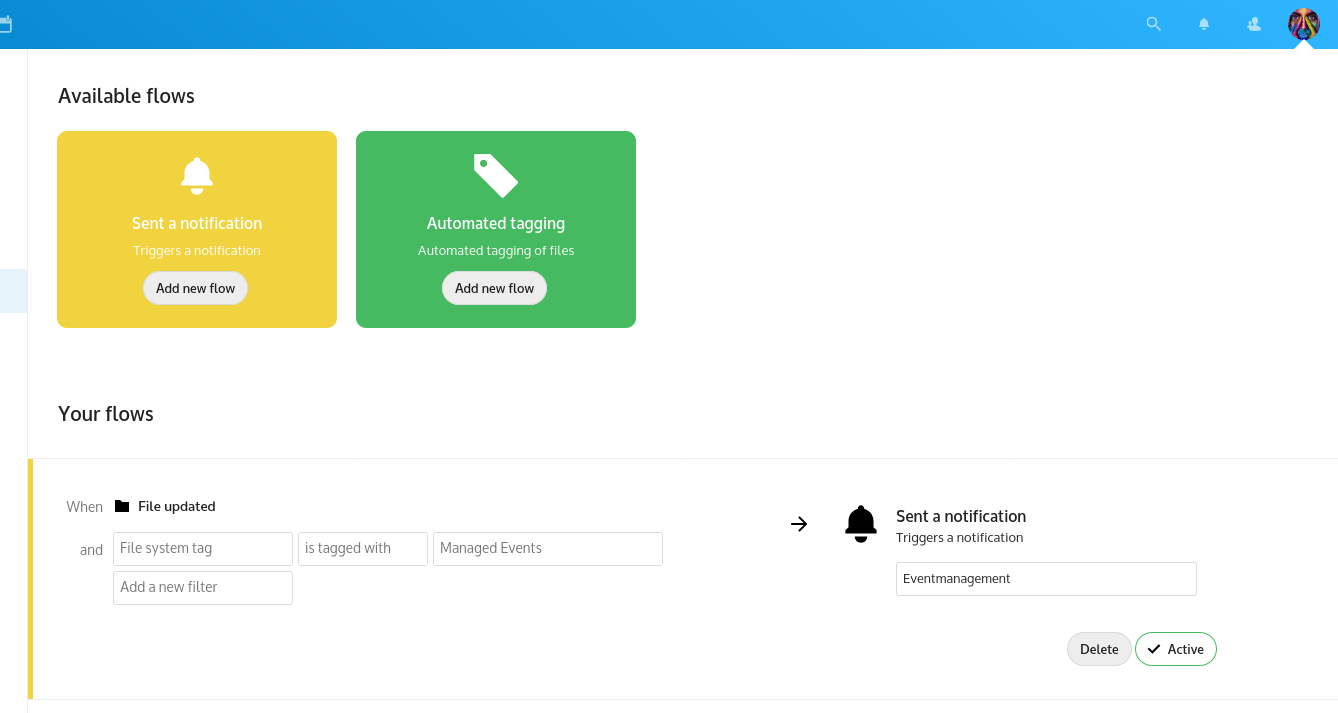\n\nWhen an event happens where all conditions are apply, the user will receive a regular Nextcloud notification.\n\n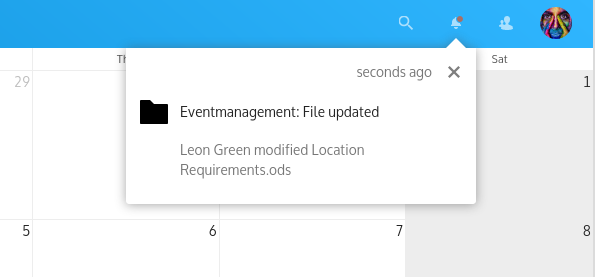",
|
||
"homepage": "https://github.com/nextcloud/flow_notifications",
|
||
"licenses": [
|
||
"agpl"
|
||
]
|
||
},
|
||
"forms": {
|
||
"hash": "sha256-WOLrsu/0CYPnthm+c6TELXUis91bnEclQJ5iOdBeszc=",
|
||
"url": "https://github.com/nextcloud-releases/forms/releases/download/v5.1.2/forms-v5.1.2.tar.gz",
|
||
"version": "5.1.2",
|
||
"description": "**Simple surveys and questionnaires, self-hosted!**\n\n- **📝 Simple design:** No mass of options, only the essentials. Works well on mobile of course.\n- **📊 View & export results:** Results are visualized and can also be exported as CSV in the same format used by Google Forms.\n- **🔒 Data under your control!** Unlike in Google Forms, Typeform, Doodle and others, the survey info and responses are kept private on your instance.\n- **🧑💻 Connect to your software:** Easily integrate Forms into your service with our full-fledged [REST-API](https://github.com/nextcloud/forms/blob/main/docs/API.md).\n- **🙋 Get involved!** We have lots of stuff planned like more question types, collaboration on forms, [and much more](https://github.com/nextcloud/forms/milestones)!",
|
||
"homepage": "https://github.com/nextcloud/forms",
|
||
"licenses": [
|
||
"agpl"
|
||
]
|
||
},
|
||
"fulltextsearch": {
|
||
"hash": "sha256-hovpH6NYIpugOPVIHQXm3QUS3ltVeaAjn0bSEf0t4b8=",
|
||
"url": "https://github.com/nextcloud-releases/fulltextsearch/releases/download/31.0.0/fulltextsearch-31.0.0.tar.gz",
|
||
"version": "31.0.0",
|
||
"description": "Core App of the full-text search framework for your Nextcloud.",
|
||
"homepage": "https://github.com/nextcloud/fulltextsearch",
|
||
"licenses": [
|
||
"agpl"
|
||
]
|
||
},
|
||
"fulltextsearch_elasticsearch": {
|
||
"hash": "sha256-fajcv+hEopux+KocbFT8wV6y8cuXyMqtiBZqZq9qzqg=",
|
||
"url": "https://github.com/nextcloud-releases/fulltextsearch_elasticsearch/releases/download/31.0.0/fulltextsearch_elasticsearch-31.0.0.tar.gz",
|
||
"version": "31.0.0",
|
||
"description": "Extension to the _Full text search_ app to communicate with ElasticSearch.",
|
||
"homepage": "https://github.com/nextcloud/fulltextsearch_elasticsearch",
|
||
"licenses": [
|
||
"agpl"
|
||
]
|
||
},
|
||
"fulltextsearch_sql": {
|
||
"hash": "sha256-DNRgBdkYJ0jRfD9PzBYKz4ql3Qu6m4A0weno6QYYgxo=",
|
||
"url": "https://github.com/jplitza/fulltextsearch_sql/releases/download/v1.2.0/fulltextsearch_sql.tar.gz",
|
||
"version": "1.2.0",
|
||
"description": "Makes the _Full text search_ app work without any additional services.\n\nIt uses the Nextcloud MySQL or PostgreSQL database backend as search provider.\n\nCurrently can not index office document formats, but does work with PDFs (if they contain text/have been OCR'ed).\n\n**Warning:** This app will store all indexed content in your Nextcloud database *twice* (roughly) - once as plain text and once as searchable index. This means that your database can easily grow hundreds of megabytes or even gigabytes in size if you have much indexable content (e.g. documents).",
|
||
"homepage": "https://github.com/jplitza/fulltextsearch_sql",
|
||
"licenses": [
|
||
"agpl"
|
||
]
|
||
},
|
||
"gdatavaas": {
|
||
"hash": "sha256-MlmiODRoafNBlvSmp3P3uJmyPrrHPB3gn+nEqFNnn0A=",
|
||
"url": "https://github.com/GDATASoftwareAG/nextcloud-gdata-antivirus/releases/download/31.1.0/gdatavaas.tar.gz",
|
||
"version": "31.1.0",
|
||
"description": "The [G DATA Antivirus app](https://github.com/GDATASoftwareAG/nextcloud-gdata-antivirus) is an additional layer of security for your Nextcloud server. Easily scan files for malicious content.\n\n* 🚀 **Integration with the Flow App!** Use the tags to trigger flows\n* ☢️ **Blocks uploads of malicious files!** Prevents the upload of malicious files by scanning them on upload\n* 🙋 **User notifications!** Users are notified about the scan results\n* 🕵️♂️ **Automatic scans!** Automatically scans all files in the background\n* ⏰ **Customize what should and should not be scanned!** Configuration via Block- and Allowlist\n* ❓ **Use the activity app!** See what happened in your Nextcloud instance\n* ✅ **no additional software required!** The app uses the G DATA Verdict as a Service (VaaS) API to scan files\n\n## Getting started\n\nThis app is based on the G DATA Verdict as a Service (VaaS) API. To get started with the app, you must either register via our [registration page](https://vaas.gdata.de/login) or host the backend yourself. If you have any questions about self-hosting the backend, please contact us by email or take a look at [this](https://github.com/GDATASoftwareAG/vaas-helm) repository containing the Helm charts.\n\n\n\nAfter the registration you can use these credentials within your nextcloud installation. To do this go to your Administration Settings.\n\n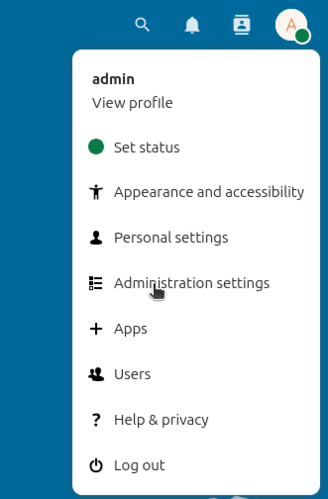\n\nThere you will find the \"Verdict-as-a-Service\" section under the \"Administration\" section.\n\n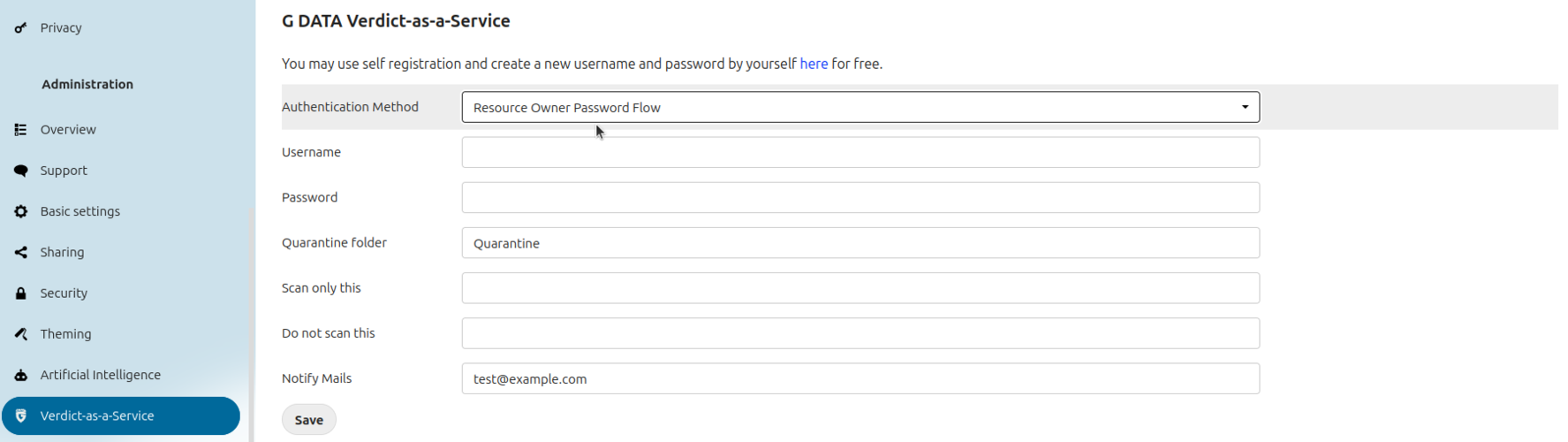\n\nPlease make sure the \"Authentication Method\" \"Resource Owner Password Flow\" is selected. Now you can put your credentials into the 'username' and 'password' field and click save afterwards.",
|
||
"homepage": "",
|
||
"licenses": [
|
||
"agpl"
|
||
]
|
||
},
|
||
"geoblocker": {
|
||
"hash": "sha256-aefnLs8lWEHv8FKLYejg1WV0IVrTxkEhTUbnVe6y3bo=",
|
||
"url": "https://github.com/HomeITAdmin/nextcloud_geoblocker/releases/download/0.5.17/geoblocker.tar.gz",
|
||
"version": "0.5.17",
|
||
"description": "This is a front end to geo localization services, that allows blocking (beta), delaying (beta) and logging of login attempts from specified countries.\nLogin attempts from local network IP addresses are never blocked, delayed or logged.\nIn the current implementation the login page is normally shown to everybody independent of the country. Also login attempts with a non existing user are failing as usual independent of the country.\nWrong Nextcloud configuration (especially in container) can lead to all access seems to come from local network IP address.\nDetermination of the country from IP address is only as good as the chosen service.\n\nCountries can be specified using allowlisting or blocklisting.\n\nCurrently available localization services are:\n- Geoiplookup (local programm on the host)\n- MaxMind GeoLite2 (local database accessed via PHP API)\n- Data from Regional Internet Registries (Nextcloud SQL database build up with data downloaded from the RIRs FTP servers)\n\nFor help how to set up the localization services please have a look at the GitHub repository (homepage on the right side).",
|
||
"homepage": "https://github.com/HomeITAdmin/nextcloud_geoblocker/",
|
||
"licenses": [
|
||
"agpl"
|
||
]
|
||
},
|
||
"gestion": {
|
||
"hash": "sha256-2DjJ51Fxc28LC85pf1nBdF2YpjSUIixYN2FMjws1k7Q=",
|
||
"url": "https://github.com/baimard/gestion/releases/download/2.8.6/gestion-2.8.6.tar.gz",
|
||
"version": "2.8.6",
|
||
"description": "# Company Management with Gestion\nGestion is a Nextcloud application designed to simplify invoicing for freelancers and micro-enterprises.\n\nKey Features:\n* Add and manage customer profiles\n* Create and customize product entries\n* Generate quotes and invoices in PDF format\n* Send PDFs directly via email from the application\n* Store generated documents securely within your Nextcloud instance\n* Track your business activities efficiently\n\n✨ The PDF generation system has been recently redesigned to improve layout, styling, and compatibility.\n\nThis application is tailored to meet the invoicing needs of small businesses, particularly within the French market. It offers a user-friendly interface and integrates seamlessly with Nextcloud's ecosystem.\n\nA presentation video is available in the user documentation to guide you through the application's features.\n\nIf you require adaptations of this application to comply with your country's regulations, please open an issue on the GitHub repository.\n\n[](https://www.buymeacoffee.com/benjaminaimard)",
|
||
"homepage": "https://github.com/baimard/gestion",
|
||
"licenses": [
|
||
"agpl"
|
||
]
|
||
},
|
||
"google_synchronization": {
|
||
"hash": "sha256-hUj9inZ2JYv13T4XHkuyu3zsoq5/MFF0SKKVlYE0gWY=",
|
||
"url": "https://github.com/MarcelRobitaille/nextcloud_google_synchronization/releases/download/v4.0.1/google_synchronization.tar.gz",
|
||
"version": "4.0.1",
|
||
"description": "Google Synchronization automatically keeps your Nextcloud calendar up to date with your Google Calendar. Incompatible with Google Integration!",
|
||
"homepage": "https://github.com/MarcelRobitaille/nextcloud_google_synchronization",
|
||
"licenses": [
|
||
"agpl"
|
||
]
|
||
},
|
||
"gpoddersync": {
|
||
"hash": "sha256-PyyqE2mCClEQkW2cg3541VboCDtxKN2lwPRVRE9ewJs=",
|
||
"url": "https://github.com/thrillfall/nextcloud-gpodder/releases/download/3.12.0/gpoddersync.tar.gz",
|
||
"version": "3.12.0",
|
||
"description": "Expose GPodder API to sync podcast consumer apps like AntennaPod",
|
||
"homepage": "https://github.com/thrillfall/nextcloud-gpodder",
|
||
"licenses": [
|
||
"agpl"
|
||
]
|
||
},
|
||
"gpxpod": {
|
||
"hash": "sha256-VcspeY89Gn8z/+MM3hReamTeJX/oRjMPPGytTM4Mub8=",
|
||
"url": "https://github.com/julien-nc/gpxpod/releases/download/v7.0.4/gpxpod-7.0.4.tar.gz",
|
||
"version": "7.0.4",
|
||
"description": "# GpxPod Nextcloud application\n\nDisplay, analyse, compare and share GPS track files.\n\n🌍 Help us to translate this app on [GpxPod Crowdin project](https://crowdin.com/project/gpxpod).\n\nGpxPod:\n\n* 🗺 can display your gpx/kml/tcx/igc/fit files\n* 📏 supports metric, english and nautical measure systems\n* 🗠 draws interactive chart for elevation, speed, pace or any extension data\n* 🗠 use line gradient color for track lines with speed, elevation, pace or any extension data\n* 🗠 shows track statistics\n* 🖻 displays geotagged pictures\n* 🖧 generates public links pointing to a track/folder\n* 🗠 can correct tracks elevations using SRTM data\n* ⚖ can make global comparison of multiple tracks\n* ⚖ can make visual pair comparison of divergent parts of similar tracks\n* 🀆 allows users to add personal map tile servers\n* 🖍 allows user to manually choose line color for each track\n* 🔒 works with encrypted data folder (server side encryption)\n* 🍂 proudly uses Leaflet and MapLibre GL\n\nLink to Nextcloud application website : https://apps.nextcloud.com/apps/gpxpod\n\n## Install\n\nSee the [AdminDoc](https://gitlab.com/eneiluj/gpxpod-oc/wikis/admindoc) for installation details\n\n## Known issues\n\n* *WARNING*, kml conversion will NOT work with recent kml files using the proprietary \"gx:track\" extension tag.\n\nAny feedback will be appreciated.\n\n\n## Donation\n\nI develop this app during my free time.\n\n* [Donate with Paypal](https://www.paypal.com/cgi-bin/webscr?cmd=_s-xclick&hosted_button_id=66PALMY8SF5JE) (you don't need a paypal account)\n* [Donate with Liberapay : ](https://liberapay.com/eneiluj/donate)",
|
||
"homepage": "https://github.com/julien-nc/gpxpod",
|
||
"licenses": [
|
||
"agpl"
|
||
]
|
||
},
|
||
"group_default_quota": {
|
||
"hash": "sha256-NqCDCy0hgFaXnUZ5h41dcPe6NSvlF28iiKWvnsg83a8=",
|
||
"url": "https://github.com/icewind1991/group_default_quota/releases/download/v0.1.11/group_default_quota-v0.1.11.tar.gz",
|
||
"version": "0.1.11",
|
||
"description": "Allow setting the default quota for users based on their group membership.",
|
||
"homepage": "https://github.com/icewind1991/group_default_quota",
|
||
"licenses": [
|
||
"agpl"
|
||
]
|
||
},
|
||
"group_everyone": {
|
||
"hash": "sha256-scskId3TAQGoAOsCTXwufDPHWnrD4Weu58r4XQt11HE=",
|
||
"url": "https://github.com/icewind1991/group_everyone/releases/download/v0.1.17/group_everyone-v0.1.17.tar.gz",
|
||
"version": "0.1.17",
|
||
"description": "Adds a virtual \"Everyone\" group.",
|
||
"homepage": "https://github.com/icewind1991/group_everyone",
|
||
"licenses": [
|
||
"agpl"
|
||
]
|
||
},
|
||
"groupfolders": {
|
||
"hash": "sha256-sj+5a/+xjJXwzc6is9mERQrZD2edVOQ7leUsjFbkn/w=",
|
||
"url": "https://github.com/nextcloud-releases/groupfolders/releases/download/v19.1.5/groupfolders-v19.1.5.tar.gz",
|
||
"version": "19.1.5",
|
||
"description": "Admin configured folders shared with everyone in a team.\n\nFolders can be configured from *Team folders* in the admin settings.\n\nAfter a folder is created, the admin can give access to the folder to one or more teams, control their write/sharing permissions and assign a quota for the folder.\nAs of Hub 10/Nextcloud 31, the admin needs to be a part of the team to be able to assign it a Teamfolder.",
|
||
"homepage": "https://github.com/nextcloud/groupfolders",
|
||
"licenses": [
|
||
"agpl"
|
||
]
|
||
},
|
||
"groupquota": {
|
||
"hash": "sha256-ElN6D8zVf7K36eZfiTrzZiSclTWokZbKFLD2RDwtKw8=",
|
||
"url": "https://github.com/nextcloud-releases/groupquota/releases/download/v0.2.2/groupquota-v0.2.2.tar.gz",
|
||
"version": "0.2.2",
|
||
"description": "Allow setting a disk quota for an entire group.\n\nNote: configuring quota is only possible trough the API, no admin interface is currently available.",
|
||
"homepage": "https://github.com/nextcloud/groupquota",
|
||
"licenses": [
|
||
"agpl"
|
||
]
|
||
},
|
||
"guests": {
|
||
"hash": "sha256-8cUoXYP37EJ6R2q4JNStDkm28AanK+XTuwHDOaREYjk=",
|
||
"url": "https://github.com/nextcloud-releases/guests/releases/download/v4.5.2/guests-v4.5.2.tar.gz",
|
||
"version": "4.5.2",
|
||
"description": "👥 Allows for better collaboration with external users by allowing users to create guests account.\n\nGuests accounts can be created from the share menu by entering either the recipients email or name and choosing \"create guest account\", once the share is created the guest user will receive an email notification about the mail with a link to set their password.\n\nGuests users can only access files shared to them and cannot create any files outside of shares, additionally, the apps accessible to guest accounts are whitelisted.",
|
||
"homepage": "https://github.com/nextcloud/guests/",
|
||
"licenses": [
|
||
"agpl"
|
||
]
|
||
},
|
||
"hitobitologin": {
|
||
"hash": "sha256-W09g3oE+549SrmMO10qWf8t8AqmMRI1+KzrodNms1Ss=",
|
||
"url": "https://github.com/cevi/nextcloud-hitobito-login/releases/download/v1.0.2/hitobitologin-v1.0.2.tar.gz",
|
||
"version": "1.0.2",
|
||
"description": "**A login integration for [Hitobito](https://github.com/hitobito/hitobito)**\n- **Group and Role mapping!** Map role/group combinations from hitobito to nextcloud groups\n- **User info sync** Information like displayname, e-mail, address, birthday is synced from hitobito to nextcloud\n- **E-Mail detection** Existing users can be linked to their hitobito account based on their e-mail\n- **Block unknown users** Users not fiting a role/group mapping can be blocked from accessing nextcloud\n- **Automatic group removal** A user can be automatically removed from nextcloud groups if the mapping no longer applies\n\nThis application and its developers are not affiliated with, endorsed by, or associated with Puzzle ITC (the developers of Hitobito). All trademarks and copyrights belong to their respective owners.",
|
||
"homepage": "",
|
||
"licenses": [
|
||
"Apache-2.0"
|
||
]
|
||
},
|
||
"htmlviewer": {
|
||
"hash": "sha256-tS8F+VaTg7ijbTplSoiAIFuIcEI2EhG/43UAbAD5YfA=",
|
||
"url": "https://git.mdns.eu/api/v4/projects/79/packages/generic/htmlviewer/31.0.0/htmlviewer.tar.gz",
|
||
"version": "31.0.0",
|
||
"description": "HTML files can be a great way to illustrate content in an interactive and responsive format.\nThe HTML viewer app enables viewing and editing of static HTML files directly within Nextcloud.\n\n### Security information\nLoading HTML files within the context of Nextcloud carries a risk of exposing user information to third parties, depending on the configuration of the server\nThe HTML viewer app uses the sandbox and CSP features for iframes to disable JavaScript and prevent access to user information and websites outside your Nextcloud, but this can not guarantee that no information is ever transferred to third parties.\n\nAdministrators should also be aware that some users may not be able to differentiate between the content of an HTML file they have opened and the normal user interface of Nextcloud.\n\n### JavaScript\nJavaScript for HTML files is disabled by default. Enabling it is a bad idea and we do not recommend this at all.\nAlthough security features like sandboxing, CSP and CORS limit what can be done, it still means that unknown code is being executed within Nextcloud.\n\nIf you still wish to enable JS, this occ command will enable it:\n```bash\n./occ config:app:set htmlviewer allowJs --value=1\n```\n\n**Note:** If you set a custom CSP or Sandbox value, this feature may not work if your CSP/Sandbox values do not allow JS execution.\nHowever, you must still enable this feature if you use a custom CSO/Sandbox if you want to allow JS.\n\n### File Size Limit\nBy default, the app will load HTML files up to 32MB. To change the file size, use this occ command:\n```bash\n ./occ config:app:set htmlviewer maxSize --value=SizeInMegabyte\n```\n\n### Iframe Permissions\nThe app automatically configures the iframe with an CSP for [supported browsers](https://caniuse.com/mdn-api_htmliframeelement_csp) and a sandbox to limit code execution and data access.\nBoth policies can be changed through config settings with the OCC commands shown below.\nPlease be aware that the general CSP of your Nextcloud may still block some access regardless of what CSP and sandbox settings you configure.\n\nTo change the CSP or sandbox settings, use these occ commands:\n```bash\n ./occ config:app:set htmlviewer csp --value=CustomCspSettings\n ./occ config:app:set htmlviewer sandbox --value=CustomSandboxSettings\n```\n\n### Links\nBy default, links in the HTML files can only be opened with CRTL+click.\nLinks with the `target=\"_blank\"` attribute can be enabled by setting a custom sandbox value that includes the permission `allow-popups`.\nOtherwise, the \"newTabLinks\" feature can be enabled to set the permissions automatically and convert any links without `target=\"_blank\"` to include it.\n\n```bash\n./occ config:app:set htmlviewer newTabLinks --value=true --type=boolean\n```",
|
||
"homepage": "",
|
||
"licenses": [
|
||
"agpl"
|
||
]
|
||
},
|
||
"iframewidget": {
|
||
"hash": "sha256-cHIfTCq3GuZ4/H+brr2eucO9gp+y0glvFkPtHAj1278=",
|
||
"url": "https://github.com/IT-BAER/nc-iframewidget/releases/download/v0.7.7/nc-iframewidget.tar.gz",
|
||
"version": "0.7.7",
|
||
"description": "**🔲 iFrame Widget for Nextcloud Dashboard**\n\nThis app adds a customizable iFrame widget to your Nextcloud dashboard, allowing you to embed external websites directly within Nextcloud.\n\n## ✨ Features\n\n- **🌐 Embed any website** directly in your Nextcloud dashboard\n- **🎨 Customize appearance** with custom titles and icons\n- **🎭 SimpleIcons integration** using the `si:` prefix for thousands of brand icons\n- **🖌️ Colorize icons** with a built-in color picker\n- **📏 Adjustable height** for perfect layout integration\n- **📱 Responsive design** with extra-wide display option (2 columns)\n\n## 🛠️ Configuration\n\nThe widget is highly customizable with options for:\n- Custom title and icon\n- Icon coloring\n- iFrame height\n- Wide display mode\n\n## 🔒 CSP Configuration\n\nIf you encounter Content Security Policy errors, you may need to adjust your Nextcloud configuration to allow embedding specific websites. See the full documentation on GitHub for details.\n\n## 💻 Compatibility\n- Nextcloud 30 & 31",
|
||
"homepage": "",
|
||
"licenses": [
|
||
"agpl"
|
||
]
|
||
},
|
||
"imageconverter": {
|
||
"hash": "sha256-EJvvSHElMVCyMLG3i0HWmFoHPObZ6vgI2C2b29yLWd8=",
|
||
"url": "https://github.com/major-mayer/imageconverter/releases/download/v.2.0.5/imageconverter.tar.gz",
|
||
"version": "2.0.5",
|
||
"description": "Very simple app to convert your HEIC/ HEIF files to JPEG using ImagickMagick and the PHP Imagick extension. \n Needs imagemagick with HEIC support installed and the PHP bindings (Imagick extension) enabled.\n Check Github for more details.",
|
||
"homepage": "",
|
||
"licenses": [
|
||
"agpl"
|
||
]
|
||
},
|
||
"impersonate": {
|
||
"hash": "sha256-VBOUSB3airzhPcOurPAm10w7AB21+6WLiCfXmOLowZM=",
|
||
"url": "https://github.com/nextcloud-releases/impersonate/releases/download/v2.0.0/impersonate-v2.0.0.tar.gz",
|
||
"version": "2.0.0",
|
||
"description": "By installing the impersonate app of your Nextcloud you enable administrators to impersonate other users on the Nextcloud server. This is especially useful for debugging issues reported by users.\n\nTo impersonate a user an administrator has to simply follow the following four steps:\n\n1. Login as administrator to Nextcloud.\n2. Open users administration interface.\n3. Select the impersonate button on the affected user.\n4. Confirm the impersonation.\n\nThe administrator is then logged-in as the user, to switch back to the regular user account they simply have to press the logout button.\n\n**Note:**\n\n- This app is not compatible with instances that have encryption enabled.\n- While impersonate actions are logged note that actions performed impersonated will be logged as the impersonated user.\n- Impersonating a user is only possible after their first login.\n- You can limit which users/groups can use impersonation in Administration settings > Additional settings.",
|
||
"homepage": "https://github.com/nextcloud/impersonate",
|
||
"licenses": [
|
||
"agpl"
|
||
]
|
||
},
|
||
"integration_alephalpha": {
|
||
"hash": "sha256-LwlwyFW7Lg4n+bF30IRzMMm6i+re/gPb0dIxEvS0eq0=",
|
||
"url": "https://github.com/nextcloud-releases/integration_alephalpha/releases/download/v1.0.7/integration_alephalpha-v1.0.7.tar.gz",
|
||
"version": "1.0.7",
|
||
"description": "This app implements a free prompt provider which can be used together with the [Gpt Free Prompt app](https://apps.nextcloud.com/apps/gptfreeprompt).\n\n## Ethical AI Rating\n### Rating for Text generation using Aleph Alpha API: 🔴\n\nNegative:\n* the software for training and inference of this model is proprietary, limiting running it locally or training by yourself\n* the trained model is not freely available, so the model can not be run on-premises\n* the training data is not freely available, limiting the ability of external parties to check and correct for bias or optimise the model's performance and CO2 usage.\n\nLearn more about the Nextcloud Ethical AI Rating [in our blog](https://nextcloud.com/blog/nextcloud-ethical-ai-rating/).",
|
||
"homepage": "https://github.com/nextcloud/integration_alephalpha",
|
||
"licenses": [
|
||
"agpl"
|
||
]
|
||
},
|
||
"integration_deepl": {
|
||
"hash": "sha256-WjTg/+ckoZ/xFrfN0LaLvWIM/JbbnfvVO4EbnRnvB60=",
|
||
"url": "https://github.com/nextcloud-releases/integration_deepl/releases/download/v2.0.0/integration_deepl-v2.0.0.tar.gz",
|
||
"version": "2.0.0",
|
||
"description": "Deepl integration providing an translations through deepl.com with Nextcloud\n\nThis app integrates with [Nextcloud Assistant](https://apps.nextcloud.com/apps/assistant) to offer translation services We recommend to install Assistant additionally and activate Deepl as translation provider in the Artifical Intelligence admin settings.\n\nThis app also integrates with the translation API of Nextcloud server to offer translation services without Assistant. Currently this is available in Text and Talk.\n\nTo run translations and any other Task Processing tasks synchronously, run the following command in a background process (10 is the interval in seconds when the process should relaunch to use the latest php changes):\n\n```sh\nset -e; while true; do occ background-job:worker -v -t 10 \"OC\\TaskProcessing\\SynchronousBackgroundJob\"; done\n```\n\n## Ethical AI Rating\n### Rating: 🔴\n\nNegative:\n* the software for training and inferencing of this model is proprietary, limiting running it locally or training by yourself\n* the trained model is not freely available, so the model can not be ran on-premises\n* the training data is not freely available, limiting the ability of external parties to check and correct for bias or optimise the model’s performance and CO2 usage.\n\nLearn more about the Nextcloud Ethical AI Rating [in our blog](https://nextcloud.com/blog/nextcloud-ethical-ai-rating/).",
|
||
"homepage": "https://github.com/nextcloud/integration_deepl",
|
||
"licenses": [
|
||
"agpl"
|
||
]
|
||
},
|
||
"integration_discourse": {
|
||
"hash": "sha256-9Tefu1qdRxrRDAjZ4a3UqIChXRz7VFbXUC2Wsq5Bozo=",
|
||
"url": "https://github.com/nextcloud-releases/integration_discourse/releases/download/v2.4.1/integration_discourse-v2.4.1.tar.gz",
|
||
"version": "2.4.1",
|
||
"description": "Discourse integration provides a dashboard widget displaying your important notifications\n and the ability to find topics and posts with Nextcloud's unified search.",
|
||
"homepage": "https://github.com/nextcloud/integration_discourse",
|
||
"licenses": [
|
||
"agpl"
|
||
]
|
||
},
|
||
"integration_documenso": {
|
||
"hash": "sha256-TmOWfOeiGwKV+VIfLwQY6v+kfHlIpuMIYxBWlAZbODc=",
|
||
"url": "https://github.com/nextcloud-releases/integration_documenso/releases/download/v1.1.1/integration_documenso-v1.1.1.tar.gz",
|
||
"version": "1.1.1",
|
||
"description": "Sign files via Documenso Service.",
|
||
"homepage": "https://github.com/nextcloud/integration_documenso",
|
||
"licenses": [
|
||
"agpl"
|
||
]
|
||
},
|
||
"integration_docusign": {
|
||
"hash": "sha256-+YJ8wu0msgDWfCvVET2ZTt1EMJznIjUbHpl45Mdh2/k=",
|
||
"url": "https://github.com/nextcloud-releases/integration_docusign/releases/download/v2.0.5/integration_docusign-v2.0.5.tar.gz",
|
||
"version": "2.0.5",
|
||
"description": "Sign files via DocuSign Service.",
|
||
"homepage": "https://github.com/nextcloud/integration_docusign",
|
||
"licenses": [
|
||
"agpl"
|
||
]
|
||
},
|
||
"integration_dropbox": {
|
||
"hash": "sha256-EX+I0vn01Hu+kXHnkdslENoeFVXOFnCuwXnCcuc9zos=",
|
||
"url": "https://github.com/nextcloud-releases/integration_dropbox/releases/download/v4.0.3/integration_dropbox-v4.0.3.tar.gz",
|
||
"version": "4.0.3",
|
||
"description": "Dropbox integration allows you to automatically import your Dropbox files into Nextcloud.",
|
||
"homepage": "https://github.com/nextcloud/integration_dropbox",
|
||
"licenses": [
|
||
"agpl"
|
||
]
|
||
},
|
||
"integration_excalidraw": {
|
||
"hash": "sha256-ykwqdUpU7+JpbiQY5CgKD0lZzBA1vefTZQfeJ5MGiuM=",
|
||
"url": "https://github.com/nextcloud-releases/integration_excalidraw/releases/download/v2.4.1/integration_excalidraw-v2.4.1.tar.gz",
|
||
"version": "2.4.1",
|
||
"description": "Modern collaborative whiteboard in Nextcloud.\nThis integration app lets users create Excalidraw boards, share board links and open boards directly in Nextcloud.",
|
||
"homepage": "https://github.com/eneiluj/integration_excalidraw",
|
||
"licenses": [
|
||
"agpl"
|
||
]
|
||
},
|
||
"integration_giphy": {
|
||
"hash": "sha256-SuOSIMfMJPvw6DAlureNTwT6tI+fPYxTH1rtSEw8J50=",
|
||
"url": "https://github.com/nextcloud-releases/integration_giphy/releases/download/v2.1.0/integration_giphy-v2.1.0.tar.gz",
|
||
"version": "2.1.0",
|
||
"description": "Giphy integration provides a unified search provider for GIFs.\n\nIt also provides a link reference provider to render links to GIFs and make it possible to search for GIFs in Talk, Text and potentially anywhere in Nextcloud.\n\nTo use SmartPicker, start typing with `/giphy`.",
|
||
"homepage": "https://github.com/nextcloud/integration_giphy",
|
||
"licenses": [
|
||
"agpl"
|
||
]
|
||
},
|
||
"integration_github": {
|
||
"hash": "sha256-iBWphFaXmQHNxgoi9qkfV7vCTChwtk6yg0aVr9Lhn4c=",
|
||
"url": "https://github.com/nextcloud-releases/integration_github/releases/download/v3.2.1/integration_github-v3.2.1.tar.gz",
|
||
"version": "3.2.1",
|
||
"description": "GitHub integration provides a dashboard widget displaying your most important notifications\n and a unified search provider for repositories, issues and pull requests. It also provides a link reference provider\n to render links to issues, pull requests and comments in Talk and Text.",
|
||
"homepage": "https://github.com/nextcloud/integration_github",
|
||
"licenses": [
|
||
"agpl"
|
||
]
|
||
},
|
||
"integration_gitlab": {
|
||
"hash": "sha256-BDDuqQIDV3pn1mYutjA7Z3L2nib2wW6DlZgyqU46f8Q=",
|
||
"url": "https://github.com/nextcloud-releases/integration_gitlab/releases/download/v3.2.0/integration_gitlab-v3.2.0.tar.gz",
|
||
"version": "3.2.0",
|
||
"description": "GitLab integration provides a dashboard widget displaying your most important notifications\n and a unified search provider for repositories, issues and merge requests.",
|
||
"homepage": "https://github.com/nextcloud/integration_gitlab",
|
||
"licenses": [
|
||
"agpl"
|
||
]
|
||
},
|
||
"integration_google": {
|
||
"hash": "sha256-gwqAcTa4CbFwkhxiNUbYSuUOOxtqxg9BY8MCVtPp/D4=",
|
||
"url": "https://github.com/nextcloud-releases/integration_google/releases/download/v4.1.0/integration_google-v4.1.0.tar.gz",
|
||
"version": "4.1.0",
|
||
"description": "Google integration allows you to automatically migrate your Google calendars, contacts, and files into Nextcloud.",
|
||
"homepage": "https://github.com/nextcloud/integration_google",
|
||
"licenses": [
|
||
"agpl"
|
||
]
|
||
},
|
||
"integration_homeassistant": {
|
||
"hash": "sha256-C083NROJzU9EFMwt4uW9zOFYgwe1GM9RXkjx/ksrpVk=",
|
||
"url": "https://github.com/poulou0/nextcloud-homeassistant-integration/releases/download/v0.0.6/integration_homeassistant.tar.gz",
|
||
"version": "0.0.6",
|
||
"description": "A jinja2 template and a YAML widget for a home-assistant instance.\n\nVideo examples can be found here:\n* [Jinja2 template widget](https://youtu.be/XE_LRTAfVjA)\n* [YAML widget](https://youtu.be/PjWH53rqYe8)",
|
||
"homepage": "https://github.com/poulou0/nextcloud-homeassistant-integration",
|
||
"licenses": [
|
||
"agpl"
|
||
]
|
||
},
|
||
"integration_jira": {
|
||
"hash": "sha256-kxjxl5cVvd3NW5PBz4zN2H8CaVl/alQu+3Qb094g5zY=",
|
||
"url": "https://github.com/nextcloud-releases/integration_jira/releases/download/v1.4.0/integration_jira-v1.4.0.tar.gz",
|
||
"version": "1.4.0",
|
||
"description": "Jira integration provides a dashboard widget displaying your important notifications,\na unified search provider to search for issues\nand notifications about recent activity related to your assigned issues.",
|
||
"homepage": "https://github.com/nextcloud/integration_jira",
|
||
"licenses": [
|
||
"agpl"
|
||
]
|
||
},
|
||
"integration_jupyterhub": {
|
||
"hash": "sha256-z4UHblMKA/COf8/HvPNskAumBCNHdKiLrhsuCz+/eDM=",
|
||
"url": "https://github.com/SUNET/nextcloud-integration_jupyterhub/releases/download/v0.1.4/integration_jupyterhub-0.1.4.tar.gz",
|
||
"version": "0.1.4",
|
||
"description": "Integrate Jupyther Hub into Nextcloud",
|
||
"homepage": "",
|
||
"licenses": [
|
||
"agpl"
|
||
]
|
||
},
|
||
"integration_mastodon": {
|
||
"hash": "sha256-heJmRME1ODbbJeZHp0gAcECTdy4mp2uW5pqeAuJszPg=",
|
||
"url": "https://github.com/nextcloud-releases/integration_mastodon/releases/download/v3.2.1/integration_mastodon-v3.2.1.tar.gz",
|
||
"version": "3.2.1",
|
||
"description": "Mastodon integration provides dashboard widgets displaying your important notifications and your home timeline. You can also post a public sharing link on your Mastodon profile.",
|
||
"homepage": "https://github.com/nextcloud/integration_mastodon",
|
||
"licenses": [
|
||
"agpl"
|
||
]
|
||
},
|
||
"integration_mattermost": {
|
||
"hash": "sha256-++DISalBK2Sf6W1Ia2ahUEizofaxon/fdPCLIFxPW/g=",
|
||
"url": "https://github.com/nextcloud-releases/integration_mattermost/releases/download/v2.1.1/integration_mattermost-v2.1.1.tar.gz",
|
||
"version": "2.1.1",
|
||
"description": "Mattermost integration provides a dashboard widget displaying your most important notifications\nand a unified search provider for messages. It also lets you send files to Mattermost from Nextcloud Files.",
|
||
"homepage": "https://github.com/nextcloud/integration_mattermost",
|
||
"licenses": [
|
||
"agpl"
|
||
]
|
||
},
|
||
"integration_miro": {
|
||
"hash": "sha256-X1cgIKZj2PUF/4HHmz5FI8xNRVuQLYfc0uR8+78AJvc=",
|
||
"url": "https://github.com/nextcloud-releases/integration_miro/releases/download/v1.0.7/integration_miro-v1.0.7.tar.gz",
|
||
"version": "1.0.7",
|
||
"description": "Miro integration lets users create boards, share board links and open boards directly in Nextcloud.",
|
||
"homepage": "https://github.com/nextcloud/integration_miro",
|
||
"licenses": [
|
||
"agpl"
|
||
]
|
||
},
|
||
"integration_notion": {
|
||
"hash": "sha256-Z1Z1Y1w3vudNaY7iiLnOnHlfS4k9FGRXrtcPuHQwmrY=",
|
||
"url": "https://github.com/nextcloud-releases/integration_notion/releases/download/v1.3.1/integration_notion-v1.3.1.tar.gz",
|
||
"version": "1.3.1",
|
||
"description": "Notion integration adds ability to search in Notion and render its links.",
|
||
"homepage": "https://github.com/nextcloud/integration_notion",
|
||
"licenses": [
|
||
"agpl"
|
||
]
|
||
},
|
||
"integration_nuiteq": {
|
||
"hash": "sha256-E1qrjS6Gca9Ib1PGaYt+EAMj3xvZ2eHqcZd0SxicNG0=",
|
||
"url": "https://github.com/nextcloud-releases/integration_nuiteq/releases/download/v1.1.0/integration_nuiteq-v1.1.0.tar.gz",
|
||
"version": "1.1.0",
|
||
"description": "NUITEQ Stage creates a natural interaction between participants in a Modern Meeting by merging the experience of creating together on a whiteboard and discussing in a video call and chat. Prepare and upload files and presentations, share them with others in the meeting. Designed for collaboration first to engage team members - NUITEQ Stage is safe, easy and efficient to use.\n\nThis app provides a simple interface to list, create and share NUITEQ Stage whiteboards.",
|
||
"homepage": "https://github.com/nextcloud/integration_nuiteq",
|
||
"licenses": [
|
||
"agpl"
|
||
]
|
||
},
|
||
"integration_oidc": {
|
||
"hash": "sha256-thN4DrkjpD9bm91CxDoReWt+Ba2NDqW1SjpiFd/yMC8=",
|
||
"url": "https://github.com/SUNET/nextcloud-integration_oidc/releases/download/v0.1.5/integration_oidc-0.1.5.tar.gz",
|
||
"version": "0.1.5",
|
||
"description": "Generic OIDC connector for Nextcloud",
|
||
"homepage": "",
|
||
"licenses": [
|
||
"agpl"
|
||
]
|
||
},
|
||
"integration_onedrive": {
|
||
"hash": "sha256-pVCv2JeJvTFE+caiSHHKawpOF0hpS1OQW0BScHMn1oQ=",
|
||
"url": "https://github.com/nextcloud-releases/integration_onedrive/releases/download/v3.4.0/integration_onedrive-v3.4.0.tar.gz",
|
||
"version": "3.4.0",
|
||
"description": "Microsoft OneDrive integration allows you to automatically import your OneDrive files into Nextcloud.",
|
||
"homepage": "https://github.com/nextcloud/integration_onedrive",
|
||
"licenses": [
|
||
"agpl"
|
||
]
|
||
},
|
||
"integration_openai": {
|
||
"hash": "sha256-VAvpbiTzbbQPsohQygdXRfPqPkxf7rEBuYELb0ADZqA=",
|
||
"url": "https://github.com/nextcloud-releases/integration_openai/releases/download/v3.7.1/integration_openai-v3.7.1.tar.gz",
|
||
"version": "3.7.1",
|
||
"description": "⚠️ The smart pickers have been removed from this app\nas they are now included in the [Assistant app](https://apps.nextcloud.com/apps/assistant).\n\nThis app implements:\n\n* Text generation providers: Free prompt, Summarize, Headline, Context Write, Chat, and Reformulate (using any available large language model)\n* A Translation provider (using any available language model)\n* A SpeechToText provider (using Whisper)\n* An image generation provider\n\n⚠️ Context Write, Summarize, Headline and Reformulate have mainly been tested with OpenAI.\nThey might work when connecting to other services, without any guarantee.\n\nInstead of connecting to the OpenAI API for these, you can also connect to a self-hosted [LocalAI](https://localai.io) instance or [Ollama](https://ollama.com/) instance\nor to any service that implements an API similar to the OpenAI one, for example:\n[IONOS AI Model Hub](https://docs.ionos.com/cloud/ai/ai-model-hub), [Plusserver](https://www.plusserver.com/en/ai-platform/) or [MistralAI](https://mistral.ai).\n\n⚠️ This app is mainly tested with OpenAI. We do not guarantee it works perfectly\nwith other services that implement OpenAI-compatible APIs with slight differences.\n\n## Improve AI task pickup speed\n\nTo avoid task processing execution delay, setup at 4 background job workers in the main server (where Nextcloud is installed). The setup process is documented here: https://docs.nextcloud.com/server/latest/admin_manual/ai/overview.html#improve-ai-task-pickup-speed\n\n## Ethical AI Rating\n### Rating for Text generation using ChatGPT via the OpenAI API: 🔴\n\nNegative:\n* The software for training and inference of this model is proprietary, limiting running it locally or training by yourself\n* The trained model is not freely available, so the model can not be run on-premises\n* The training data is not freely available, limiting the ability of external parties to check and correct for bias or optimise the model's performance and CO2 usage.\n\n\n### Rating for Translation using ChatGPT via the OpenAI API: 🔴\n\nNegative:\n* The software for training and inference of this model is proprietary, limiting running it locally or training by yourself\n* The trained model is not freely available, so the model can not be run on-premises\n* The training data is not freely available, limiting the ability of external parties to check and correct for bias or optimise the model's performance and CO2 usage.\n\n### Rating for Image generation using DALL·E via the OpenAI API: 🔴\n\nNegative:\n* The software for training and inferencing of this model is proprietary, limiting running it locally or training by yourself\n* The trained model is not freely available, so the model can not be ran on-premises\n* The training data is not freely available, limiting the ability of external parties to check and correct for bias or optimise the model’s performance and CO2 usage.\n\n\n### Rating for Speech-To-Text using Whisper via the OpenAI API: 🟡\n\nPositive:\n* The software for training and inferencing of this model is open source\n* The trained model is freely available, and thus can run on-premise\n\nNegative:\n* The training data is not freely available, limiting the ability of external parties to check and correct for bias or optimise the model’s performance and CO2 usage.\n\n### Rating for Text-To-Speech via the OpenAI API: 🔴\n\nNegative:\n* The software for training and inferencing of this model is proprietary, limiting running it locally or training by yourself\n* The trained model is not freely available, so the model can not be ran on-premises\n* The training data is not freely available, limiting the ability of external parties to check and correct for bias or optimise the model’s performance and CO2 usage.\n\n### Rating for Text generation via LocalAI: 🟢\n\nPositive:\n* The software for training and inferencing of this model is open source\n* The trained model is freely available, and thus can be ran on-premises\n* The training data is freely available, making it possible to check or correct for bias or optimise the performance and CO2 usage.\n\n\n### Rating for Image generation using Stable Diffusion via LocalAI : 🟡\n\nPositive:\n* The software for training and inferencing of this model is open source\n* The trained model is freely available, and thus can be ran on-premises\n\nNegative:\n* The training data is not freely available, limiting the ability of external parties to check and correct for bias or optimise the model’s performance and CO2 usage.\n\n\n### Rating for Speech-To-Text using Whisper via LocalAI: 🟡\n\nPositive:\n* The software for training and inferencing of this model is open source\n* The trained model is freely available, and thus can be ran on-premises\n\nNegative:\n* The training data is not freely available, limiting the ability of external parties to check and correct for bias or optimise the model’s performance and CO2 usage.\n\nLearn more about the Nextcloud Ethical AI Rating [in our blog](https://nextcloud.com/blog/nextcloud-ethical-ai-rating/).",
|
||
"homepage": "https://github.com/nextcloud/integration_openai",
|
||
"licenses": [
|
||
"agpl"
|
||
]
|
||
},
|
||
"integration_openproject": {
|
||
"hash": "sha256-3l2PPfQtMKoMXjYDaFei59+QiLo5qdPgmZNnEVuoLaw=",
|
||
"url": "https://github.com/nextcloud/integration_openproject/releases/download/v2.10.0-20250918-nightly/integration_openproject-2.10.0-20250918-nightly.tar.gz",
|
||
"version": "2.10.0",
|
||
"description": "This application enables seamless integration with open source project management and collaboration software OpenProject.\n\nOn the Nextcloud end, it allows users to:\n\n* Link files and folders with work packages in OpenProject\n* Find all work packages linked to a file or a folder\n* Create work packages directly in Nextcloud\n* View OpenProject notifications via the dashboard\n* Search for work packages using Nextcloud's search bar\n* Link work packages in rich text fields via Smart Picker\n* Preview links to work packages in text fields\n* Link multiple files and folder to a work package at once\n\nOn the OpenProject end, users are able to:\n\n* Link work packages with files and folders in Nextcloud\n* Upload and download files directly to Nextcloud from within a work package\n* Open linked files in Nextcloud to edit them\n* Let OpenProject create shared folders per project\n\nFor more information on how to set up and use the OpenProject application, please refer to [integration setup guide](https://www.openproject.org/docs/system-admin-guide/integrations/nextcloud/) for administrators and [the user guide](https://www.openproject.org/docs/user-guide/nextcloud-integration/).",
|
||
"homepage": "https://github.com/nextcloud/integration_openproject",
|
||
"licenses": [
|
||
"agpl"
|
||
]
|
||
},
|
||
"integration_openstreetmap": {
|
||
"hash": "sha256-K5/BcNb5LAjITIbmJ4cVK5SBVTJkkXE7FIJgI03heCg=",
|
||
"url": "https://github.com/nextcloud-releases/integration_openstreetmap/releases/download/v2.1.0/integration_openstreetmap-v2.1.0.tar.gz",
|
||
"version": "2.1.0",
|
||
"description": "OpenStreetMap integration provides a search provider for locations, a reference\nprovider to render location links from various map services (OpenStreetMap, Google maps...) and a custom link picker\ncomponent to quickly insert a location link by searching or selecting a point on an (awesome) interactive map.",
|
||
"homepage": "https://github.com/nextcloud/integration_openstreetmap",
|
||
"licenses": [
|
||
"agpl"
|
||
]
|
||
},
|
||
"integration_overleaf": {
|
||
"hash": "sha256-Ch6nVF/U0NwhHX0vsJTuAvKApJHoZwf1NZXRHXscRZk=",
|
||
"url": "https://github.com/nextcloud-releases/integration_overleaf/releases/download/v1.0.2/integration_overleaf-v1.0.2.tar.gz",
|
||
"version": "1.0.2",
|
||
"description": "App to edit latex files using overleaf.",
|
||
"homepage": "",
|
||
"licenses": [
|
||
"agpl"
|
||
]
|
||
},
|
||
"integration_paperless": {
|
||
"hash": "sha256-70goWT+uhdYCLIc68+kYEeWoO0rZMYbVgBcjQ88fKgw=",
|
||
"url": "https://github.com/nextcloud-releases/integration_paperless/releases/download/v1.0.7/integration_paperless-v1.0.7.tar.gz",
|
||
"version": "1.0.7",
|
||
"description": "Integration with the [Paperless](https://docs.paperless-ngx.com) Document Management System.\nIt adds a file action menu item that can be used to upload a file from your Nextcloud Files to Paperless.",
|
||
"homepage": "",
|
||
"licenses": [
|
||
"agpl"
|
||
]
|
||
},
|
||
"integration_peertube": {
|
||
"hash": "sha256-WdQ7Y+0lPgXV9cWn3JkNF1IpIfi0NRY/jBIv+cyx9u0=",
|
||
"url": "https://github.com/nextcloud-releases/integration_peertube/releases/download/v1.3.1/integration_peertube-v1.3.1.tar.gz",
|
||
"version": "1.3.1",
|
||
"description": "PeerTube integration provides a smart picker provider to search for videos\nand a link preview widget for video links.",
|
||
"homepage": "https://github.com/julien-nc/integration_peertube",
|
||
"licenses": [
|
||
"agpl"
|
||
]
|
||
},
|
||
"integration_reddit": {
|
||
"hash": "sha256-lZcr9drKwhqsX99wyIchmOfyOjZerlmUBox2opXHpP0=",
|
||
"url": "https://github.com/nextcloud-releases/integration_reddit/releases/download/v2.1.0/integration_reddit-v2.1.0.tar.gz",
|
||
"version": "2.1.0",
|
||
"description": "Reddit integration provides a dashboard widget displaying your recent subscribed news.",
|
||
"homepage": "https://github.com/nextcloud/integration_reddit",
|
||
"licenses": [
|
||
"agpl"
|
||
]
|
||
},
|
||
"integration_replicate": {
|
||
"hash": "sha256-fR0nKSrxKrY+f0GyVWdjO3spAbp320yfq/IDlUpX+UM=",
|
||
"url": "https://github.com/nextcloud-releases/integration_replicate/releases/download/v4.1.0/integration_replicate-v4.1.0.tar.gz",
|
||
"version": "4.1.0",
|
||
"description": "The Replicate integration app provides a SpeechToText provider, a Text processing provider and an Image generation provider.\n\n⚠️ The smart pickers have been removed from this app\nas they are now included in the [Assistant app](https://apps.nextcloud.com/apps/assistant).\n\n## Ethical AI Rating\n### Speech-to-Text Rating: 🟡\n\nPositive:\n* The software for training and inference of this model is open source\n* The trained model is freely available, and thus can be run on-premises\n\nNegative:\n* The training data is not freely available, limiting the ability of external parties to check and correct for bias or optimise the model’s performance and CO2 usage.\n\n### Text processing Rating\n\nThe rating depends on the model you select to use.\n\n### Image generation Rating\n\nThe rating depends on the model you select to use.\n\nLearn more about the Nextcloud Ethical AI Rating [in our blog](https://nextcloud.com/blog/nextcloud-ethical-ai-rating/).",
|
||
"homepage": "https://github.com/julien-nc/integration_replicate",
|
||
"licenses": [
|
||
"agpl"
|
||
]
|
||
},
|
||
"integration_slack": {
|
||
"hash": "sha256-WY32Vx4NGCPsGxTVBA+bVHx5FMPFmozxSCRkCAR/Ck0=",
|
||
"url": "https://github.com/nextcloud-releases/integration_slack/releases/download/v2.1.1/integration_slack-v2.1.1.tar.gz",
|
||
"version": "2.1.1",
|
||
"description": "Slack integration lets you send files to Slack from Nextcloud Files.",
|
||
"homepage": "https://github.com/nextcloud/integration_slack",
|
||
"licenses": [
|
||
"agpl"
|
||
]
|
||
},
|
||
"integration_tmdb": {
|
||
"hash": "sha256-ZS/3A0Jr3wbys1vU5orTS8QIbiF5GYXtVrone8OPBnA=",
|
||
"url": "https://github.com/nextcloud-releases/integration_tmdb/releases/download/v2.2.1/integration_tmdb-v2.2.1.tar.gz",
|
||
"version": "2.2.1",
|
||
"description": "TMDB integration provides a smart picker provider to search for movies, series or actors and link previews for them.",
|
||
"homepage": "https://github.com/julien-nc/integration_tmdb",
|
||
"licenses": [
|
||
"agpl"
|
||
]
|
||
},
|
||
"integration_trackmania": {
|
||
"hash": "sha256-sO8fSfEBfB4zj9dyiWsUiaFPh4lUJa8uAYFZzUd+Ga4=",
|
||
"url": "https://github.com/julien-nc/integration_trackmania/releases/download/v1.0.1/integration_trackmania-1.0.1.tar.gz",
|
||
"version": "1.0.1",
|
||
"description": "Show all your PBs in a dynamic table and optionally compare yourself to another player.",
|
||
"homepage": "https://github.com/julien-nc/integration_trackmania",
|
||
"licenses": [
|
||
"agpl"
|
||
]
|
||
},
|
||
"integration_watsonx": {
|
||
"hash": "sha256-MrkLrKRX/U6AMkcksFDGbopLyr4YZL5V9n5idb5g1Qs=",
|
||
"url": "https://github.com/nextcloud-releases/integration_watsonx/releases/download/v1.0.4/integration_watsonx-v1.0.4.tar.gz",
|
||
"version": "1.0.4",
|
||
"description": "⚠ This app is still in early development\nand has only been tested with IBM watsonx.ai as a Service.\n\nThis app implements the following text generation providers\nusing any freely-available large language model:\nFree prompt, Summarize, Headline, Context Write, Chat, and Reformulate.\n\nYou can connect to the watsonx.ai service provided by IBM\nor to a self-hosted cluster running IBM Software Hub and related services.\n\n## Improve AI task pickup speed\n\nTo avoid task processing execution delay, setup at 4 background job workers in the main server (where Nextcloud is installed). The setup process is documented here: https://docs.nextcloud.com/server/latest/admin_manual/ai/overview.html#improve-ai-task-pickup-speed\n\n## Ethical AI Rating\n\n### Rating for Text generation via IBM watsonx.ai: 🟠\n\nPositive:\n* The provided foundation models are freely available, and thus can be ran on-premises\n\nNegative:\n* The software for training and inference of models is proprietary, limiting modifications to the API or other functionality\n* Some foundation models are trained on data that is not freely available, limiting the ability to fine tune them\n\nLearn more about the Nextcloud Ethical AI Rating [in our blog](https://nextcloud.com/blog/nextcloud-ethical-ai-rating/).",
|
||
"homepage": "https://github.com/nextcloud/integration_watsonx",
|
||
"licenses": [
|
||
"agpl"
|
||
]
|
||
},
|
||
"integration_youtube": {
|
||
"hash": "sha256-NN5QAKcZjkmcfu8nipGMysHtiwQm4GodYQNYsxcp+Gg=",
|
||
"url": "https://github.com/nextcloud-releases/integration_youtube/releases/download/v0.4.0/integration_youtube-v0.4.0.tar.gz",
|
||
"version": "0.4.0",
|
||
"description": "Youtube integration providing an inline video player for link previews, a smart picker and search provider for searching Youtube videos, channels, and playlists.\n\nConfiguration:\n\nSet an API key in the Administration settings -> Connected Accounts -> Youtube Integration section to allow the search and smart picker\n\nNote: The search and smart picker functionality is disabled by default. Users can opt-in to enable them from their respective settings.",
|
||
"homepage": "https://github.com/nextcloud/integration_youtube",
|
||
"licenses": [
|
||
"agpl"
|
||
]
|
||
},
|
||
"integration_zammad": {
|
||
"hash": "sha256-wHDwlENGx+lkQmEKZrg6XAxCRGPyZIb7k7DOPF2h+Dw=",
|
||
"url": "https://github.com/nextcloud-releases/integration_zammad/releases/download/v3.0.2/integration_zammad-v3.0.2.tar.gz",
|
||
"version": "3.0.2",
|
||
"description": "Zammad integration provides a dashboard widget displaying your important notifications,\n\ta search provider for tickets and notifications for new open tickets.",
|
||
"homepage": "https://github.com/nextcloud/integration_zammad",
|
||
"licenses": [
|
||
"agpl"
|
||
]
|
||
},
|
||
"integration_zimbra": {
|
||
"hash": "sha256-graiGnHIFBTBbt3jsoySIaePJOBGWA6FvaTLZimS/74=",
|
||
"url": "https://github.com/nextcloud-releases/integration_zimbra/releases/download/v1.0.14/integration_zimbra-v1.0.14.tar.gz",
|
||
"version": "1.0.14",
|
||
"description": "Zimbra integration into Nextcloud provides a dashboard widget for unread emails,\n one for upcoming events, a search provider for emails and the ability to search for Zimbra contacts in Nextcloud.\n\nNextcloud will suggest your Zimbra contacts addresses when you search for a contact via the top-right contacts menu\nor when you search for someone to share a file to.",
|
||
"homepage": "https://github.com/eneiluj/integration_zimbra",
|
||
"licenses": [
|
||
"agpl"
|
||
]
|
||
},
|
||
"integration_zulip": {
|
||
"hash": "sha256-DRmwiLNVEw8yD2/SD6x59Z8C6AGXiMrdln7LinG0nqA=",
|
||
"url": "https://github.com/nextcloud-releases/integration_zulip/releases/download/v1.1.3/integration_zulip-v1.1.3.tar.gz",
|
||
"version": "1.1.3",
|
||
"description": "This integration allows you to send Nextcloud files to your Zulip chat instance as uploaded files, public shared links, or internal shared links.\n\n## 🔧 Configuration\n\n### User settings\n\nAccount configuration happens in the \"Connected accounts\" user settings section.\nIt requires you to specify the URL of your Zulip instance, as well as the email address and API key associated with your Zulip account in that instance.\nThese values can be found in and copied from your Zulip account's `zuliprc` file located in **Personal settings > Account & privacy > API key**.\n\nIf those settings are not configured, a link to the \"Connected accounts\" user settings page will be displayed when attempting to send a file to a Zulip user/topic.\nThe context menu to send a file can be accessed by right clicking on the file/folder to be shared or selecting them and clicking on the \"Actions\" button.",
|
||
"homepage": "https://github.com/nextcloud/integration_zulip",
|
||
"licenses": [
|
||
"agpl"
|
||
]
|
||
},
|
||
"intros": {
|
||
"hash": "sha256-by8Y/htEFzc1W2+KsfT69ZHBXiB543Sar/tvnoF7mFg=",
|
||
"url": "https://packages.framasoft.org/projects/nextcloud-apps/intros/intros-1.1.2.tar.gz",
|
||
"version": "1.1.2",
|
||
"description": "The Intros app helps new users to understand the main Nextcloud apps.\n\n* **Highlights user interface elements** to explain them\n* **Plays tutorials automatically** on the user's first visit to an app\n* **Easy to disable/enable** for each app\n* **Comes with pre-installed tutorials** for Files, Dashboard, Calendar, Talk, Contacts, and the User settings menu.\n* **Admins can define custom tutorials** with JSON files",
|
||
"homepage": "https://framagit.org/framasoft/framaspace/custom-apps/intros",
|
||
"licenses": [
|
||
"agpl"
|
||
]
|
||
},
|
||
"inventory": {
|
||
"hash": "sha256-WzpDznXt20Y4wpLLSTy/Xov1zbVutxa8Q2OXgECJHg8=",
|
||
"url": "https://github.com/raimund-schluessler/inventory/releases/download/v0.1.3/inventory.tar.gz",
|
||
"version": "0.1.3",
|
||
"description": "An inventory app for Nextcloud. Manage your inventory.\n\n* List all items and their properties in your inventory\n* Sort items into folders or places\n* Link parent, related and sub items\n* Upload attachments such as invoices and manuals\n* Upload images for items\n* Find item instances by their storage place\n* Assign unique UUIDs and find item instances by scanning their GTIN or QR code\n* Assign tags to items and search by tag",
|
||
"homepage": "https://github.com/raimund-schluessler/inventory",
|
||
"licenses": [
|
||
"agpl"
|
||
]
|
||
},
|
||
"jitsi": {
|
||
"hash": "sha256-dVJ6lyZrZ6+B+ZUr2COt2JJPvvPPYSzX0tqVmABU6kw=",
|
||
"url": "https://weimann.digital/nextcloud-jitsi-v0.19.0.tar.gz",
|
||
"version": "0.19.0",
|
||
"description": "This app integrates Jitsi conferences into Nextcloud.\n\nFeatures:\n- 🎥 Easy online conferences in Nextcloud utilising Jitsi\n- 🔗 Sharable conference room links\n- 🔎 Shows conference rooms in the global search\n- ✅ System test before joining a conference\n\nPlease read the [documentation](https://github.com/nextcloud/jitsi).",
|
||
"homepage": "https://github.com/nextcloud/jitsi",
|
||
"licenses": [
|
||
"agpl"
|
||
]
|
||
},
|
||
"journeys": {
|
||
"hash": "sha256-tbw6vzSU/zpzwglyx10FUh6SGWV0TuFNce1k9/fmYdM=",
|
||
"url": "https://github.com/thrillfall/journeys/releases/download/0.6.0/journeys.tar.gz",
|
||
"version": "0.6.0",
|
||
"description": "# Automatic Photo Album Creation for Nextcloud\n\nAutomatically cluster your images into journeys (vacations/trips) and create albums for each journey. \n**Requires the Memories app!**\n\n## ✨ Features\n- **🗺️ Location & Time Clustering:** Group images by when and where they were taken\n- **🗂️ Album Creation:** Albums are created automatically for each journey\n- **⚙️ Customizable:** Control minimum cluster size, time gap, and distance thresholds\n\n## 🚀 OCC Command Usage\n\n php occ journeys:cluster-create-albums <user>\n\n## 🏠 Using your home location (default)\nJourneys segments the timeline into **near home** and **away from home** and applies sensible defaults for each to capture local days vs. trips.\n\n## ⏰ Runs automatically\nA background job runs **daily** to cluster newly added photos, and you’ll receive a **notification** whenever new albums are created.\n\n## 🏷️ How album names are created\nAlbum titles are generated from the **resolved place name** and the **date range** of the cluster, e.g. `Iceland — Aug 12–19, 2024`.",
|
||
"homepage": "",
|
||
"licenses": [
|
||
"agpl"
|
||
]
|
||
},
|
||
"jsloader": {
|
||
"hash": "sha256-MkPZrcDOvg8TbXcQcA1u3zEE62WU8s7DbyBLZSiaxjc=",
|
||
"url": "https://github.com/nextcloud-releases/jsloader/releases/download/v2.0.0/jsloader-v2.0.0.tar.gz",
|
||
"version": "2.0.0",
|
||
"description": "This application allows the admin to include JavaScript into all Nextcloud pages for web analytics for example.",
|
||
"homepage": "https://github.com/nextcloud/jsloader/",
|
||
"licenses": [
|
||
"agpl"
|
||
]
|
||
},
|
||
"keeweb": {
|
||
"hash": "sha256-1Tn5ToQI28nIbK9MUqCEyIsydMK8qfsCyV9dItoS19s=",
|
||
"url": "https://github.com/jhass/nextcloud-keeweb/releases/download/v0.6.21/keeweb-0.6.21.tar.gz",
|
||
"version": "0.6.21",
|
||
"description": "Open Keepass stores inside Nextcloud with Keeweb just by clicking on an *.kdbx file in your Nextcloud.\n \nWARNING: As of March 2025 KeeWeb itself did not get any new release since 2021 and may contain security issues. You may consider to choose an actively maintained developed app like Passman or Passwords. If this changes in the future, this notice will be updated accordingly.",
|
||
"homepage": "https://github.com/jhass/nextcloud-keeweb",
|
||
"licenses": [
|
||
"agpl"
|
||
]
|
||
},
|
||
"koreader_companion": {
|
||
"hash": "sha256-5nGpxG+/e+joOQa07FwkzChwfcmCaq4ICJH3CJfHz5c=",
|
||
"url": "https://github.com/international-omelette/nextcloud-koreader-companion/releases/download/v1.1.11/koreader_companion.tar.gz",
|
||
"version": "1.1.11",
|
||
"description": "Transform your Nextcloud into an authenticated OPDS ebook library with full KOReader sync support. Access your ebooks from any OPDS-compatible reader and keep your reading progress synchronized across devices.",
|
||
"homepage": "",
|
||
"licenses": [
|
||
"AGPL-3.0-or-later"
|
||
]
|
||
},
|
||
"ldap_contacts_backend": {
|
||
"hash": "sha256-t3m484Uu2C1gn6ojrAv6231tIT62B5C7vMOLwmmId2c=",
|
||
"url": "https://github.com/nextcloud-releases/ldap_contacts_backend/releases/download/v1.11.1/ldap_contacts_backend-v1.11.1.tar.gz",
|
||
"version": "1.11.1",
|
||
"description": "Adds a virtual address book and lets import contacts to user's individual one.\n\n\n\nIn order to configure an LDAP backend, run\n\n``php\nphp occ ldap_contacts:add --interactive $ADDRESSBOOKNAME\n``\n\nWhere $ADDRESSBOOKNAME is a name you like to identify the virtual addressbook with. The interactive mode leads you through the configuration, but you can also use the `--help` flag to see all the options.\n\nGiven that the configuration is correct, you and your users will be able to search through the LDAP contacts via the global contacts menu. An import action allows to copy the contact over to the best fitting existing addressbook. A redirect takes you the contacts app with the newly created card open.",
|
||
"homepage": "",
|
||
"licenses": [
|
||
"agpl"
|
||
]
|
||
},
|
||
"ldap_write_support": {
|
||
"hash": "sha256-JFJcMJETZS/0VgLsFu26p6Q70o4BGTqPnpIUH2cYazU=",
|
||
"url": "https://github.com/nextcloud-releases/ldap_write_support/releases/download/v1.13.0/ldap_write_support-v1.13.0.tar.gz",
|
||
"version": "1.13.0",
|
||
"description": "The write support for LDAP enriches the LDAP backend with capabilities to manage the directory from Nextcloud.\n* create, edit and delete users\n* create, modify memberships and delete groups\n* prevent fallback to the local database backend (optional)\n* auto generate a user ID (optional)\n* and more behavioral switches",
|
||
"homepage": "",
|
||
"licenses": [
|
||
"agpl"
|
||
]
|
||
},
|
||
"libresign": {
|
||
"hash": "sha256-Ntp+ztdVegSTViz/pKxp6X9QBYHS7DldPZue9HPzfNY=",
|
||
"url": "https://github.com/LibreSign/libresign/releases/download/v11.4.1/libresign-v11.4.1.tar.gz",
|
||
"version": "11.4.1",
|
||
"description": "**This is a libre digital PDF signature app for Nextcloud**\n\n* ✍️ **Sign PDF** documents using digital certificates\n* 🔄 **Hybrid signatures**: You can choose between personal or system-generated digital certificates\n* 👥 **Multiple signers**: Request signature on a document for as many people as you need\n* 📸 **QR Code**: Document validation by QR Code\n* 🔒 **Privacy**: Fully self-hosted document signer\n* 📲 **Connect to your software**: Easily integrate [LibreSign](https://libresign.coop) into your service with our full-fledged [REST-API](https://libresign.coop/posts/libresign-api-guide/).\n* 🙋 **Get involved**! We have lots of stuff planned. More information at [LibreSign](https://github.com/libresign/libresign) repository.\n\n🌍 Help us translate this application on [Transifex](https://app.transifex.com/nextcloud/nextcloud/libresign/)\n\nIf you enjoy this app and want to help maintain its development or want enterprise support, please contact us:\n\n[https://libresign.coop](https://libresign.coop)\n\n## Donation\n\nDeveloped with ❤️ by [LibreCode](https://librecode.coop). Help us transform people and businesses through cooperativism.\n\n* [Donate with GitHub Sponsor: ](https://github.com/sponsors/libresign)",
|
||
"homepage": "https://github.com/LibreSign/libresign",
|
||
"licenses": [
|
||
"agpl"
|
||
]
|
||
},
|
||
"limit_login_to_ip": {
|
||
"hash": "sha256-4Aly727RKY3XEdcDvSPHhrfH9dkgeikK7DYYa73B8rI=",
|
||
"url": "https://github.com/nextcloud-releases/limit_login_to_ip/releases/download/v4.2.0/limit_login_to_ip-v4.2.0.tar.gz",
|
||
"version": "4.2.0",
|
||
"description": "This app allows administrators to restrict login to their\nNextcloud server to specific IP ranges. Note that existing sessions will be kept\nopen.\n\nThe allowed IP ranges can be administrated using the OCC command line interface\nor graphically using the admin settings. If you plan to use the OCC tool, the\nfollowing commands would be applicable.\n\nTo allow `127.0.0.0/24`:\n\n- `occ config:app:set limit_login_to_ip whitelisted.ranges --value 127.0.0.0/24`\n\nTo allow `127.0.0.0/24` and also `192.168.0.0/24`:\n\n- `occ config:app:set limit_login_to_ip whitelisted.ranges --value 127.0.0.0/24,192.168.0.0/24`",
|
||
"homepage": "https://github.com/nextcloud/limit_login_to_ip",
|
||
"licenses": [
|
||
"agpl"
|
||
]
|
||
},
|
||
"listman": {
|
||
"hash": "sha256-5BrXj7l5Si1LKAOcpmogmBxmog6zTeY04fMSAdkA3QU=",
|
||
"url": "https://dalliance.net/listman/listman-31.0.1.tar.gz",
|
||
"version": "31.0.1",
|
||
"description": "This is a simple app for managing mail-lists with the Nextcloud System. Each Nextcloud user may create multiple mail-lists, circulate subscribe forms, send messages to the members of the list etc. It has a separate SMTP configuration visible only to nextcloud admin-users.\\n\\nOnly admins can send to lists, not for a shared discussion.\\n\\nNew in version 31.0.1 - fixed bugs to allow working with Nextcloud31.",
|
||
"homepage": "https://github.com/revpriest/listman",
|
||
"licenses": [
|
||
"agpl"
|
||
]
|
||
},
|
||
"logcleaner": {
|
||
"hash": "sha256-2YTOESf/vSZ9o9CEkQkr6ng4CPIvUnwsa9+Eeh5dbuw=",
|
||
"url": "https://github.com/zomtec2311/logcleaner/releases/download/1.1.8/logcleaner_1.1.8.tar.gz",
|
||
"version": "1.1.8",
|
||
"description": "**Administration tool for cleaning up the log file**\n\n- ✅ Only accessible for administration.\n- ✅ Error levels with different colors.\n- ✅ Number of displayed log entries can be set.\n- ✅ After correcting a log entry it can be deleted from the log file.\n- ✅ One click deletion of all duplicates within the log file.\n- ✅ Empty the log file without using shell commands.",
|
||
"homepage": "https://github.com/zomtec2311/logcleaner",
|
||
"licenses": [
|
||
"agpl"
|
||
]
|
||
},
|
||
"mail": {
|
||
"hash": "sha256-Hz4vEGjLUklGO29jSWFWHa3NC1KkQOryRKxhM7BvyuA=",
|
||
"url": "https://github.com/nextcloud-releases/mail/releases/download/v5.5.1/mail-v5.5.1.tar.gz",
|
||
"version": "5.5.1",
|
||
"description": "**💌 A mail app for Nextcloud**\n\n- **🚀 Integration with other Nextcloud apps!** Currently Contacts, Calendar & Files – more to come.\n- **📥 Multiple mail accounts!** Personal and company account? No problem, and a nice unified inbox. Connect any IMAP account.\n- **🔒 Send & receive encrypted mails!** Using the great [Mailvelope](https://mailvelope.com) browser extension.\n- **🙈 We’re not reinventing the wheel!** Based on the great [Horde](https://www.horde.org) libraries.\n- **📬 Want to host your own mail server?** We do not have to reimplement this as you could set up [Mail-in-a-Box](https://mailinabox.email)!\n\n## Ethical AI Rating\n\n### Priority Inbox\n\nPositive:\n* The software for training and inferencing of this model is open source.\n* The model is created and trained on-premises based on the user's own data.\n* The training data is accessible to the user, making it possible to check or correct for bias or optimise the performance and CO2 usage.\n\n### Thread Summaries (opt-in)\n\n**Rating:** 🟢/🟡/🟠/🔴\n\nThe rating depends on the installed text processing backend. See [the rating overview](https://docs.nextcloud.com/server/latest/admin_manual/ai/index.html) for details.\n\nLearn more about the Nextcloud Ethical AI Rating [in our blog](https://nextcloud.com/blog/nextcloud-ethical-ai-rating/).",
|
||
"homepage": "https://github.com/nextcloud/mail#readme",
|
||
"licenses": [
|
||
"agpl"
|
||
]
|
||
},
|
||
"mail_roundcube": {
|
||
"hash": "sha256-GHiq7LE4d73vRQuukpTC/ILc6IsnYqW65ROcoOArm7E=",
|
||
"url": "https://github.com/rotdrop/nextcloud-roundcube/releases/download/v1.2.1/mail_roundcube.tar.gz",
|
||
"version": "1.2.1",
|
||
"description": "Integrates an existing RoundCube standalone email-webapp into NextCloud, with optional SSO.",
|
||
"homepage": "https://github.com/rotdrop/nextcloud-roundcube/",
|
||
"licenses": [
|
||
"agpl"
|
||
]
|
||
},
|
||
"majordomo": {
|
||
"hash": "sha256-8wy3RxPNTr+EH7Q+bDXWndGmNNoapV4pIn4kJVJx+4k=",
|
||
"url": "https://github.com/mziech/nextcloud-majordomo/releases/download/v2.1.1/majordomo.tar.gz",
|
||
"version": "2.1.1",
|
||
"description": "Using this app you can automatically synchronize your user's to a\n[Majordomo mailing list manager](https://en.wikipedia.org/wiki/Majordomo_(software)).\nIt is possible to configure multiple mailing lists at any list server to include or exclude selected groups, users and other email addresses.\n\nImport of existing mailing list memberships is supported, as well as reviewing changes before you apply them.\nAt your option, this app will keep your mailing list memberships up-to-date on a daily basis.\n\nThis app requires the PHP `imap` module and a dedicated IMAP mailbox to function!",
|
||
"homepage": "https://github.com/mziech/nextcloud-majordomo",
|
||
"licenses": [
|
||
"agpl"
|
||
]
|
||
},
|
||
"maps": {
|
||
"hash": "sha256-E0S/CwXyye19lcuiONEQCyHJqlL0ZG1A9Q7oOTEZH1g=",
|
||
"url": "https://github.com/nextcloud/maps/releases/download/v1.6.0-3-nightly/maps-1.6.0-3-nightly.tar.gz",
|
||
"version": "1.6.0",
|
||
"description": "**The whole world fits inside your cloud!**\n\n- **🗺 Beautiful map:** Using [OpenStreetMap](https://www.openstreetmap.org) and [Leaflet](https://leafletjs.com), you can choose between standard map, satellite, topographical, dark mode or even watercolor! 🎨\n- **⭐ Favorites:** Save your favorite places, privately! Sync with [GNOME Maps](https://github.com/nextcloud/maps/issues/30) and mobile apps is planned.\n- **🧭 Routing:** Possible using either [OSRM](http://project-osrm.org), [GraphHopper](https://www.graphhopper.com) or [Mapbox](https://www.mapbox.com).\n- **🖼 Photos on the map:** No more boring slideshows, just show directly where you were!\n- **🙋 Contacts on the map:** See where your friends live and plan your next visit.\n- **📱 Devices:** Lost your phone? Check the map!\n- **〰 Tracks:** Load GPS tracks or past trips. Recording with [PhoneTrack](https://f-droid.org/en/packages/net.eneiluj.nextcloud.phonetrack/) or [OwnTracks](https://owntracks.org) is planned.",
|
||
"homepage": "https://github.com/nextcloud/maps",
|
||
"licenses": [
|
||
"agpl"
|
||
]
|
||
},
|
||
"mediadc": {
|
||
"hash": "sha256-zwxM9R2KtID8kI4M3P8+Cp2I8oHJrVQ0eF5qxBaXyJU=",
|
||
"url": "https://github.com/cloud-py-api/mediadc/releases/download/v0.4.0/mediadc.tar.gz",
|
||
"version": "0.4.0",
|
||
"description": "**[`cloud_py_api`](https://apps.nextcloud.com/apps/cloud_py_api) is required to be installed and enabled first.**\n\nThis app allows to find duplicate or similar 📸📹 photos and videos\n* **Many image formats supported** Jpeg, png, tiff, bmp, gif, heic/hif, cr2 and others.\n* **Large amount of supported video formats** All that is supported by ffmpeg.\n* **Flexible config** Set your precision level for comparing, choose algo that suits for you most.\n* **Quick rescan** Once file was scanned, hash will be saved, and used for other scans.\n* **External Storages support** Search everywhere among all files available to the user.\n* **Save your time and cloud space** The title says all...\n\nQuick start guide and further information in our [Wiki](https://github.com/cloud-py-api/mediadc/wiki).",
|
||
"homepage": "https://github.com/cloud-py-api/mediadc",
|
||
"licenses": [
|
||
"agpl"
|
||
]
|
||
},
|
||
"memegen": {
|
||
"hash": "sha256-k1UilGhfB5dioRzWdNIeEUcdVM+Dg/pGl3gWyWkntW0=",
|
||
"url": "https://github.com/nextcloud-releases/memegen/releases/download/v1.1.3/memegen-v1.1.3.tar.gz",
|
||
"version": "1.1.3",
|
||
"description": "A tool for picking a meme template and filling in custom text captions using the Smart Picker functionality.",
|
||
"homepage": "https://github.com/nextcloud/memegen",
|
||
"licenses": [
|
||
"agpl"
|
||
]
|
||
},
|
||
"memories": {
|
||
"hash": "sha256-9VKeIgGM7USOveqa+IJHDhzfs6y+kwIxLrCZMlDoFX8=",
|
||
"url": "https://github.com/pulsejet/memories/releases/download/v7.6.2/memories.tar.gz",
|
||
"version": "7.6.2",
|
||
"description": "# Memories: Photo Management for Nextcloud\n\nMemories is a *batteries-included* photo management solution for Nextcloud with advanced features including:\n\n- **📸 Timeline**: Sort photos and videos by date taken, parsed from Exif data.\n- **⏪ Rewind**: Jump to any time in the past instantly and relive your memories.\n- **🤖 AI Tagging**: Group photos by people and objects, powered by [recognize](https://github.com/nextcloud/recognize) and [facerecognition](https://github.com/matiasdelellis/facerecognition).\n- **🖼️ Albums**: Create albums to group photos and videos together. Then share these albums with others.\n- **🫱🏻🫲🏻 External Sharing**: Share photos and videos with people outside of your Nextcloud instance.\n- **📱 Mobile Support**: Work from any device, of any shape and size through the web app.\n- **✏️ Edit Metadata**: Edit dates and other metadata on photos quickly and in bulk.\n- **📦 Archive**: Store photos you don't want to see in your timeline in a separate folder.\n- **📹 Video Transcoding**: Transcode videos and use HLS for maximal performance.\n- **🗺️ Map**: View your photos on a map, tagged with accurate reverse geocoding.\n- **📦 Migration**: Migrate easily from Nextcloud Photos and Google Takeout.\n- **⚡️ Performance**: Do all this very fast.\n\n## 🚀 Installation\n\n1. Install the app from the Nextcloud app store (try a demo [here](https://demo.memories.gallery/apps/memories/)).\n1. Perform the recommended [configuration steps](https://memories.gallery/config/).\n1. Run `php occ memories:index` to generate metadata indices for existing photos.\n1. Open the 📷 Memories app in Nextcloud and set the directory containing your photos.",
|
||
"homepage": "https://memories.gallery",
|
||
"licenses": [
|
||
"agpl"
|
||
]
|
||
},
|
||
"metadata": {
|
||
"hash": "sha256-UFpfsM6jVcJHAB5up5RvGBqgzD5dtR6Px5aV0iORa6E=",
|
||
"url": "https://github.com/gino0631/nextcloud-metadata/releases/download/v0.22.0/metadata.tar.gz",
|
||
"version": "0.22.0",
|
||
"description": "A plugin which displays file metadata in the file details sidebar.\n\nSee the [README](https://github.com/gino0631/nextcloud-metadata/blob/master/README.md) for the supported file types and limitations.",
|
||
"homepage": "https://github.com/gino0631/nextcloud-metadata",
|
||
"licenses": [
|
||
"agpl"
|
||
]
|
||
},
|
||
"metavox": {
|
||
"hash": "sha256-+nspsEgV4ao8M6QNuCg0wNRYESK2PGqBKgZkiIOW8kE=",
|
||
"url": "https://github.com/nextcloud/metavox/releases/download/v1.1.1/metavox-1.1.1.tar.gz",
|
||
"version": "1.1.1",
|
||
"description": "A customizable metadata app that allows you to define your own metadata fields for files.\n \n The goal of MetaVox is to enrich digital documents with contextual metadata — such as topic, author intent, relevance, or classification — in a way that is:\n \n - **Structured** and machine-readable \n - **Non-intrusive** (no changes to file content) \n - **Compatible** with existing Nextcloud workflows \n - **Designed for flexible use across education, government, and other document-driven environments**",
|
||
"homepage": "https://github.com/nextcloud/metavox",
|
||
"licenses": [
|
||
"AGPL-3.0-or-later"
|
||
]
|
||
},
|
||
"mfazones": {
|
||
"hash": "sha256-whN32SZCZNyBdSiBNju/Xp3/agS6num7lEgCztiy9is=",
|
||
"url": "https://github.com/SUNET/nextcloud-mfazones/releases/download/v0.2.4/mfazones-0.2.4.tar.gz",
|
||
"version": "0.2.4",
|
||
"description": "A plugin to restrict access to files with mfazone tag\n\nThis app will make it possible to designate certain directories as `mfazones` and only users who have a valid MFA token will be able to access them.\n\nThe app uses the workflow engine to enforce the restriction.\n\nSee the [README](https://github.com/SUNET/nextcloud-mfazones/blob/main/README.md) for more information.",
|
||
"homepage": "",
|
||
"licenses": [
|
||
"agpl"
|
||
]
|
||
},
|
||
"money": {
|
||
"hash": "sha256-4gHm6sF9S+1G1naRTr+eR8ZyjCpB3viXTzRCNQFUtF0=",
|
||
"url": "https://github.com/powerpaul17/nc_money/releases/download/v0.30.0/money.tar.gz",
|
||
"version": "0.30.0",
|
||
"description": "Finance manager for Nextcloud.",
|
||
"homepage": "https://github.com/powerpaul17/nc_money",
|
||
"licenses": [
|
||
"agpl"
|
||
]
|
||
},
|
||
"music": {
|
||
"hash": "sha256-/hlhplGc8IKiKBkOlnF63AhMP++sEoDCUxKmouuEAmw=",
|
||
"url": "https://github.com/owncloud/music/releases/download/v2.3.0/music_2.3.0_for_nextcloud.tar.gz",
|
||
"version": "2.3.0",
|
||
"description": "A stand-alone music player app and a \"lite\" player for the Files app\n\n- On modern browsers, supports audio types .mp3, .ogg, .m4a, .m4b, .flac, .wav, and more\n- Playlist support with import from .m3u, .m3u8, .pls, and .wpl files\n- Show lyrics from the file metadata or .lrc files\n- Browse by artists, albums, genres, or folders\n- Gapless play\n- Filter the shown content with the search function\n- Advanced search to freely use and combine dozens of search criteria\n- Play internet radio and podcast channels\n- Setup Last.fm connection to see background information on artists, albums, and songs\n- Control with media control keys on the keyboard or OS\n- The app can handle libraries consisting of thousands of albums and tens of thousands of songs\n- Includes a server backend compatible with the Subsonic and Ampache protocols, allowing playback and browsing of your library on dozens of external apps on Android, iOS, Windows, Linux, etc.\n- Widget for the Nextcloud Dashboard",
|
||
"homepage": "https://github.com/owncloud/music",
|
||
"licenses": [
|
||
"agpl"
|
||
]
|
||
},
|
||
"ncdownloader": {
|
||
"hash": "sha256-cFu1Qey+gAESLTXTV76VhvT3VmtZhhqalx723ZTW62I=",
|
||
"url": "https://github.com/shiningw/ncdownloader/releases/download/v1.0.24/ncdownloader-release.tar.gz",
|
||
"version": "1.0.23",
|
||
"description": "Search for torrents within the app from mutiple BT sites;\nControl Aria2 and manage download tasks from the web;\ndownload videos from 700+ video sites(youtube,youku,vimo,dailymotion,twitter,facebook and the likes",
|
||
"homepage": "https://github.com/shiningw/ncdownloader",
|
||
"licenses": [
|
||
"agpl"
|
||
]
|
||
},
|
||
"ncgrisbi": {
|
||
"hash": "sha256-bwsdVlFCmZnYlnaB+zTdqoGHDQayPWLIzOKrJiP8mbs=",
|
||
"url": "https://github.com/medismail/ncgrisbi/releases/download/v0.2.1/ncgrisbi_0.2.1.tar.gz",
|
||
"version": "0.2.1",
|
||
"description": "# Nextcloud Grisbi Account Manager:\n- * Open gsb file\n- * Accounts Overview\n- * Show Transactions\n- * Add Transactions\n- * Support Encryption\n- * and many others useful views.",
|
||
"homepage": "https://github.com/medismail/ncgrisbi",
|
||
"licenses": [
|
||
"AGPL-3.0-only"
|
||
]
|
||
},
|
||
"news": {
|
||
"hash": "sha256-8U2EOK8mXPEk70IU8GLXYU0EoZU7O4fhFkzhGpauvZc=",
|
||
"url": "https://github.com/nextcloud/news/releases/download/26.1.0/news.tar.gz",
|
||
"version": "26.1.0",
|
||
"description": "📰 A RSS/Atom Feed reader App for Nextcloud\n\n- 📲 Synchronize your feeds with multiple mobile or desktop [clients](https://nextcloud.github.io/news/clients/)\n- 🔄 Automatic updates of your news feeds\n- 🆓 Free and open source under AGPLv3, no ads or premium functions\n\n**System Cron is currently required for this app to work**\n\nRequirements can be found [here](https://nextcloud.github.io/news/install/#dependencies)\n\nThe Changelog is available [here](https://github.com/nextcloud/news/blob/master/CHANGELOG.md)\n\nCreate a [bug report](https://github.com/nextcloud/news/issues/new/choose)\n\nCreate a [feature request](https://github.com/nextcloud/news/discussions/new)\n\nReport a [feed issue](https://github.com/nextcloud/news/discussions/new)",
|
||
"homepage": "https://github.com/nextcloud/news",
|
||
"licenses": [
|
||
"agpl"
|
||
]
|
||
},
|
||
"nextframe": {
|
||
"hash": "sha256-+yPumTYnMf1iOtrWwNeBwePiR/VkUwsGgSVcHLj7oVU=",
|
||
"url": "https://github.com/Thesola10/nextcloud-nextframe/releases/download/v0.0.7-1/nextframe.tar.gz",
|
||
"version": "0.0.7",
|
||
"description": "This app creates a simple translucent page with the common HTML components to any Nextcloud view, with a public and logged in variant.\nThis is meant to improve the "togetherness" of non-Nextcloud services.",
|
||
"homepage": "",
|
||
"licenses": [
|
||
"agpl"
|
||
]
|
||
},
|
||
"nextpod": {
|
||
"hash": "sha256-2IvsEv3teTGITE6ilaN3RHUtNpxDk3iCLEq5sAmJ+Y4=",
|
||
"url": "https://github.com/pbek/nextcloud-nextpod/releases/download/v0.7.8/nextpod-nc.tar.gz",
|
||
"version": "0.7.8",
|
||
"description": "This Nextcloud app lets you visualize your podcast subscriptions and episode downloads from\n[GPodderSync](https://apps.nextcloud.com/apps/gpoddersync), which acts as a basic gpodder.net\napi to sync podcast consumer apps (podcatchers) like AntennaPod.\n\nYou need to have [GPodderSync](https://apps.nextcloud.com/apps/gpoddersync) installed to use this app!",
|
||
"homepage": "https://github.com/pbek/nextcloud-nextpod",
|
||
"licenses": [
|
||
"agpl"
|
||
]
|
||
},
|
||
"notes": {
|
||
"hash": "sha256-tFR9r5kmR7Egczt62I7k8JUllAc4cNu95d3NSUGD108=",
|
||
"url": "https://github.com/nextcloud-releases/notes/releases/download/v4.12.3/notes-v4.12.3.tar.gz",
|
||
"version": "4.12.3",
|
||
"description": "The Notes app is a distraction free notes taking app for [Nextcloud](https://www.nextcloud.com/). It provides categories for better organization and supports formatting using [Markdown](https://en.wikipedia.org/wiki/Markdown) syntax. Notes are saved as files in your Nextcloud, so you can view and edit them with every Nextcloud client. Furthermore, a separate [REST API](https://github.com/nextcloud/notes/blob/master/docs/api/README.md) allows for an easy integration into apps ([Android](https://github.com/nextcloud/notes-android), [iOS](https://github.com/nextcloud/notes-ios), as well as [3rd-party apps](https://github.com/nextcloud/notes/wiki#3rd-party-clients) which allow convenient access to your Nextcloud notes). Further features include marking notes as favorites.",
|
||
"homepage": "https://github.com/nextcloud/notes",
|
||
"licenses": [
|
||
"agpl"
|
||
]
|
||
},
|
||
"notify_push": {
|
||
"hash": "sha256-KIgXruwYPTLmpO3bMbEcm9jlRYjqX8JgTJt5hd7QugM=",
|
||
"url": "https://github.com/nextcloud-releases/notify_push/releases/download/v1.2.0/notify_push-v1.2.0.tar.gz",
|
||
"version": "1.2.0",
|
||
"description": "Push update support for desktop app.\n\nOnce the app is installed, the push binary needs to be setup. You can either use the setup wizard with `occ notify_push:setup` or see the [README](http://github.com/nextcloud/notify_push) for detailed setup instructions",
|
||
"homepage": "",
|
||
"licenses": [
|
||
"agpl"
|
||
]
|
||
},
|
||
"noxtr": {
|
||
"hash": "sha256-qU8peoHjAOSwsQ7GviiOZ3q1Fp0Wu9Xy9gXoi9UcaBs=",
|
||
"url": "https://github.com/nostriphant/noxtr/releases/download/v0.0.2/noxtr.tar.gz",
|
||
"version": "0.0.2",
|
||
"description": "Nextcloud app nostrifying your cloud",
|
||
"homepage": "",
|
||
"licenses": [
|
||
"agpl"
|
||
]
|
||
},
|
||
"occweb": {
|
||
"hash": "sha256-ANXqIx2Tozx96G2xf6Ht0P40sU5482YnjuN7eNvC2TI=",
|
||
"url": "https://github.com/Adphi/occweb/releases/download/v0.2.3/occweb.tar.gz",
|
||
"version": "0.2.3",
|
||
"description": "Run OCC Commands in a web terminal",
|
||
"homepage": "https://github.com/adphi/occweb",
|
||
"licenses": [
|
||
"agpl"
|
||
]
|
||
},
|
||
"ocs_api_viewer": {
|
||
"hash": "sha256-mauaiAAf4XeUnsS4XVNKXNpeKtneHge7J9cq+gjB09U=",
|
||
"url": "https://github.com/nextcloud-releases/ocs_api_viewer/releases/download/v1.0.11/ocs_api_viewer-v1.0.11.tar.gz",
|
||
"version": "1.0.11",
|
||
"description": "View OCS API specifications for installed apps",
|
||
"homepage": "https://github.com/nextcloud/ocs_api_viewer",
|
||
"licenses": [
|
||
"agpl"
|
||
]
|
||
},
|
||
"office_switcher": {
|
||
"hash": "sha256-3tS92YvpQkp1OJnRYu0DaavZb7yhlTuXf1zc4IjCG0k=",
|
||
"url": "https://github.com/skjnldsv/office_switcher/releases/download/v0.1.1/office_switcher-v0.1.1.tar.gz",
|
||
"version": "0.1.1",
|
||
"description": "Provide an office selector for compatible files to allow easy switching when opening a file.",
|
||
"homepage": "https://github.com/skjnldsv/office_switcher",
|
||
"licenses": [
|
||
"agpl"
|
||
]
|
||
},
|
||
"officeonline": {
|
||
"hash": "sha256-UoBHQfclI9fQu6tXDJsw1dbnW48q8lWyDa8A79J483c=",
|
||
"url": "https://github.com/nextcloud-releases/officeonline/releases/download/v3.1.0/officeonline-v3.1.0.tar.gz",
|
||
"version": "3.1.0",
|
||
"description": "This application can connect to an on-premise/self-hosted Microsoft Office Online Server which has added Nextcloud as a WOPI host.\n\n\t**Note: The cloud-based Office 365 is not supported.**\n\n\tMicrosoft Official Documentation: [Deploying Office Online Server](https://docs.microsoft.com/en-us/officeonlineserver/deploy-office-online-server)",
|
||
"homepage": "",
|
||
"licenses": [
|
||
"agpl"
|
||
]
|
||
},
|
||
"oidc": {
|
||
"hash": "sha256-fr7zgzVvxCYQKVIcG+9VMVAStg9VXPuEYtLB5YjfjKI=",
|
||
"url": "https://github.com/H2CK/oidc/releases/download/1.8.5/oidc-1.8.5.tar.gz",
|
||
"version": "1.8.5",
|
||
"description": "Nextcloud as OpenID Connect Identity Provider\n\nWith this app you can use Nextcloud as OpenID Connect Identity Provider. If other services\nare configured correctly, you are able to access those services with your Nextcloud login.\n\nFull documentation can be found at:\n\n- [User Documentation](https://github.com/H2CK/oidc/wiki#user-documentation)\n- [Developer Documentation](https://github.com/H2CK/oidc/wiki#developer-documentation)",
|
||
"homepage": "https://github.com/H2CK/oidc",
|
||
"licenses": [
|
||
"agpl"
|
||
]
|
||
},
|
||
"oidc_login": {
|
||
"hash": "sha256-RLYquOE83xquzv+s38bahOixQ+y4UI6OxP9HfO26faI=",
|
||
"url": "https://github.com/pulsejet/nextcloud-oidc-login/releases/download/v3.2.2/oidc_login.tar.gz",
|
||
"version": "3.2.2",
|
||
"description": "# OpenID Connect Login\n\nProvides user creation and login via one single OpenID Connect provider. Even though this is a fork of [nextcloud-social-login](https://github.com/zorn-v/nextcloud-social-login), it fundamentally differs in two ways - aims for simplistic, single provider login (and hence is very minimalistic), and it supports having LDAP as the primary user backend. This way, you can use OpenID Connect to login to Nextcloud while maintaining an LDAP backend with attributes with the LDAP plugin.\n\n### Features\n\n- Automatic [Identity provider endpoints discovery](https://openid.net/specs/openid-connect-discovery-1_0.html)\n- User creation at first login\n- User profile update at login (name, email, avatar, groups etc.)\n- Group creation\n- Automatic redirection from the nextcloud login page to the Identity Provider login page\n- WebDAV endpoints `Bearer` and `Basic` authentication",
|
||
"homepage": "https://github.com/pulsejet/nextcloud-single-openid-connect",
|
||
"licenses": [
|
||
"agpl"
|
||
]
|
||
},
|
||
"onlyoffice": {
|
||
"hash": "sha256-JNAQQK1jA2RI3aDuIXw7NC047oXSZKkzkVjZbw8BxXs=",
|
||
"url": "https://github.com/ONLYOFFICE/onlyoffice-nextcloud/releases/download/v9.10.0/onlyoffice.tar.gz",
|
||
"version": "9.10.0",
|
||
"description": "The ONLYOFFICE app for Nextcloud brings powerful document editing and collaboration tools directly to your Nextcloud environment. With this integration, you can seamlessly create, edit, and co-author text documents, spreadsheets, presentations, and PDFs, as well as build and fill out PDF forms.\n\nCollaborate with your team in real time, make use of Track Changes, version history, comments, integrated chat, and more. Work together on files with federated cloud sharing. Flexible access permissions allow you to control who can view, edit, or comment, ensuring secure role-based collaboration tailored to your needs. Documents can also be protected with watermarks, password settings, and encryption for added security.\n\nThe app offers support for over 50 file formats, including DOCX, XLSX, PPTX, PDF, RTF, TXT, CSV, ODT, ODS, ODP, EPUB, FB2, HTML, HWP, HWPX, Pages, Numbers, Keynote, etc. Seamless desktop and mobile app integration means you'll have access to your Nextcloud files wherever you go.\n\nFurthermore, you can seamlessly connect any AI assistant, including local ones, directly to the editors to work faster and more efficient. This allows you to leverage various AI models for tasks like chatbot interactions, translations, OCR, and more.\n\nWhether you’re working with internal teams or external collaborators, the ONLYOFFICE app for Nextcloud enhances productivity, simplifies workflows, and ensures your files remain secure.",
|
||
"homepage": "https://www.onlyoffice.com",
|
||
"licenses": [
|
||
"agpl"
|
||
]
|
||
},
|
||
"opencatalogi": {
|
||
"hash": "sha256-MLHAU3cm3276eL0qSWfi05owgt/BhKIhpzMSnkoaLEU=",
|
||
"url": "https://github.com/ConductionNL/opencatalogi/releases/download/v0.7.4/opencatalogi-0.7.4.tar.gz",
|
||
"version": "0.7.4",
|
||
"description": "📰 A OpenCatalogi App for Nextcloud\n\nThe OpenCatalogi Nextcloud app provides a framework for federated catalogi to work together in an open data ecosystem\n\n- 📲 Synchronize your sources with multiple catalogi\n- 🔄 Automatic publications of your open data\n- 🆓 Free and open source under EUPL\n- ⚙️ Automatically installs and enables [OpenRegister](https://apps.nextcloud.com/apps/openregister) (required dependency)\n\n**System Cron is currently required for this app to work**\n\nRequirements can be found [here](https://conduction.gitbook.io/opencatalogi-nextcloud/installatie)\n\nThe Roadmap is available [here](https://github.com/orgs/OpenCatalogi/projects/1/views/2)\n\nCreate a [bug report](https://github.com/OpenCatalogi/.github/issues/new/choose)\n\nCreate a [feature request](https://github.com/OpenCatalogi/.github/issues/new/choose)",
|
||
"homepage": "https://documentatie.opencatalogi.nl/",
|
||
"licenses": [
|
||
"agpl"
|
||
]
|
||
},
|
||
"openconnector": {
|
||
"hash": "sha256-pDpG64ps6/SJ8F7eCMIDxN/FkaBY74cyZYHFdKzH6OU=",
|
||
"url": "https://github.com/ConductionNL/openconnector/releases/download/v0.2.5/openconnector-0.2.5.tar.gz",
|
||
"version": "0.2.5",
|
||
"description": "📰 Bringing Gateway and Service bus functionality to nextcloud\n\nThe OpenConnector Nextcloud app provides a ESB-framework to work together in an (open) data ecosystem\n\n- 📲 Synchronize your data sources\n- 📰 Send cloud events\n- 🆓 Map and translate API calls",
|
||
"homepage": "https://github.com/ConductionNL/OpenConnector",
|
||
"licenses": [
|
||
"agpl"
|
||
]
|
||
},
|
||
"openhab": {
|
||
"hash": "sha256-JGoYoBh5Xcc0xXA5pl6sHkR6ddlGrOPCcA51hi39JUo=",
|
||
"url": "https://github.com/kenda/nextcloud-openhab/releases/download/v0.15.0/openhab.tar.gz",
|
||
"version": "0.15.0",
|
||
"description": "This app renders the available sitemaps of an Openhab server instance. This allows you to display values from your smart home in Nextcloud.",
|
||
"homepage": "",
|
||
"licenses": [
|
||
"agpl"
|
||
]
|
||
},
|
||
"openincryptpad": {
|
||
"hash": "sha256-WfMGRum8EBU2Qz4nlS+H8U83xtywYxtoWhLR5TdQ6to=",
|
||
"url": "https://github.com/cryptpad/nextcloud-open-in-cryptpad/releases/download/v0.4.2/openincryptpad.tar.gz",
|
||
"version": "0.4.2",
|
||
"description": "# Open In CryptPad\n\n\"Open in CryptPad\" is a Nextcloud application that allows collaborative editing\nof files. For this it uses a CryptPad instance embedded into the Nextcloud web\ninterface. Currently, only drawio diagrams are supported.\n\n## Importing images from Nextcloud into diagrams\n\nWith this app, you can import images from Nextcloud into\ndiagrams. A copy of the image will be stored inside the `.drawio` file.\n\n## Rights management\n\nWhen using this app, the file permissions are completely handled by\nNextcloud. The right's management of CryptPad is not used for Nextcloud\nfiles edited in CryptPad.\n\n## Installation\n\n### Prerequisites on the CryptPad side\n\nTo embed CryptPad into Nextcloud, the \"Enable remote embedding\" admin setting\nneeds to be enabled. You can find this setting on the \"Administration\" web\ninterface in the \"General\" tab.\n\n### Install from Nextcloud app store\n\n1. Add drawio mimetype to Nextcloud. \"Open in CryptPad\" depends on Nextcloud\n detecting drawio files correctly. For this you have to create the following\n files: (**Note:** do this before uploading any drawio files! The mimetype of\n old files will not be updated by these changes)\n - `nextcloud/config/mimetypealiases.json`\n\n ``` json\n {\n \"application/x-drawio\": \"image\"\n }\n ```\n\n - `nextcloud/config/mimetypemapping.json`\n\n ``` json\n {\n \"drawio\": [\"application/x-drawio\"]\n }\n ```\n2. Open the \"Apps\" page in your Nextcloud web interface and install \"Open in\n CryptPad\". You can find it in the \"Integration\" category.\n3. Configure \"Open in CryptPad\" in the administration settings of Nextcloud.",
|
||
"homepage": "",
|
||
"licenses": [
|
||
"agpl"
|
||
]
|
||
},
|
||
"openotp_auth": {
|
||
"hash": "sha256-R/979X70epz0vtj7DZ0mfjZO6GP0H8y28lEP2mW/IuE=",
|
||
"url": "https://github.com/RCDevs-Security-Organization/nextcloud_openotp_auth/releases/download/1.31.2/openotp_auth-1.31.2.tar.gz",
|
||
"version": "1.31.2",
|
||
"description": "**RCDevs OpenOTP Application enables two-factor authentication for your users using your personal Cloud.**\n\nIt is versatile, device-independent and based on opened security standards.\n\nOpenOTP provides fine-grained user identity and access management (IAM), one-time passwords authentication technologies (OTP) and Universal Second Factor Authentification (U2F) including among others extensive authentication policies for your AD / LDAP users.\n\nIt is enterprise-ready with strong support for:\n\n* high-availability\n* load-balancing\n* multi-tenancy\n* geolocation\n* delegated administration\n* contextual authentication with IP address and device fingerprint\n* push Login technology with Mobile Phone\n* voice biometrics technology\n* easy installation, update and configuration in RCDevs WebADM\n* ... and much more.",
|
||
"homepage": "https://github.com/rcdevs/nextcloud_openotp_auth",
|
||
"licenses": [
|
||
"agpl"
|
||
]
|
||
},
|
||
"openotp_sign": {
|
||
"hash": "sha256-wFI/RhrFduQAy2bzFAIDOAadh3FPEeMBbNB8Ni6Z7GI=",
|
||
"url": "https://github.com/RCDevs-Security-Organization/nextcloud_openotp_sign/releases/download/1.31.0/openotp_sign-1.31.0.tar.gz",
|
||
"version": "1.31.0",
|
||
"description": "# Electronic Signature\n[OpenOTP Security Suite](https://www.rcdevs.com/downloads/download/?file=Enterprise%2Fwebadm_all_in_one) (edited by [RCDevs Security](https://www.rcdevs.com/)) combined with our [Nextcloud plugin](https://www.rcdevs.com/downloads/download/?file=Plugins%2FOpenOTP_NextCloud_Sign) allows you to sign (standard or advanced e-signatures) and/or seal documents within your organization (between colleagues). Workflow requests are received through Push Notifications on your mobile through the [OpenOTP Token App](https://www.rcdevs.com/products/openotp-token-app/). Once the document is signed, it can be found in that same folder in Nextcloud.\n\n# Features\nSeal with a certificate\nSignatures types\n* Standard signature (handwritten signature)\n* Advanced signature\n\t* with a certificate\n\t* with an eIDAS\n\n# Requirements\nPlease note that this plugin cannot be used as a standalone product. This plugin can only be used with a valid OpenOTP Enterprise License, and the installation of OpenOTP Token app on your mobile (free on iOS and Google Play). The purchase of e-signature credits is also a requirement.\n\n# Contact us\nPlease contact RCDevs sales team [info@rcdevs.com](mailto:info@rcdevs.com) to purchase an OpenOTP Enterprise License and/or e-signature credits.\n\n# Documentation\n[Homepage](https://www.rcdevs.com/)\n[User documentation](https://www.rcdevs.com/products/openotp-electronic-signature/)\n[Admin documentation](https://docs.rcdevs.com/howtos/nextcloud/signature/nextcloudsignature/)\n\n# Watch demos\n\n[Open OTP Token Electronic Signature](https://youtu.be/qRBoLn9tdfY)\n[Nextcloud plugin for e-Signature with OpenOTP - RCDevs](https://youtu.be/M_MvmO0Mb1g)",
|
||
"homepage": "https://rcdevs.com",
|
||
"licenses": [
|
||
"agpl"
|
||
]
|
||
},
|
||
"openregister": {
|
||
"hash": "sha256-186ivQBIzHUTfxLXL9B5eQ28ajBC3WN6oyHHqhceHbs=",
|
||
"url": "https://github.com/ConductionNL/openregister/releases/download/v0.2.6/openregister-0.2.6.tar.gz",
|
||
"version": "0.2.6",
|
||
"description": "📰 An OpenRegister App for Nextcloud\n\nThe OpenRegister Nextcloud app provides a framework for federated registers to work together in an open data ecosystem\n\n- 📲 Synchronize your sources with multiple registers\n- 🔄 Automatic publications of your open data\n- 🆓 Free and open source under EUPL\n\n**System Cron is currently required for this app to work**\n\nRequirements can be found [here](https://conduction.gitbook.io/openregister-nextcloud/installatie)\n\nThe Roadmap is available [here](https://github.com/orgs/OpenRegister/projects/1/views/2)\n\nCreate a [bug report](https://github.com/OpenRegister/.github/issues/new/choose)\n\nCreate a [feature request](https://github.com/OpenRegister/.github/issues/new/choose)",
|
||
"homepage": "https://github.com/ConductionNL/OpenRegister",
|
||
"licenses": [
|
||
"agpl"
|
||
]
|
||
},
|
||
"ownershiptransfer": {
|
||
"hash": "sha256-/NAG4VxH5r90XBpkeJi7H6WUuvDqUCqGmJH5Uy+ADos=",
|
||
"url": "https://packages.framasoft.org/projects/nextcloud-apps/ownership-transfer/ownershiptransfer-1.2.1.tar.gz",
|
||
"version": "1.2.1",
|
||
"description": "This app helps instance administrator to transfer any user's data to another user.\n\nAdmins can transfer data from the following apps:\n\n* **Files**: transfer all the files or a specific folder\n* **Calendar**: transfer all the calendars or a specific one\n* **Contacts**: transfer all the contacts or a specific address book",
|
||
"homepage": "https://framagit.org/framasoft/nextcloud/ownershiptransfer",
|
||
"licenses": [
|
||
"agpl"
|
||
]
|
||
},
|
||
"ownpad": {
|
||
"hash": "sha256-cVmw98lYgblU+WN1yOZnrUINDunkIiX4riOyy0DHo3U=",
|
||
"url": "https://github.com/otetard/ownpad/releases/download/v0.13.0/ownpad.tar.gz",
|
||
"version": "0.13.0",
|
||
"description": "Ownpad is a Nextcloud application that allows to create and open Etherpad and Ethercalc documents.\n\nThis application requires to have access to an instance of <a href=\"https://etherpad.org/\">Etherpad</a> and/or <a href=\"https://ethercalc.net/\">Ethercalc</a> to work properly.",
|
||
"homepage": "",
|
||
"licenses": [
|
||
"agpl"
|
||
]
|
||
},
|
||
"pandoc": {
|
||
"hash": "sha256-DRwrgveOFovV5SoR2oFewj5iM08ZckX19rdaG43oV4Q=",
|
||
"url": "https://github.com/mejo-/pandoc/releases/download/v0.9.0/pandoc-0.9.0.tar.gz",
|
||
"version": "0.9.0",
|
||
"description": "Allows to convert text files from one markup to\n another using Pandoc. It requires [Pandoc](https://pandoc.org/) to\n be installed on the Nextcloud host.",
|
||
"homepage": "https://github.com/mejo-/pandoc",
|
||
"licenses": [
|
||
"agpl"
|
||
]
|
||
},
|
||
"passman": {
|
||
"hash": "sha256-nLwd67w/8drY/V/aPWZj2bVTuYmJpNNX0h6qnG+UQm4=",
|
||
"url": "https://releases.passman.cc/passman_2.4.12.tar.gz",
|
||
"version": "2.4.12",
|
||
"description": "Passman is a full featured password manager.\nFeatures:\n- Vaults\n- Vault key is never sent to the server\n- Browser extension for easy access to passwords\n- Android app for on the road access\n- Credentials are client side encrypted with 256bit AES\n- Credentials are server side encrypted with 256bit AES\n- Ability to add custom fields to credentials\n- Built-in OTP (One Time Password) generator\n- Password analyzer\n- Share passwords internally and via link in a secure manner.\n- Import from various password managers (KeePass, LastPass, DashLane, ZOHO, Clipperz.is )\nFor an demo of this app visit [https://demo.passman.cc](https://demo.passman.cc)",
|
||
"homepage": "https://demo.passman.cc",
|
||
"licenses": [
|
||
"agpl"
|
||
]
|
||
},
|
||
"passwords": {
|
||
"hash": "sha256-BMu7TPd6xwa/bSQOgN/wFPnK7AK0KgsUKqSqMatjqqw=",
|
||
"url": "https://git.mdns.eu/api/v4/projects/45/packages/generic/passwords/2025.9.0/passwords.tar.gz",
|
||
"version": "2025.9.20",
|
||
"description": "Passwords is the most advanced password manager for Nextcloud and allows you to manage and store your passwords safely in your own cloud.\nThe intuitive and modern web interface of the app makes it easy to update and add new passwords from anywhere.\nIncluded security checks help you to keep your online accounts safe and up-to-date.\nYou can also share passwords with other Nextcloud users.\n\n**Features**\n * Intuitive and modern user interface\n * Password security monitor\n * Secure encryption\n * Folders & tags\n * Sharing\n * Dashboard Widget\n * API for apps\n * Extensive handbook\n * Import & Export\n * Browser extensions & Apps\n * ... and many more to come\n\n**Support**\n * [Official Chat](https://matrix.to/#/#nextcloud-passwords:chat.passwordsapp.org)\n * [Official Forum](https://help.nextcloud.com/tag/passwords-app)\n * [User Handbook](https://git.mdns.eu/nextcloud/passwords/-/wikis/Users/Index)\n * [Administrator Handbook](https://git.mdns.eu/nextcloud/passwords/-/wikis/Administrators/Index)\n\n**Apps & Extensions**\n * [Official Firefox Add-On](https://addons.mozilla.org/de/firefox/addon/nextcloud-passwords?utm_source=app&utm_medium=nc-apps)\n * [Official Chrome Extension](https://chrome.google.com/webstore/detail/nextcloud-passwords/mhajlicjhgoofheldnmollgbgjheenbi)\n * [Official Microsoft Edge Extension](https://microsoftedge.microsoft.com/addons/detail/cjmlcljdpphgdfpkngjcmeepdpcgpffk)\n * [Android App](https://play.google.com/store/apps/details?id=de.jbservices.nc_passwords_app) by [joleaf](https://gitlab.com/joleaf/nc-passwords-app)\n * [Android App](https://play.google.com/store/apps/details?id=com.hegocre.nextcloudpasswords) by [hegocre](https://github.com/hegocre/NextcloudPasswords)\n * [Windows App (WIP)](https://www.microsoft.com/store/apps/9NXVZ0ZP6D5Z) by [j0chn](https://gitlab.com/j0chn/nextcloud_password_client)\n * [Linux App (WIP)](https://gitlab.com/j0chn/nextcloud_password_client/-/tree/main#linux) by [j0chn](https://gitlab.com/j0chn/nextcloud_password_client)\n * [macOS App (WIP)](https://gitlab.com/j0chn/nextcloud_password_client/-/tree/main#mac-os) by [j0chn](https://gitlab.com/j0chn/nextcloud_password_client)\n * [iOS App](https://apps.apple.com/app/id1546212226) by [Johannes Schliephake](https://github.com/johannes-schliephake/nextcloud-passwords-ios)",
|
||
"homepage": "",
|
||
"licenses": [
|
||
"agpl"
|
||
]
|
||
},
|
||
"passwords_handbook": {
|
||
"hash": "sha256-XxrvZr3TmrWrgX5CJepNy/bkpARI4i7Y3YndZTQs+JQ=",
|
||
"url": "https://git.mdns.eu/api/v4/projects/58/packages/generic/passwords-handbook/2025.9.0/passwords-handbook.tar.gz",
|
||
"version": "2025.9.20",
|
||
"description": "With this app you can host the in app user handbook for the Passwords app for Nextcloud on your own Nextcloud instance instead of using the sources on Github or a custom server.\nThis improves user privacy and enables using the handbook in networks where Github may not be available.",
|
||
"homepage": "",
|
||
"licenses": [
|
||
"agpl"
|
||
]
|
||
},
|
||
"pax_fax": {
|
||
"hash": "sha256-U6ApEdbV4MvhS4bqIT2bgyvH2gSh+lvtWaYkybTmDjE=",
|
||
"url": "https://git.doublebastion.com/releases/pax-fax/1.2.1/pax_fax.tar.gz",
|
||
"version": "1.2.1",
|
||
"description": "This application allows sending and receiving faxes in Nextcloud. A Phaxio or Sinch account and a real fax number acquired from Phaxio or Sinch are needed. \nComplete instructions on how to configure and use this application are detailed in the 'Admin documentation' linked on this page.\n\n### Features:\n\n* 🚀 Multiple documents can be sent in one fax call (up to 20 separate files with a cumulative size of up to 20 MB).\n\n* 📠 A fax can be sent to multiple fax numbers at once (up to 15 different fax numbers).\n\n* 📄 Users can send as fax any document in any of the following formats: pdf, doc, docx, odt, jpeg/jpg, png, tiff/tif, txt, html.\n\n* 📰 All incoming faxes are received as pdf documents and stored in a Nextcloud folder.\n\n* 📧 Users receive notifications and (optionally) emails when new faxes arrive.\n\n* 🔍 All the sent and received faxes are stored in specific Nextcloud folders, so that they can be searched by caller/callee phone number or date.\n\n* 💻 When they want to send a fax, users can upload files from their computer or choose them directly from Nextcloud.\n\n* 🔏 When using Phaxio, incoming fax requests are checked for authenticity and integrity by verifying Phaxio's signature.\n\n* 💵 Current Phaxio balance can be always checked by pressing a button on the left panel.\n\n* 💰 The only ongoing cost is $0.94 per month (Sinch) or $2 per month (Phaxio) for a fax number located in USA or Canada (Phaxio) or in USA, Canada or other countries (Sinch), in a city chosen by the user. No contracts.\n\n* 💸 Straightforward pricing: $0.045 per sent/received page for faxes to/from USA and Canada (Sinch) or $0.07 per sent/received page for faxes to/from USA and Canada and $0.1 per sent/received page for faxes to/from other countries (Phaxio).\n\nWe have no affiliation with Phaxio or Sinch.\n\n### Documentation\n\n* [Admin documentation](https://www.doublebastion.com/install-nextcloud/#install-pax-fax)\n\n### Donations\n\n* 🎁 [Donate](https://www.doublebastion.com/donations/)",
|
||
"homepage": "https://www.doublebastion.com/pax-fax/",
|
||
"licenses": [
|
||
"agpl"
|
||
]
|
||
},
|
||
"pdf_downloader": {
|
||
"hash": "sha256-w4DHY+NDzl3djVQMhy5qZ56oeU8lGqnd6/3X7n19ULw=",
|
||
"url": "https://github.com/rotdrop/nextcloud-app-pdf-downloader/releases/download/v1.2.8/pdf_downloader.tar.gz",
|
||
"version": "1.2.8",
|
||
"description": "Recursively convert entire directory trees to PDF and provide the resulting document as download",
|
||
"homepage": "",
|
||
"licenses": [
|
||
"agpl"
|
||
]
|
||
},
|
||
"permissions_overwrite": {
|
||
"hash": "sha256-3AxNoyjeMzkVnKT0kHO34DXHV8wrHCAflX1VsQZBCho=",
|
||
"url": "https://github.com/icewind1991/permissions_overwrite/releases/download/v0.1.14/permissions_overwrite-v0.1.14.tar.gz",
|
||
"version": "0.1.14",
|
||
"description": "Allow overwriting external storage permissions.",
|
||
"homepage": "",
|
||
"licenses": [
|
||
"agpl"
|
||
]
|
||
},
|
||
"phonetrack": {
|
||
"hash": "sha256-Le3yvewei8vty8frz66X7ij2H9ju2h4JWdGNf46L9MY=",
|
||
"url": "https://github.com/julien-nc/phonetrack/releases/download/v0.9.1/phonetrack-0.9.1.tar.gz",
|
||
"version": "0.9.1",
|
||
"description": "# PhoneTrack Nextcloud application\n\n📱 PhoneTrack is a Nextcloud application to track and store mobile device's locations.\n\n🗺 It receives information from mobile phone's logging apps and displays it dynamically on a map.\n\n🌍 Help us to translate this app on [PhoneTrack Crowdin project](https://crowdin.com/project/phonetrack).\n\n⚒ Check out other ways to help in the [contribution guidelines](https://gitlab.com/eneiluj/phonetrack-oc/blob/master/CONTRIBUTING.md).\n\nHow to use PhoneTrack :\n\n* Create a tracking session.\n* Give the logging link\\* to the mobile devices. Choose the [logging method](https://gitlab.com/eneiluj/phonetrack-oc/wikis/userdoc#logging-methods) you prefer.\n* Watch the session's devices location in real time (or not) in PhoneTrack or share it with public pages.\n\n(\\*) Don't forget to set the device name in the link (rather than in the logging app settings). Replace \"yourname\" with the desired device name. Setting the device name in logging app settings only works with Owntracks, Traccar and OpenGTS.\n\nOn PhoneTrack main page, while watching a session, you can :\n\n* 📍 Display location history\n* ⛛ Filter points\n* ✎ Manually edit/add/delete points\n* ✎ Edit devices (rename, change colour/shape, move to another session)\n* ⛶ Define geofencing zones for devices\n* ⚇ Define proximity alerts for device pairs\n* 🖧 Share a session to other Nextcloud users or with a public link (read-only)\n* 🔗 Generate public share links with optional restrictions (filters, device name, last positions only, geofencing simplification)\n* 🖫 Import/export a session in GPX format (one file with one track per device or one file per device)\n* 🗠 Display sessions statistics\n* 🔒 [Reserve a device name](https://gitlab.com/eneiluj/phonetrack-oc/wikis/userdoc#device-name-reservation) to make sure only authorised user can log with this name\n* 🗓 Toggle session auto export and auto purge (daily/weekly/monthly)\n* ◔ Choose what to do when point number quota is reached (block logging or delete oldest point)\n\nPublic page and public filtered page work like main page except there is only one session displayed, everything is read-only and there is no need to be logged in.\n\nThis app is tested on Nextcloud 17 with Firefox 57+ and Chromium.\n\nThis app is compatible with theming colours and accessibility themes !\n\nThis app is under development.\n\n## Install\n\nSee the [AdminDoc](https://gitlab.com/eneiluj/phonetrack-oc/wikis/admindoc) for installation details.\n\nCheck [CHANGELOG](https://gitlab.com/eneiluj/phonetrack-oc/blob/master/CHANGELOG.md#change-log) file to see what's new and what's coming in next release.\n\nCheck [AUTHORS](https://gitlab.com/eneiluj/phonetrack-oc/blob/master/AUTHORS.md#authors) file to see complete list of authors.\n\n## Known issues\n\n* PhoneTrack **now works** with Nextcloud group restriction activated. See [admindoc](https://gitlab.com/eneiluj/phonetrack-oc/wikis/admindoc#issue-with-phonetrack-restricted-to-some-groups-in-nextcloud).\n\nAny feedback will be appreciated.\n\n## Donation\n\nI develop this app during my free time.\n\n* [Donate with Paypal](https://www.paypal.com/cgi-bin/webscr?cmd=_s-xclick&hosted_button_id=66PALMY8SF5JE) (you don't need a paypal account)\n* [Donate with Liberapay : ](https://liberapay.com/eneiluj/donate)",
|
||
"homepage": "https://github.com/julien-nc/phonetrack",
|
||
"licenses": [
|
||
"agpl"
|
||
]
|
||
},
|
||
"photo_frames": {
|
||
"hash": "sha256-iEao34vHkFksYnyEt7p/++GuM0pAK5T7ErKLOCtf8fQ=",
|
||
"url": "https://github.com/jeppester/nextcloud-photo-frames/releases/download/1.5.0/photo_frames.tar.gz",
|
||
"version": "1.5.0",
|
||
"description": "Generate easily sharable photo frame URLs for your Nextcloud albums.\n\nThe possiblities are endless:\n\n- Turn any android device into a smart photo frame (with the help of a kiosk browser)\n- Co-create photo frames with Nextcloud's collaborative albums\n- Share photo frames across households",
|
||
"homepage": "",
|
||
"licenses": [
|
||
"agpl"
|
||
]
|
||
},
|
||
"picker": {
|
||
"hash": "sha256-PrYd4M2XCfTLa7nJJY3de36MG7/UcjrQx8teWI75XGE=",
|
||
"url": "https://github.com/nextcloud-releases/picker/releases/download/v1.0.13/picker-v1.0.13.tar.gz",
|
||
"version": "1.0.13",
|
||
"description": "This app provides a page to pick a file, generate a public link and directly browse it.\nIt can be used to integrate Nextcloud in other apps such as a video call software.",
|
||
"homepage": "https://github.com/julien-nc/picker",
|
||
"licenses": [
|
||
"agpl"
|
||
]
|
||
},
|
||
"polls": {
|
||
"hash": "sha256-63UaqEbhNBm+LPbreeKvm0SgImrXolNTQ+S/pzpuTy4=",
|
||
"url": "https://github.com/nextcloud-releases/polls/releases/download/v8.4.6/polls-v8.4.6.tar.gz",
|
||
"version": "8.4.6",
|
||
"description": "A polls app, similar to Doodle/DuD-Poll with the possibility to restrict access (members, certain groups/users, hidden and public).",
|
||
"homepage": "https://github.com/nextcloud/polls",
|
||
"licenses": [
|
||
"agpl"
|
||
]
|
||
},
|
||
"preferred_providers": {
|
||
"hash": "sha256-b+TEkJQb7iHxKX6ly4tHD4RM+cH7XelVUwHQT1dtzTQ=",
|
||
"url": "https://github.com/nextcloud-releases/preferred_providers/releases/download/v1.16.0/preferred_providers-v1.16.0.tar.gz",
|
||
"version": "1.16.0",
|
||
"description": "Registration handling app for Nextcloud partners only",
|
||
"homepage": "",
|
||
"licenses": [
|
||
"agpl"
|
||
]
|
||
},
|
||
"previewgenerator": {
|
||
"hash": "sha256-4enkStAbo4dnMvPtVzOHzgKaeTKmEObBGOfrVAKvACI=",
|
||
"url": "https://github.com/nextcloud-releases/previewgenerator/releases/download/v5.10.0/previewgenerator-v5.10.0.tar.gz",
|
||
"version": "5.10.0",
|
||
"description": "The Preview Generator app allows admins to pre-generate previews. The app listens to edit events and stores this information. Once a cron job is triggered it will generate start preview generation. This means that you can better utilize your system by pre-generating previews when your system is normally idle and thus putting less load on your machine when the requests are actually served.\n\nThe app does not replace on demand preview generation so if a preview is requested before it is pre-generated it will still be shown.\nThe first time you install this app, before using a cron job, you properly want to generate all previews via:\n**./occ preview:generate-all -vvv**\n\n**Important**: To enable pre-generation of previews you must add **php /var/www/nextcloud/occ preview:pre-generate** to a system cron job that runs at times of your choosing.",
|
||
"homepage": "https://github.com/nextcloud/previewgenerator",
|
||
"licenses": [
|
||
"agpl"
|
||
]
|
||
},
|
||
"pride_flags": {
|
||
"hash": "sha256-7k4OcZe49h2C2tS4EbeBkl4nGHkgkwyEXhEJzwRcfH8=",
|
||
"url": "https://git.finally.coffee/finallycoffee/nextcloud-pride-flags/releases/download/1.1.2/pride_flags-1.1.2.tar.gz",
|
||
"version": "1.1.2",
|
||
"description": "Allows every user to select their wanted pride flags as backgrounds for primary action buttons and folder icons in the files app.\n\nCurrently supported \"targets\":\n- primary action buttons\n- folder icons in the files app\n\nCurrently supported pride flags:\n- Original 6 color rainbow pride flag\n- Trans pride flag\n- Pansexual pride flag\n- Non-binary pride flag\n- Bisexual pride flag\n- Asexual pride flag\n- Lesbian pride flag\n\nmore flags to follow soon!",
|
||
"homepage": "",
|
||
"licenses": [
|
||
"gpl3"
|
||
]
|
||
},
|
||
"qownnotesapi": {
|
||
"hash": "sha256-zaASURjhqeiz8eYc0HmhYDOF5Z+kIjhggEcJFe96GA8=",
|
||
"url": "https://github.com/pbek/qownnotesapi/releases/download/v25.8.0/qownnotesapi-nc.tar.gz",
|
||
"version": "25.8.0",
|
||
"description": "QOwnNotesAPI is the Nextcloud/ownCloud API for [QOwnNotes](http://www.qownnotes.org), the open source notepad for Linux, macOS and Windows, that works together with the notes application of Nextcloud/ownCloud.\n\nThe only purpose of this App is to provide API access to your Nextcloud/ownCloud server for your QOwnNotes desktop installation, you cannot use this App for anything else, if you don't have QOwnNotes installed on your desktop computer!",
|
||
"homepage": "https://github.com/pbek/qownnotesapi",
|
||
"licenses": [
|
||
"agpl"
|
||
]
|
||
},
|
||
"quicknotes": {
|
||
"hash": "sha256-OkL0vNHwoSpFlLCxm6GDFunG/9ZNItWDCZNTdRqT12k=",
|
||
"url": "https://github.com/matiasdelellis/quicknotes/releases/download/v0.8.30/quicknotes.tar.gz",
|
||
"version": "0.8.30",
|
||
"description": "Quick notes with a basic rich text",
|
||
"homepage": "https://github.com/matiasdelellis/quicknotes",
|
||
"licenses": [
|
||
"agpl"
|
||
]
|
||
},
|
||
"quota_warning": {
|
||
"hash": "sha256-SG+UxfA6+6Tna8LiwGzM3zWZ2G5zYOq1VWFhJvXEYdc=",
|
||
"url": "https://github.com/nextcloud-releases/quota_warning/releases/download/v1.21.0/quota_warning-v1.21.0.tar.gz",
|
||
"version": "1.21.0",
|
||
"description": "This app sends notifications to users when they reached 85, 90 and 95% of their quota (checked once a day).\nIn addition an email can be sent to the users. The three percentages can be changed in the admin settings.\nIt is also possible to have a link in the email and the notification for upsell options.",
|
||
"homepage": "https://github.com/nextcloud/quota_warning",
|
||
"licenses": [
|
||
"agpl"
|
||
]
|
||
},
|
||
"recognize": {
|
||
"hash": "sha256-7EK4QIM9/Qbku2cTOmMcz6ywqKT9l2Ot1DYsdAXOo2E=",
|
||
"url": "https://github.com/nextcloud/recognize/releases/download/v9.0.7/recognize-9.0.7.tar.gz",
|
||
"version": "9.0.7",
|
||
"description": "Smart media tagging and face recognition with on-premises machine learning models.\nThis app goes through your media collection and adds fitting tags, automatically categorizing your photos and music.\n\n* 📷 👪 Recognizes faces from contact photos\n* 📷 🏔 Recognizes animals, landscapes, food, vehicles, buildings and other objects\n* 📷 🗼 Recognizes landmarks and monuments\n* 👂 🎵 Recognizes music genres\n* 🎥 🤸 Recognizes human actions on video\n\n⚡ Tagging works via Nextcloud's Collaborative Tags\n * 👂 listen to your tagged music with the audioplayer app\n * 📷 view your tagged photos and videos with the photos app\n\nModel sizes:\n\n * Object recognition: 1GB\n * Landmark recognition: 300MB\n * Video action recognition: 50MB\n * Music genre recognition: 50MB\n\n## Ethical AI Rating\n### Rating for Photo object detection: 🟢\n\nPositive:\n* the software for training and inference of this model is open source\n* the trained model is freely available, and thus can be run on-premises\n* the training data is freely available, making it possible to check or correct for bias or optimise the performance and CO2 usage.\n\n### Rating for Photo face recognition: 🟢\n\nPositive:\n* the software for training and inference of this model is open source\n* the trained model is freely available, and thus can be run on-premises\n* the training data is freely available, making it possible to check or correct for bias or optimise the performance and CO2 usage.\n\n### Rating for Video action recognition: 🟢\n\nPositive:\n* the software for training and inferencing of this model is open source\n* the trained model is freely available, and thus can be ran on-premises\n* the training data is freely available, making it possible to check or correct for bias or optimise the performance and CO2 usage.\n\n## Ethical AI Rating\n### Rating Music genre recognition: 🟡\n\nPositive:\n* the software for training and inference of this model is open source\n* the trained model is freely available, and thus can be run on-premises\n\nNegative:\n* the training data is not freely available, limiting the ability of external parties to check and correct for bias or optimise the model’s performance and CO2 usage.\n\nLearn more about the Nextcloud Ethical AI Rating [in our blog](https://nextcloud.com/blog/nextcloud-ethical-ai-rating/).\n\nAfter installation, you can enable tagging in the admin settings.\n\nRequirements:\n- php 7.4 and above\n- App \"collaborative tags\" enabled\n- For native speed:\n - Processor: x86 64-bit (with support for AVX instructions)\n - System with glibc (usually the norm on Linux; FreeBSD, Alpine linux and thus also the official Nextcloud Docker container and Nextcloud AIO are *not* such systems)\n- For sub-native speed (using WASM mode)\n - Processor: x86 64-bit, arm64, armv7l (no AVX needed)\n - System with glibc or musl (incl. Alpine linux and thus also the official Nextcloud Docker container and also Nextcloud AIO)\n- ~4GB of free RAM (if you're cutting it close, make sure you have some swap available)\n\nThe app does not send any sensitive data to cloud providers or similar services. All processing is done on your Nextcloud machine, using Tensorflow.js running in Node.js.",
|
||
"homepage": "https://github.com/nextcloud/recognize",
|
||
"licenses": [
|
||
"agpl"
|
||
]
|
||
},
|
||
"registration": {
|
||
"hash": "sha256-O0x0kv5Ng+ewBI9jJ8KUPvjsPZLOeEsj9eIuvkNfoqA=",
|
||
"url": "https://github.com/nextcloud-releases/registration/releases/download/v2.8.0/registration-v2.8.0.tar.gz",
|
||
"version": "2.8.0",
|
||
"description": "User registration\n\nThis app allows users to register a new account.\n\n# Features\n\n- Add users to a given group\n- Allow-list with email domains (including wildcard) to register with\n- Administrator will be notified via email for new user creation or require approval\n- Supports Nextcloud's Client Login Flow v1 and v2 - allowing registration in the mobile Apps and Desktop clients\n\n# Web form registration flow\n\n1. User enters their email address\n2. Verification link is sent to the email address\n3. User clicks on the verification link\n4. User is lead to a form where they can choose their username and password\n5. New account is created and is logged in automatically",
|
||
"homepage": "https://github.com/nextcloud/registration",
|
||
"licenses": [
|
||
"agpl"
|
||
]
|
||
},
|
||
"repod": {
|
||
"hash": "sha256-n6NSWsZDBqopjNQEVSJi/KRmuXLnqpKS/8k5vdtRZHo=",
|
||
"url": "https://git.crystalyx.net/Xefir/repod/releases/download/3.7.1/repod.tar.gz",
|
||
"version": "3.7.1",
|
||
"description": "## Features\n- 🔍 Browse and subscribe huge collection of podcasts\n- 🔊 Listen to episodes directly in Nextcloud\n- 🌐 Sync your activity with [AntennaPod](https://antennapod.org/) and [other apps](https://git.crystalyx.net/Xefir/repod#clients-supporting-sync-of-gpoddersync)\n- 📱 Mobile friendly interface\n- 📡 Import and export your subscriptions\n- ➡️ Full features comparison [here](https://git.crystalyx.net/Xefir/repod#comparaison-with-similar-apps-for-nextcloud)\n\n## Requirements\nYou need to have [GPodderSync](https://apps.nextcloud.com/apps/gpoddersync) installed to use this app!",
|
||
"homepage": "https://git.crystalyx.net/Xefir/repod",
|
||
"licenses": [
|
||
"agpl"
|
||
]
|
||
},
|
||
"richdocuments": {
|
||
"hash": "sha256-KpZcf1zkOevqbqvcoASggCoHYFPAcy6D1B0V1I1vtHU=",
|
||
"url": "https://github.com/nextcloud-releases/richdocuments/releases/download/v8.7.4/richdocuments-v8.7.4.tar.gz",
|
||
"version": "8.7.4",
|
||
"description": "This application can connect to a Collabora Online (or other) server (WOPI-like Client). Nextcloud is the WOPI Host. Please read the documentation to learn more about that.\n\nYou can also edit your documents off-line with the Collabora Office app from the **[Android](https://play.google.com/store/apps/details?id=com.collabora.libreoffice)** and **[iOS](https://apps.apple.com/us/app/collabora-office/id1440482071)** store.",
|
||
"homepage": "https://collaboraoffice.com/",
|
||
"licenses": [
|
||
"agpl"
|
||
]
|
||
},
|
||
"richdocumentscode": {
|
||
"hash": "sha256-1pHbVh+pdiOTogWs82bTaBzxSPWzYMhNoVjIT5S1R14=",
|
||
"url": "https://github.com/CollaboraOnline/richdocumentscode/releases/download/25.4.403/richdocumentscode.tar.gz",
|
||
"version": "25.4.403",
|
||
"description": "**This app has to be installed and used together with the [Nextcloud Office](https://apps.nextcloud.com/apps/richdocuments) integration app.**\n\nCollabora Online is a powerful LibreOffice-based online office suite with collaborative editing, which supports all major documents, spreadsheet and presentation file formats and works together with all modern browsers.\n\n* This app provides a built-in server with all of the document editing features of Collabora Online.\n* Easy to install, for personal use or for small teams.\n* A bit slower than a standalone server and without the advanced scalability features.\n\n**System Requirements:**\n- Linux running on ```x86-64``` or ```arm64/aarch64```\n- A ```glibc``` based distribution/container (```musl libc``` is **not** supported)\n- Fontconfig (```libfontconfig.so.1```)\n- Additional requirements can be found in [here](https://github.com/CollaboraOnline/richdocumentscode#richdocumentscode)\n\n*The download is rather big so it is possible you will experience a time-out when installing via the web interface.* You can use the OCC command install the built-in server from the command-line instead:\n\n```\nsudo -u wwwrun php -d memory_limit=512M ./occ app:install richdocumentscode\n```\nWhere `wwwrun` is the user of your web server. This is ```www-data``` on Debian, Ubuntu and derivatives, `wwwrun` on SUSE based distributions, `apache` on Red Hat/Fedora and `http` on Arch linux and derivatives.\n\nUpdates can be done like this:\n```\nsudo -u wwwrun php -d memory_limit=512M ./occ app:update --all\n```\n\nOf course, alternatively you could increase memory usage and PHP time-outs by default, see the [Nextcloud documentation.](https://docs.nextcloud.com/server/latest/admin_manual/configuration_files/big_file_upload_configuration.html?highlight=php%20timeout#configuring-your-web-server)\n\nAdditional troubleshooting tips can be found [here](https://github.com/CollaboraOnline/richdocumentscode?tab=readme-ov-file#troubleshooting).",
|
||
"homepage": "https://collaboraoffice.com/",
|
||
"licenses": [
|
||
"Apache-2.0"
|
||
]
|
||
},
|
||
"richdocumentscode_arm64": {
|
||
"hash": "sha256-lAaOCpq4tRRR0DnQK4XBKQL9/I1ZLqMPp+vc4dE56Jg=",
|
||
"url": "https://github.com/CollaboraOnline/richdocumentscode/releases/download/25.4.403/richdocumentscode_arm64.tar.gz",
|
||
"version": "25.4.403",
|
||
"description": "**This app has to be installed and used together with the [Nextcloud Office](https://apps.nextcloud.com/apps/richdocuments) integration app.**\n\nCollabora Online is a powerful LibreOffice-based online office suite with collaborative editing, which supports all major documents, spreadsheet and presentation file formats and works together with all modern browsers.\n\n* This app provides a built-in server with all of the document editing features of Collabora Online.\n* Easy to install, for personal use or for small teams.\n* A bit slower than a standalone server and without the advanced scalability features.\n\n**System Requirements:**\n- Linux running on ```x86-64``` or ```arm64/aarch64```\n- A ```glibc``` based distribution/container (```musl libc``` is **not** supported)\n- Fontconfig (```libfontconfig.so.1```)\n- Additional requirements can be found in [here](https://github.com/CollaboraOnline/richdocumentscode#richdocumentscode)\n\n*The download is rather big so it is possible you will experience a time-out when installing via the web interface.* You can use the OCC command install the built-in server from the command-line instead:\n\n```\nsudo -u wwwrun php -d memory_limit=512M ./occ app:install richdocumentscode_arm64\n```\nWhere `wwwrun` is the user of your web server. This is ```www-data``` on Debian, Ubuntu and derivatives, `wwwrun` on SUSE based distributions, `apache` on Red Hat/Fedora and `http` on Arch linux and derivatives.\n\nUpdates can be done like this:\n```\nsudo -u wwwrun php -d memory_limit=512M ./occ app:update --all\n```\n\nOf course, alternatively you could increase memory usage and PHP time-outs by default, see the [Nextcloud documentation.](https://docs.nextcloud.com/server/latest/admin_manual/configuration_files/big_file_upload_configuration.html?highlight=php%20timeout#configuring-your-web-server)\n\nAdditional troubleshooting tips can be found [here](https://github.com/CollaboraOnline/richdocumentscode?tab=readme-ov-file#troubleshooting).",
|
||
"homepage": "https://collaboraoffice.com/",
|
||
"licenses": [
|
||
"Apache-2.0"
|
||
]
|
||
},
|
||
"riotchat": {
|
||
"hash": "sha256-X1yYQUdSTD9jZDX2usmM0cdPRQEe67GOAI3Na3FK224=",
|
||
"url": "https://github.com/gary-kim/riotchat/releases/download/v0.19.0/riotchat.tar.gz",
|
||
"version": "0.19.0",
|
||
"description": "Element for Nextcloud allows you to install Element Web easily through Nextcloud and join the Matrix decentralized communication network.\n\nThis app does not include a Matrix server, only the client. You will have to either set up your own Matrix homeserver, rent one, or use a public one.\n\nThis project is not affiliated, associated, authorized, endorsed by, or in any way officially connected with Element or the Element project, or any of its subsidiaries or its affiliates.\n\nThe name Element as well as related names, marks, emblems and images are registered trademarks of their respective owners.\n\nThe upstream project can be found at [https://github.com/vector-im/element-web](https://github.com/vector-im/element-web).",
|
||
"homepage": "https://github.com/gary-kim/riotchat",
|
||
"licenses": [
|
||
"agpl"
|
||
]
|
||
},
|
||
"samewindow": {
|
||
"hash": "sha256-kn7wY82OrnASmyESMETwaM4TZi+OeW/RwWTH+EuCnuE=",
|
||
"url": "https://github.com/IT-BAER/nc-samewindow/releases/download/v1.0.1/nc-samewindow.tar.gz",
|
||
"version": "1.0.1",
|
||
"description": "**🔗 Same Window for Nextcloud**\n\nThis app ensures that all links on frontend widgets open in the same window/tab instead of opening new windows or tabs in the browser. This provides a more seamless user experience by keeping users within the current Nextcloud interface.\n\n## ✨ Features\n\n- **🔗 Automatic link modification** - Converts all widget links to open in the same window\n- **⌨️ Modifier key support** - Ctrl/Cmd/Shift+click and middle-click still open new tabs/windows\n- **🎯 Widget-only targeting** - Only affects links within widgets, not navigation elements\n- **⚡ Dynamic content support** - Works with content loaded via AJAX through mutation observers\n- **🚫 No configuration required** - Works out of the box with no admin settings needed\n\n## 🛠️ How it Works\n\nThe app automatically detects links with `target=\"_blank\"` or `target=\"_new\"` attributes within widget areas and modifies their behavior to open in the same window. Users can still override this behavior using:\n- **Middle-click** - Opens in new tab\n\n## 💻 Compatibility\n- Nextcloud 28, 29, 30 & 31",
|
||
"homepage": "",
|
||
"licenses": [
|
||
"agpl"
|
||
]
|
||
},
|
||
"santacloud": {
|
||
"hash": "sha256-USbDlXeGoQg0Z550YDX4TrUvg/o/4bxME34naSOZpZE=",
|
||
"url": "https://github.com/zomtec2311/santacloud/releases/download/v1.0.6/santacloud-1.0.6.tar.gz",
|
||
"version": "1.0.6",
|
||
"description": "**SantaCloud is an advent calendar for Nextcloud**\n- ✅ Create your own content for the doors - e.g. competitions, reciepts, poems...\n- ✅ Offer your customers entertainment during the Advent season.\n- ✅ With built-in test mode.\n- ✅ Easy setup via an XML file.",
|
||
"homepage": "https://github.com/zomtec2311/santacloud",
|
||
"licenses": [
|
||
"agpl"
|
||
]
|
||
},
|
||
"scim_client": {
|
||
"hash": "sha256-HlErnq0S5kVJWbCzub99Qps2RS1H+/0GRjyga5tm8yc=",
|
||
"url": "https://github.com/nextcloud-releases/scim_client/releases/download/v1.0.5/scim_client-v1.0.5.tar.gz",
|
||
"version": "1.0.5",
|
||
"description": "Use Nextcloud as an identity provider for external services using the [SCIM](https://scim.cloud/) standard.\n\nSimply add your SCIM servers in the admin settings, and the app will automatically sync all Nextcloud users and groups to your servers.",
|
||
"homepage": "https://github.com/nextcloud/scim_client",
|
||
"licenses": [
|
||
"agpl"
|
||
]
|
||
},
|
||
"secrets": {
|
||
"hash": "sha256-Vs2eT3BJQ2m5+xh79Fmt8wX/D+fH6R42oLRkhDKE5PE=",
|
||
"url": "https://github.com/theCalcaholic/nextcloud-secrets/releases/download/v2.1.3/secrets.tar.gz",
|
||
"version": "2.1.2",
|
||
"description": "Secrets allows users to generate share links for text based data (e.g. passwords, CSV lists, bank accounts...) that can be sent to anyone (including receivers without a Nextcloud account) for retrieval. The data itself will be end-to-end encrypted (so not even Nextcloud can access it) and the encryption key will be part of the share link (the anchor part) - but never be actually sent to the server. Once retrieved, the secret will be deleted from the server, ensuring, that if it arrived at the correct receiver it has been seen by nobody else.\n\nSecrets now comes with a cli that can be used to automate the provisioning of secret shares: https://github.com/theCalcaholic/nextcloud-secrets/releases",
|
||
"homepage": "",
|
||
"licenses": [
|
||
"agpl"
|
||
]
|
||
},
|
||
"sendent": {
|
||
"hash": "sha256-y0QEvMdSvkzZsay4YHR92wquH7SMjx6LJksynt5O0nY=",
|
||
"url": "https://download.sendent.com/serverapp/3.1.0/sendent.tar.gz",
|
||
"version": "3.1.0",
|
||
"description": "Sendent now securely exchanges files and emails, integrating with both Microsoft Outlook and Microsoft Teams. This enhanced capability allows users to seamlessly conduct their work, not only within their preferred email environment but also within the collaborative framework of Microsoft Teams. Whether sharing privacy-sensitive documents, content, or handling attachments that exceed standard email size constraints, Sendent ensures a streamlined and secure communication experience. All files are directed to your Nextcloud instance, empowering you to control and manage access permissions effectively.",
|
||
"homepage": "https://www.sendent.com",
|
||
"licenses": [
|
||
"agpl"
|
||
]
|
||
},
|
||
"sendentsynchroniser": {
|
||
"hash": "sha256-u2kZC0KU1kqtwzmyrtwWH8hV5hm0nFVFeduN7H7atK4=",
|
||
"url": "https://download.sendent.com/sendentsynchroniser/1.1.0/sendentsynchroniser.tar.gz",
|
||
"version": "1.1.0",
|
||
"description": "Say goodbye to manual updates! The Sendent Sync app, designed for the Nextcloud Exchange Connector, enables bi-directional syncing of agendas and contacts between your Microsoft Exchange and Nextcloud Hub. Focus on what truly matters – your work – while your data flows effortlessly.",
|
||
"homepage": "https://www.sendent.com",
|
||
"licenses": [
|
||
"agpl"
|
||
]
|
||
},
|
||
"sentry": {
|
||
"hash": "sha256-+m8IJ4ECSbJI+X3oVlqfrphpw1e7qqrKDqiFPR4Vtd0=",
|
||
"url": "https://github.com/ChristophWurst/nextcloud_sentry/releases/download/v8.15.15/sentry-v8.15.15.tar.gz",
|
||
"version": "8.15.15",
|
||
"description": "A Sentry integration that sends unhandled exceptions to a Sentry instance to aggregate application crashes. You either have to set up your own Sentry instance or use your sentry.io account. See the admin documentation for how to configure this app.",
|
||
"homepage": "https://github.com/ChristophWurst/nextcloud_sentry",
|
||
"licenses": [
|
||
"agpl"
|
||
]
|
||
},
|
||
"sfbridge": {
|
||
"hash": "sha256-wWOafg0wlKGAp4pDDTbRxexYlm4jtnwIal9TET7GafI=",
|
||
"url": "https://github.com/Rello/sfbridge/releases/download/0.5.1/sfbridge-0.5.1.tar.gz",
|
||
"version": "0.5.1",
|
||
"description": "This automation in Nextcloud bridges the gap between financial transactions and Salesforce.\nPaypal or bank transactions like donations or payments can be synchronized with the Salesforce Nonprofit Success Pack (NPSP).\n\n##### Features\n- Paypal: Read transaction history\n- Bank (via API): Read transaction history\n- Salesforce: Create Household/Organization accounts and contact on demand\n- Salesforce: Create/update Opportunities/Payments/Allocations\n- Salesforce: Link Opportunities to Campaigns\n- Nextcloud: Automation via background job\n- Nextcloud: Notifications for new transactions\n- Nextcloud: Using Talk room for update history\n\n##### Please check GitHub for details first!",
|
||
"homepage": "https://github.com/Rello/sfbridge",
|
||
"licenses": [
|
||
"agpl"
|
||
]
|
||
},
|
||
"shareimporter": {
|
||
"hash": "sha256-d5jvht3xfg/R7HpkPYBmYdM9B8maEyJpv0wsrlASmtg=",
|
||
"url": "https://github.com/nextcloud-releases/shareimporter/releases/download/v2.0.0/shareimporter-v2.0.0.tar.gz",
|
||
"version": "2.0.0",
|
||
"description": "Import Shares in Nextcloud app",
|
||
"homepage": "https://github.com/nextcloud/shareimporter",
|
||
"licenses": [
|
||
"agpl"
|
||
]
|
||
},
|
||
"sharelisting": {
|
||
"hash": "sha256-2W3e4sXg5Kw+6VPyPBkrtXrFh1cnM9HTTgHz2oHs0Rk=",
|
||
"url": "https://github.com/nextcloud-releases/sharelisting/releases/download/v1.3.0/sharelisting-v1.3.0.tar.gz",
|
||
"version": "1.3.0",
|
||
"description": "The application generates a list of shares for display at the command line",
|
||
"homepage": "",
|
||
"licenses": [
|
||
"agpl"
|
||
]
|
||
},
|
||
"sharepoint": {
|
||
"hash": "sha256-RX96oFH5wihz0pyVBw85Mnztqsgo77Gi1PRrT4SbI6o=",
|
||
"url": "https://github.com/nextcloud-releases/sharepoint/releases/download/v1.19.0/sharepoint-v1.19.0.tar.gz",
|
||
"version": "1.19.0",
|
||
"description": "The Sharepoint Backend allows administrators to add Sharepoint document libraries as folders in Nextcloud. This offers an easy way for users to access Sharepoint data in the same place where they find their other files, facilitating collaboration and sharing within and across the borders of the organization. Users can use the desktop client, mobile apps or web interface and comment, tag, share and collaboratively edit files on Sharepoint just like with any other data on Nextcloud.\n\nSupports Sharepoint 2013, 2016 and 365. Nextcloud accesses Sharepoint through the Sharepoint REST API and uses NTLM authentication. Nextcloud respects file access permissions associated with its configured user credentials. Versioning and sharing are handled by Nextcloud.\n\nLearn more about External Storage and Sharepoint on [https://nextcloud.com/storage/](https://nextcloud.com/storage/)",
|
||
"homepage": "",
|
||
"licenses": [
|
||
"agpl"
|
||
]
|
||
},
|
||
"sharereview": {
|
||
"hash": "sha256-xP0Xv7yYN3hLaM6/qi2Cp1PCh+jVSjM1DTxydzCGhMQ=",
|
||
"url": "https://github.com/Rello/sharereview/releases/download/1.4.0/sharereview-1.4.0.tar.gz",
|
||
"version": "1.4.0",
|
||
"description": "This app can be used for auditing shares within a Nextcloud instance e.g. for data loss prevention.\n\n- Review any file share\n - files, talk, deck, teams, federation\n - additional apps (apps can register)\n- Remove shares\n- Confirm current review\n - show only new shares next time\n- Audit compliance\n- Assign review to user groups (e.g. audit or risk mgmt)\n\nNote:\nThe app must be restricted to at least one specific user group in the app store.\nThis prevents accidental exposure of the shared content to all users.",
|
||
"homepage": "https://github.com/Rello/sharereview",
|
||
"licenses": [
|
||
"agpl"
|
||
]
|
||
},
|
||
"shiftsnext": {
|
||
"hash": "sha256-2j438Wb1lNlBnZPxTaolWzACHsp5bWukLwJUMNo1fQg=",
|
||
"url": "https://github.com/csoc-de/shiftsnext/releases/download/v1.1.11/shiftsnext.tar.gz",
|
||
"version": "1.1.11",
|
||
"description": "Manage your shifts and sync them to your calendar",
|
||
"homepage": "https://github.com/csoc-de/shiftsnext",
|
||
"licenses": [
|
||
"agpl"
|
||
]
|
||
},
|
||
"side_menu": {
|
||
"hash": "sha256-Ho7DB+yxUJ5beEa82zVED1MXeUHVNECs/7x+UPRRQKs=",
|
||
"url": "https://gitnet.fr/deblan/side_menu/releases/download/5.1.1/side_menu_v5.1.1.tar.gz",
|
||
"version": "5.1.1",
|
||
"description": "Custom menu allows you to modify the position of the main menu by creating a panel on the left of the interface or with a big menu on the top.\nYou can also define apps that must be displayed in the top menu. Fully customisable.\n\nThis application is rather suitable for instances that activate a lot of applications.\n\nUse the shortcut `Ctrl`+`o` to open and to hide the side menu. Use `tab` to navigate.\n\nYou can customize colors depending of the theme.\n\nTo report a bug or request a feature, please open an issue.\n\nRequirements:\n\n* PHP >= 8.1\n\nIf you like this application and if you want to support the development:\n\n* [Buy me a coffee](https://www.buymeacoffee.com/deblan)\n* [Donate with liberapay](https://liberapay.com/deblan)\n* [Leave a comment](https://apps.nextcloud.com/apps/side_menu#comments)\n\nNotice\n------\n\nBecause I believe in a free and decentralized Internet, [Gitnet](https://gitnet.fr) is **self-hosted at home**.\nIn case of downtime, you can download **Custom Menu** from [here](https://kim.deblan.fr/~side_menu/).",
|
||
"homepage": "https://gitnet.fr/deblan/side_menu",
|
||
"licenses": [
|
||
"agpl"
|
||
]
|
||
},
|
||
"sip_trip_phone": {
|
||
"hash": "sha256-nyTDKEaS4MJACLSfru4f/A1iPmciU++oToKt8EaSR+Y=",
|
||
"url": "https://git.doublebastion.com/releases/sip-trip-phone/1.1.8/sip_trip_phone.tar.gz",
|
||
"version": "1.1.8",
|
||
"description": "A browser phone that can be connected to SIP providers via Asterisk or directly. It can be used in conjunction \nwith Asterisk, to benefit from the control, autonomy and advanced PBX features offered by Asterisk, or without \nAsterisk, if it's connected directly to the SIP provider. For calls to and from regular phone numbers, a SIP \nprovider like Telnyx or Localphone is needed and a real phone number acquired from that provider. If Asterisk is \nused, it's recommended to be Asterisk version 18.0.0 LTS and it has to be installed on a VPS or dedicated server, \nas explained in the 'Admin documentation' linked on this page. The web server has to be configured to allow access \nto a specific directory and to proxy WebSocket traffic to a specific URL, as explained in the 'Admin documentation'. \nNot all SIP providers allow connections from external Asterisk servers or direct connections from web applications \nthat use SIP over WebSocket, like SIP Trip Phone. Thus, you can connect this application to Telnyx, Localphone, \nTwilio, Flowroute, Vonage, etc. via an Asterisk server, but if you want to connect it directly to the SIP provider, \nfrom the 5 mentioned providers, only Telnyx will work, because the others don't allow direct connections from web \napplications using SIP over WebSocket.\nSIP Trip Phone is based on the ctxSip phone.\n\n### Features:\n\n* 📞 SIP Trip Phone allows making and receiving calls to/from any mobile or landline phone at lower rates than with regular phones. It is known that VoIP phone calls are up to 70% cheaper than regular phone calls. International VoIP phone calls can cost even 90% less than regular phone calls.\n\n* 🌐 You can acquire phone numbers in countries of your choice and make cheap international phone calls to receivers in those countries. When calling you back on those numbers, the receivers will pay as for local calls.\n\n* 🆓 If Asterisk is used, you can make free calls over the Internet between extensions configured on the underlying Asterisk server.\n\n* ☎️ SIP Trip Phone logs recent phone calls and their duration and allows holding, muting and transferring phone calls.\n\n* 📑 When using Asterisk, SIP Trip Phone allows choosing any available phone number as the 'From' number for outgoing calls.\n\n* 📋 SIP Trip Phone lists all the contacts and Nextcloud users with available phone numbers, so that you can call them with one click.\n\n* 📥 Phone conversations can be easily recorded and saved as webm/ogx files. An audio warning can be played before each recording.\n\n* 🚩 Incoming calls are signaled by on-screen notifications.\n\n* 📃 Once you open SIP Trip Phone, you can use it even if you are logged out of Nextcloud.\n\n* 💻 If Asterisk is used, on the underlying Asterisk server you can implement an IVR (Interactive Voice Response or 'voice menu') and many advanced PBX features such as voicemail, queue management, music on hold, number blacklisting, call recording, audio conference calls, etc.\n\n* 💰 The only ongoing cost is about $1 per month (depending on the country) for a phone number. No contracts.\n\n* 💸 Low per minute prices: if Asterisk is used, you can make calls within the US starting from $0.0050 per minute and receive calls with $0.0075 per minute or less (Telnyx), or $0.0060 per minute for outgoing calls and $0 for incoming calls (Localphone).\n\nWe have no affiliation with Telnyx, Localphone, Twilio, Flowroute or Vonage.\n\n### Documentation\n\n* [Admin documentation](https://www.doublebastion.com/install-nextcloud/#install-sip-trip-phone)\n\n### Donations\n\n* 🎁 [Donate](https://www.doublebastion.com/donations/)",
|
||
"homepage": "https://www.doublebastion.com/sip-trip-phone/",
|
||
"licenses": [
|
||
"agpl"
|
||
]
|
||
},
|
||
"sketch_picker": {
|
||
"hash": "sha256-Q2kD4fjOQodh9Z6u+hFZeIFuHob8IGZYZqc/OSRaN1U=",
|
||
"url": "https://github.com/nextcloud-releases/sketch_picker/releases/download/v2.2.0/sketch_picker-v2.2.0.tar.gz",
|
||
"version": "2.2.0",
|
||
"description": "This app adds a smart picker provider to quickly draw sketches and insert them in your current context.",
|
||
"homepage": "https://github.com/nextcloud/sketch_picker",
|
||
"licenses": [
|
||
"agpl"
|
||
]
|
||
},
|
||
"skyprint": {
|
||
"hash": "sha256-tDE5oLhW04SsE3jDdlcqE2HDDbaNyY36/HTR80hzBMU=",
|
||
"url": "https://github.com/CGessinger/nextcloud-skyprint/releases/download/v0.1.7/skyprint.tar.gz",
|
||
"version": "0.1.7",
|
||
"description": "A straightforward app enabling users to easily print documents directly from your cloud storage. With Sky Print, you can adjust a variety of print settings, such as paper size, orientation and quality.",
|
||
"homepage": "https://github.com/CGessinger/nextcloud-skyprint",
|
||
"licenses": [
|
||
"agpl"
|
||
]
|
||
},
|
||
"smb_test": {
|
||
"hash": "sha256-9zotc7wyJ53APY4MiiJ/sNLTk+8xzICdhpECRwg+EvE=",
|
||
"url": "https://github.com/icewind1991/smb_test/releases/download/v0.3.11/smb_test-v0.3.11.tar.gz",
|
||
"version": "0.3.11",
|
||
"description": "Nextcloud app to debug smb connections",
|
||
"homepage": "https://github.com/icewind1991/smb_test",
|
||
"licenses": [
|
||
"agpl"
|
||
]
|
||
},
|
||
"sms_relentless": {
|
||
"hash": "sha256-aWWDTDMFj5NDbai0N8aqOnb025xMHVm/SP0O1SiTuEg=",
|
||
"url": "https://git.doublebastion.com/releases/sms-relentless/1.4.2/sms_relentless.tar.gz",
|
||
"version": "1.4.2",
|
||
"description": "This application allows sending and receiving SMS and MMS messages in Nextcloud. An SMS/MMS enabled phone number acquired from \nTelnyx, Plivo, Twilio or Flowroute is needed. Detailed instructions on how to configure and use this application can be found on the 'Admin documentation' page.\n\n### Features:\n\n* 🚀 Use one or multiple local phone numbers in countries of your choice, to send and receive SMS/MMS messages with your browser, on any device connected to the Internet.\n\n* 📑 Sent and received SMS/MMS messages are stored in the database per sending/receiving user and can be viewed in paginated tables with filters for every column.\n\n* 🖼️ Up to 10 files of various formats, including jpeg, png and gif, can be sent as MMS messages from MMS enabled phone numbers. Files included in incoming MMS messages are not downloaded automatically. They are stored as URL links to the actual files, so that the receivers can download them only if they trust the senders.\n\n* 📔 SMS/MMS messages older than a specified number of days can be deleted in bulk with one click and they are automatically archived in csv files stored in Nextcloud, before being removed from the database. This makes them available for future analysis.\n\n* 💻 Sending SMS/MMS messages to thousands of recipients can be achieved by uploading a txt/csv file containing the recipients' phone numbers and the same SMS/MMS is sent automatically to all. The time interval between two consecutive messages is configurable.\n\n* 👤 The Display Name of Nextcloud users can be prepended to their messages, to make the origin of messages clearer.\n\n* ⚠️ Admins can restrict the use of specific phone numbers to specific groups or users.\n\n* ✉️ Auto-replies in 'daily mode' and 'vacation mode' can be configured for any controlled phone number.\n\n* 🔏 SMS/MMS messages coming from Telnyx, Plivo and Twilio are checked for authenticity by verifying the SMS provider's signature.\n\n* 📧 Users receive notifications in Nextcloud and (optionally) emails when new SMS/MMS messages arrive.\n\n* 📄 Each sent message receives a delivery receipt displayed in the Sent SMS Messages table.\n\n* 🎎 Messages exchanged between pairs of numbers are organized into conversations on a separate page where each conversation can be viewed, tagged and archived.\n\n* 📞 It can be used with regular 'long code' (10-digit) phone numbers, but also with 'toll-free' numbers and 'short codes'. Users see a list with their current phone numbers and can set them as Sender IDs. Setting alphanumeric Sender IDs is also possible.\n\n* 📱 If Nextcloud is accessed in Firefox for mobile (version 123.0 or newer), it can be used directly on mobile devices.\n\n* 💵 It allows checking the current Telnyx/Plivo/Twilio balance by selecting the provider on the left panel.\n\n* 💰 The only ongoing cost is about $1 per month (depending on the country) for an SMS/MMS enabled phone number located in a country chosen by the user. No contracts.\n\n* 💸 Low prices per SMS: starting from $0.0040 per sent message and $0.0040 per received message (Telnyx), or $0.0085 per sent message and $0.0085 per received message (Plivo), or $0.0109 per sent message and 0.0079 per received message (Twilio), or $0.0055 per sent message and 0.0040 per received message (Flowroute) in the USA.\n\nWe have no affiliation with Telnyx, Plivo, Twilio or Flowroute.\n\n### Documentation\n\n* [Admin documentation](https://www.doublebastion.com/install-nextcloud/#install-sms-relentless)\n\n### Donations\n\n* 🎁 [Donate](https://www.doublebastion.com/donations/)",
|
||
"homepage": "https://www.doublebastion.com/sms-relentless/",
|
||
"licenses": [
|
||
"agpl"
|
||
]
|
||
},
|
||
"snowflakestheme": {
|
||
"hash": "sha256-dBMApOt2hrankjDpmQpkhwHc415bVrVM7Yx4GazH/lc=",
|
||
"url": "https://github.com/nextcloud/snowflakestheme/releases/download/v1.1.3/snowflakestheme.tar.gz",
|
||
"version": "1.1.3",
|
||
"description": "This app just adds an overlay over all nextcloud pages to show a snowing effect.",
|
||
"homepage": "https://github.com/christianlupus-nextcloud/snowflakestheme",
|
||
"licenses": [
|
||
"agpl"
|
||
]
|
||
},
|
||
"sociallogin": {
|
||
"hash": "sha256-zuzQKtU+sEEYhBZ4UMfY1eMSsDfe7o/ymWYv2SJBiHw=",
|
||
"url": "https://github.com/zorn-v/nextcloud-social-login/releases/download/v6.2.2/release.tar.gz",
|
||
"version": "6.2.2",
|
||
"description": "# Social Login\n\nMake it possible to create users and log in via Telegram, OAuth, or OpenID.\n\nFor OAuth, you must create an app with certain providers. Login buttons will appear on the login page if an app ID is specified. Settings are located in the \"Social login\" section of the settings page.\n\n## Installation\n\nLog in to your Nextcloud installation as an administrator. Under \"Apps\", click \"Download and enable\" next to the \"Social Login\" app.\n\nSee below for setup and configuration instructions.\n\n## Custom OAuth2/OIDC Groups\n\nYou can use groups from your custom provider. For this, specify the \"Groups claim\" in the custom OAuth2/OIDC provider settings. This claim should be returned from the provider in the `id_token` or at the user info endpoint. The format should be an `array` or a comma-separated string. E.g., (with a claim named `roles`):\n\n```json\n{\"roles\": [\"admin\", \"user\"]}\n```\nor\n```json\n{\"roles\": \"admin,user\"}\n```\n\nNested claims are also supported. For example, `resource_access.client-id.roles` for:\n\n```json\n\"resource_access\": {\n \"client-id\": {\n \"roles\": [\n \"client-role-1\",\n \"client-role-2\"\n ]\n }\n}\n```\n\n**DisplayName** support is also available:\n```json\n{\"roles\": [{\"gid\": 1, \"displayName\": \"admin\"}, {\"gid\": 2, \"displayName\": \"user\"}]}\n```\n\nYou can use provider groups in two ways:\n\n1. Map provider groups to existing Nextcloud groups.\n2. Create provider groups in Nextcloud and associate them with users (if the appropriate option is enabled).\n\nTo sync groups on every login, ensure the \"Update user profile every login\" setting is checked.\n\n## Examples for Groups\n\n* Configure WSO2IS to return a roles claim with OIDC [here](https://medium.com/@dewni.matheesha/claim-mapping-and-retrieving-end-user-information-in-wso2is-cffd5f3937ff).\n* [GitLab OIDC configuration to allow specific GitLab groups](https://github.com/zorn-v/nextcloud-social-login/blob/master/docs/sso/gitlab.md).\n\n## Built-in OAuth Providers\n\nCopy the link from a specific login button to get the correct \"redirect URL\" for OAuth app settings.\n\n* [Amazon](https://developer.amazon.com/loginwithamazon/console/site/lwa/overview.html)\n* [Apple](https://github.com/zorn-v/nextcloud-social-login/blob/master/docs/sso/apple.md)\n* [Codeberg](https://github.com/zorn-v/nextcloud-social-login/blob/master/docs/sso/codeberg.md)\n* [Discord](#configure-discord)\n* [Facebook](https://github.com/zorn-v/nextcloud-social-login/blob/master/docs/sso/facebook.md)\n* [GitHub](https://github.com/settings/developers)\n* [GitLab](https://github.com/zorn-v/nextcloud-social-login/blob/master/docs/sso/gitlab.md)\n* [Google](https://github.com/zorn-v/nextcloud-social-login/blob/master/docs/sso/google.md)\n* [Keycloak](https://github.com/zorn-v/nextcloud-social-login/blob/master/docs/sso/keycloak.md)\n* [Mail.ru](https://github.com/zorn-v/nextcloud-social-login/blob/master/docs/sso/mailru.md)\n* **PlexTv**: Use any title as the app ID.\n* [Telegram](https://github.com/zorn-v/nextcloud-social-login/blob/master/docs/sso/telegram.md)\n* [Twitter](https://github.com/zorn-v/nextcloud-social-login/blob/master/docs/sso/twitter.md)\n\nFor details about Google's \"Allow login only from specified domain\" setting, see [#44](https://github.com/zorn-v/nextcloud-social-login/issues/44). Use a comma-separated list for multiple domains.\n\n## Configuration\n\nAdd `'social_login_auto_redirect' => true` to `config.php` to automatically redirect unauthorized users to social login if only one provider is configured. To temporarily disable this (e.g., for local admin login), add `noredir=1` to the login URL: `https://cloud.domain.com/login?noredir=1`.\n\nConfigure HTTP client options using:\n```php\n 'social_login_http_client' => [\n 'timeout' => 45,\n 'proxy' => 'socks4://127.0.0.1:9050', // See <https://curl.se/libcurl/c/CURLOPT_PROXY.html> for allowed formats\n ],\n```\nin `config.php`.\n\n### Configure a Provider via CLI\n\nUse the `occ` utility to configure providers via the command line. Replace variables and URLs with your deployment values:\n```bash\nphp occ config:app:set sociallogin custom_providers --value='{\"custom_oidc\": [{\"name\": \"gitlab_oidc\", \"title\": \"Gitlab\", \"authorizeUrl\": \"https://gitlab.my-domain.org/oauth/authorize\", \"tokenUrl\": \"https://gitlab.my-domain.org/oauth/token\", \"userInfoUrl\": \"https://gitlab.my-domain.org/oauth/userinfo\", \"logoutUrl\": \"\", \"clientId\": \"$my_application_id\", \"clientSecret\": \"$my_super_secret_secret\", \"scope\": \"openid\", \"groupsClaim\": \"groups\", \"style\": \"gitlab\", \"defaultGroup\": \"\"}]}'\n```\nFor Docker, prepend `docker exec -t -uwww-data CONTAINER_NAME` to the command or run interactively via `docker exec -it -uwww-data CONTAINER_NAME sh`.\n\nTo inspect configurations:\n```sql\nmysql -u nextcloud -p nextcloud\nPassword: <yourpassword>\n\n> SELECT * FROM oc_appconfig WHERE appid='sociallogin';\n```\nOr run:\n```bash\ndocker exec -t -uwww-data CONTAINER_NAME php occ config:app:get sociallogin custom_providers\n```\n\n### Configure Discord\n\n1. Create a Discord application at [Discord Developer Portal](https://discord.com/developers/applications).\n2. Navigate to `Settings > OAuth2 > General`. Add a redirect URL: `https://nextcloud.mydomain.com/apps/sociallogin/oauth/discord`.\n3. Copy the `CLIENT ID` and generate a `CLIENT SECRET`.\n4. In Nextcloud, go to `Settings > Social Login`. Paste the `CLIENT ID` into \"App id\" and `CLIENT SECRET` into \"Secret\".\n5. Select a default group for new users.\n6. For group mapping, see [#395](https://github.com/zorn-v/nextcloud-social-login/pull/395).\n\n## Hint\n\n### Callback (Reply) URL\nCopy the link from a login button on the Nextcloud login page and use it as the callback URL on your provider's site. To make the button visible temporarily, fill provider settings with placeholder data and update later.\n\nIf you encounter callback URL errors despite correct settings, ensure your Nextcloud server generates HTTPS URLs by adding `'overwriteprotocol' => 'https'` to `config.php`.",
|
||
"homepage": "https://github.com/zorn-v/nextcloud-social-login",
|
||
"licenses": [
|
||
"agpl"
|
||
]
|
||
},
|
||
"socialsharing_bluesky": {
|
||
"hash": "sha256-yfMqf5iOiVYj1K+lR8SIZUYDlPbhWv3GSJcU5ecgfCM=",
|
||
"url": "https://github.com/nextcloud-releases/socialsharing/releases/download/v3.3.0/socialsharing_bluesky-v3.3.0.tar.gz",
|
||
"version": "3.3.0",
|
||
"description": "Enable direct sharing of files via Bluesky, using shared links. \n\t\nThis app always links to bsky.app. Using other domains is not possible with this app.",
|
||
"homepage": "https://github.com/nextcloud/socialsharing",
|
||
"licenses": [
|
||
"agpl"
|
||
]
|
||
},
|
||
"socialsharing_diaspora": {
|
||
"hash": "sha256-dajr+qr5p9FAkYHDtNE+dqf8NNk+Y477t9+btFQcvdc=",
|
||
"url": "https://github.com/nextcloud-releases/socialsharing/releases/download/v3.3.0/socialsharing_diaspora-v3.3.0.tar.gz",
|
||
"version": "3.3.0",
|
||
"description": "Enable direct sharing of files via Diaspora, using shared links.",
|
||
"homepage": "https://github.com/nextcloud/socialsharing",
|
||
"licenses": [
|
||
"agpl"
|
||
]
|
||
},
|
||
"socialsharing_email": {
|
||
"hash": "sha256-uqNEbcUkokiotV5sRpp3vJC3MHOsxHpSvB+V7DvMLM4=",
|
||
"url": "https://github.com/nextcloud-releases/socialsharing/releases/download/v3.3.0/socialsharing_email-v3.3.0.tar.gz",
|
||
"version": "3.3.0",
|
||
"description": "Enable direct sharing of files via email, using shared links.",
|
||
"homepage": "https://github.com/nextcloud/socialsharing",
|
||
"licenses": [
|
||
"agpl"
|
||
]
|
||
},
|
||
"socialsharing_facebook": {
|
||
"hash": "sha256-pEnugSgAY+1/tJn9hRjNHxIR/EhpT+XJl/W+jof4sxc=",
|
||
"url": "https://github.com/nextcloud-releases/socialsharing/releases/download/v3.3.0/socialsharing_facebook-v3.3.0.tar.gz",
|
||
"version": "3.3.0",
|
||
"description": "Enable direct sharing of files via Facebook, using shared links.",
|
||
"homepage": "https://github.com/nextcloud/socialsharing",
|
||
"licenses": [
|
||
"agpl"
|
||
]
|
||
},
|
||
"socialsharing_telegram": {
|
||
"hash": "sha256-ASxHEZeHokci13eEePRdEM3jomOla2sPYh0olA4U4oE=",
|
||
"url": "https://github.com/nextcloud-releases/socialsharing/releases/download/v3.3.0/socialsharing_telegram-v3.3.0.tar.gz",
|
||
"version": "3.3.0",
|
||
"description": "Enable direct sharing of files via Telegram, using shared links.",
|
||
"homepage": "https://github.com/nextcloud/socialsharing",
|
||
"licenses": [
|
||
"agpl"
|
||
]
|
||
},
|
||
"socialsharing_twitter": {
|
||
"hash": "sha256-gFIMeoQQLOxiZFrm1d54zNWCO9oHvxGHXzwYByGEEDg=",
|
||
"url": "https://github.com/nextcloud-releases/socialsharing/releases/download/v3.3.0/socialsharing_twitter-v3.3.0.tar.gz",
|
||
"version": "3.3.0",
|
||
"description": "Enable direct sharing of files via Twitter, using shared links.",
|
||
"homepage": "https://github.com/nextcloud/socialsharing",
|
||
"licenses": [
|
||
"agpl"
|
||
]
|
||
},
|
||
"socialsharing_whatsapp": {
|
||
"hash": "sha256-av5X3C4McV0JjTJ2/wjgZlzh7HXLJYLpAvaf+N1eNNo=",
|
||
"url": "https://github.com/nextcloud-releases/socialsharing/releases/download/v3.3.0/socialsharing_whatsapp-v3.3.0.tar.gz",
|
||
"version": "3.3.0",
|
||
"description": "Enable direct sharing of files via WhatsApp, using shared links.",
|
||
"homepage": "https://github.com/nextcloud/socialsharing",
|
||
"licenses": [
|
||
"agpl"
|
||
]
|
||
},
|
||
"souvenirs": {
|
||
"hash": "sha256-donYdRwIiQ3NIVXrQuiykdPAoGKM/fPocORCVeO3Bx0=",
|
||
"url": "https://github.com/zorgluf/souvenirs-nextcloud/releases/download/v1.11.9/souvenirs.tar.gz",
|
||
"version": "1.11.9",
|
||
"description": "View and share albums made by the [Souvenirs android application](https://github.com/zorgluf/souvenirs-android).\n \\nThis application is just a viewer. No album creation or edition features are available for the moment. You will need to create albums using the android app and sync them to your nextcloud server.",
|
||
"homepage": "https://github.com/zorgluf/souvenirs-nextcloud",
|
||
"licenses": [
|
||
"agpl"
|
||
]
|
||
},
|
||
"spreed": {
|
||
"hash": "sha256-rpYU0ngtjBuOH6c3fSYRCcbLj9VC26GECXbzSGweMro=",
|
||
"url": "https://github.com/nextcloud-releases/spreed/releases/download/v21.1.5/spreed-v21.1.5.tar.gz",
|
||
"version": "21.1.5",
|
||
"description": "Chat, video & audio-conferencing using WebRTC\n\n* 💬 **Chat** Nextcloud Talk comes with a simple text chat, allowing you to share or upload files from your Nextcloud Files app or local device and mention other participants.\n* 👥 **Private, group, public and password protected calls!** Invite someone, a whole group or send a public link to invite to a call.\n* 🌐 **Federated chats** Chat with other Nextcloud users on their servers\n* 💻 **Screen sharing!** Share your screen with the participants of your call.\n* 🚀 **Integration with other Nextcloud apps** like Files, Calendar, User status, Dashboard, Flow, Maps, Smart picker, Contacts, Deck, and many more.\n* 🌉 **Sync with other chat solutions** With [Matterbridge](https://github.com/42wim/matterbridge/) being integrated in Talk, you can easily sync a lot of other chat solutions to Nextcloud Talk and vice-versa.",
|
||
"homepage": "https://github.com/nextcloud/spreed",
|
||
"licenses": [
|
||
"agpl"
|
||
]
|
||
},
|
||
"tables": {
|
||
"hash": "sha256-E68fyimEMBe0DJ2cOAIBs0+Psb8UVFFfLBZc/ESRzY8=",
|
||
"url": "https://github.com/nextcloud-releases/tables/releases/download/v0.9.5/tables-v0.9.5.tar.gz",
|
||
"version": "0.9.5",
|
||
"description": "Manage data the way you need it.\n\nWith this app you are able to create your own tables with individual columns. You can start with a template or from scratch and add your wanted columns.\nYou can choose from the following column types:\n- Text line or rich text\n- Link to urls or other nextcloud resources\n- Numbers\n- Progress bar\n- Stars rating\n- Yes/No tick\n- Date and/or time\n- (Multi) selection\n\nShare your tables and views with users and groups within your cloud.\n\nHave a good time and manage whatever you want.",
|
||
"homepage": "https://github.com/nextcloud/tables",
|
||
"licenses": [
|
||
"agpl"
|
||
]
|
||
},
|
||
"talk_matterbridge": {
|
||
"hash": "sha256-C7gAhNK2fMy6ls9baHpIIk3V2Sv2ePI9U52TCIqmX84=",
|
||
"url": "https://github.com/nextcloud/talk_matterbridge/releases/download/v1.31.1026000/talk_matterbridge-1.31.1026000.tar.gz",
|
||
"version": "1.31.1026000",
|
||
"description": "This app brings the Matterbridge binary to your server to connect Nextcloud Talk with other chat services.\nThis allows admins to easily install and keep updated the Matterbridge binaries through a familiar interface.\n\nThe last number of the version is the shipped Matterbridge binary version.\nBinary is licensed under Apache-2.0 License.",
|
||
"homepage": "https://github.com/nextcloud/talk_matterbridge",
|
||
"licenses": [
|
||
"agpl"
|
||
]
|
||
},
|
||
"tasks": {
|
||
"hash": "sha256-Upa3dl+b97UV3KXLlcxeS6OzFBTIW+e3U/T9QJT6Pmw=",
|
||
"url": "https://github.com/nextcloud/tasks/releases/download/v0.16.1/tasks.tar.gz",
|
||
"version": "0.16.1",
|
||
"description": "Once enabled, a new Tasks menu will appear in your Nextcloud apps menu. From there you can add and delete tasks, edit their title, description, start and due dates and mark them as important. Tasks can be shared between users. Tasks can be synchronized using CalDav (each task list is linked to an Nextcloud calendar, to sync it to your local client: Thunderbird, Evolution, KDE Kontact, iCal … - just add the calendar as a remote calendar in your client). You can download your tasks as ICS files using the download button for each calendar.",
|
||
"homepage": "https://github.com/nextcloud/tasks/",
|
||
"licenses": [
|
||
"agpl"
|
||
]
|
||
},
|
||
"terms_of_service": {
|
||
"hash": "sha256-G2imOQWWiY3q6/iGO6II5gx4IgocNZDM25Mt4+2UmJQ=",
|
||
"url": "https://github.com/nextcloud-releases/terms_of_service/releases/download/v4.6.0/terms_of_service-v4.6.0.tar.gz",
|
||
"version": "4.6.0",
|
||
"description": "Requires users to accept the terms of service before accessing data.\nThis product includes GeoLite2 data created by MaxMind, available from [maxmind.com](http://www.maxmind.com)",
|
||
"homepage": "https://github.com/nextcloud/terms_of_service/",
|
||
"licenses": [
|
||
"agpl"
|
||
]
|
||
},
|
||
"text_templates": {
|
||
"hash": "sha256-bDX8FaMMpu4ZTt4l9I66dYRVFYcocsBbpIUIOZyqzac=",
|
||
"url": "https://github.com/nextcloud-releases/text_templates/releases/download/v1.2.1/text_templates-v1.2.1.tar.gz",
|
||
"version": "1.2.1",
|
||
"description": "This app adds a smart picker provider to quickly access text templates when using Text, Collectives, Talk, Mail\nor any place where the smart picker is integrated.",
|
||
"homepage": "https://github.com/julien-nc/text_templates",
|
||
"licenses": [
|
||
"agpl"
|
||
]
|
||
},
|
||
"theming_customcss": {
|
||
"hash": "sha256-MsF+im9yCt7bRNIE8ait0wxcVzMXsHMNbp+IIzY/zJI=",
|
||
"url": "https://github.com/nextcloud-releases/theming_customcss/releases/download/v1.18.0/theming_customcss.tar.gz",
|
||
"version": "1.18.0",
|
||
"description": "Adjust the Nextcloud theme with custom CSS",
|
||
"homepage": "",
|
||
"licenses": [
|
||
"agpl"
|
||
]
|
||
},
|
||
"theming_domain": {
|
||
"hash": "sha256-iqDWF3U/rteEyKrtQCekmeVXgwyyZEan1AsLQm6h5jo=",
|
||
"url": "https://github.com/mediabox-cl/nextcloud-theming-domain/releases/download/v31.0.1/theming_domain.tar.gz",
|
||
"version": "31.0.1",
|
||
"description": "Customizes the appearance of Nextcloud according to the trusted domain from which it is being accessed.",
|
||
"homepage": "https://github.com/mediabox-cl",
|
||
"licenses": [
|
||
"agpl"
|
||
]
|
||
},
|
||
"thesearchpage": {
|
||
"hash": "sha256-1YqhlFZAqXDyLmZhr36mUVtA1lvTiCn3TCa+rYVXcyQ=",
|
||
"url": "https://github.com/callmemagnus/nextcloud-searchpage/releases/download/v1.2.12/thesearchpage.tar.gz",
|
||
"version": "1.2.12",
|
||
"description": "🔎 A Search Page for your Nextcloud instance\n\n- [Changelog](https://raw.githubusercontent.com/callmemagnus/nextcloud-searchpage/main/CHANGELOG.md)\n- [Help translate this application](https://app.transifex.com/nextcloud/nextcloud/thesearchpage/)\n\nIt works like the existing search widget, uses the same sources to query BUT\ndisplays the results in a more readable and browsable fashion.\n\nThe content of the results depends on the other applications installed on\nyour Nextcloud instance. Every Nextcloud application can become a search\nprovider and get its results displayed by this application.\n\nOut of the Nextcloud box, you usually get the following providers:\n\n- Apps -- searches for match for in installed application names\n- Files -- searches on path and filename\n- Tags\n- Comments\n- Settings\n\nBecause of its design, the results depend on the implementation of the providers\nin respective application.\n\nKnown issues with other applications:\n\n- users -- [by design(?), it always returns an empty array](https://github.com/nextcloud/server/issues/41274) (it is hidden/disabled in this application)\n- fulltextsearch -- does not seem to AND the query terms, OR is usually less relevant\n- news -- does not provide a direct link to a feed item.\n\n\nDon't hesitate to leave a comment here or a rating!",
|
||
"homepage": "https://github.com/callmemagnus/nextcloud-searchpage",
|
||
"licenses": [
|
||
"agpl"
|
||
]
|
||
},
|
||
"thinkfree": {
|
||
"hash": "sha256-S+IlzTCdv31Tkaba5+DQasf88XnC6X96iCwMJA5Mmj8=",
|
||
"url": "https://github.com/lcm-thinkfree-com/thinkfree-nextcloud/releases/download/2.0.0/thinkfree.tar.gz",
|
||
"version": "2.0.0",
|
||
"description": "This Nextcloud connector integrates Thinkfree Office, a powerful web-based collaborative editor for seamless document viewing, creation, and real-time editing. Designed for teams and businesses of all sizes, it supports word processing, spreadsheets, and presentations with industry-leading compatibility with MS formats. Thinkfree Office is built for effortless deployment across various environments and integrates smoothly with a wide range of platforms and devices. For enhanced security and compliance, it also offers on-premises deployment, keeping all data under the your control.",
|
||
"homepage": "",
|
||
"licenses": [
|
||
"AGPL-3.0-or-later"
|
||
]
|
||
},
|
||
"timemanager": {
|
||
"hash": "sha256-k4IybXcrLomIBYZO5BPS7YF7UahtEBOBzMxU7tgX9LA=",
|
||
"url": "https://github.com/te-online/nextcloud-app-releases/raw/main/timemanager/v0.3.18/timemanager.tar.gz",
|
||
"version": "0.3.18",
|
||
"description": "### Time tracking in Nextcloud!\n* 📁 **organize time entries** based on tasks, projects and clients\n* ⏱ **quickly record** a time entry for your latest tasks\n* ✅ **check or uncheck** a time entry (e.g. to save whether you've billed it)\n* 📈 make use of simple, but useful **statistics** and **reports**.\n\n_[View changelog](https://github.com/te-online/timemanager/blob/main/CHANGELOG.md) to see older releases_\n\n📱 **Looking for a mobile companion app?** Try the [Android app (currently in beta)](https://play.google.com/store/apps/details?id=de.jbservices.nc_timemanager_app) made by [@joleaf](https://gitlab.com/joleaf/nc-timemanager-mobile-app)",
|
||
"homepage": "https://github.com/te-online/timemanager",
|
||
"licenses": [
|
||
"agpl"
|
||
]
|
||
},
|
||
"timetracker": {
|
||
"hash": "sha256-O4EUsRBaXhqKo30V4ve053RzssNaq9R4JwBjrekzqGE=",
|
||
"url": "https://mtier.org/timetracker/timetracker-0.0.85.tar.gz",
|
||
"version": "0.0.85",
|
||
"description": "Track your time spent with different tasks each day using this time tracker app! Features include:\n\n# Adding entries\nWith the integrated timer, you only need to press start and stop! Times will be stored automatically, with 1-second-precision. Forgot to press start? Just use the manual editor, to add entries from the past. Or edit existing ones in case you need to change something!\n\n# Projects, Clients and Tags\nAssign tasks to projects and clients! This allows you to display aggregated durations for each project or client, or filter for tasks by projects or clients. You need some more categorization? That's what tags are made for! Create tags to categorize tasks independently from projects or clients.\n\n# Lost track of your work time?\nNo problem! Just use the Dashboard view to display a nice donut / pie chart of your tasks! Or filter for tasks in the Reports or Timeline view to display total or aggregated values.\n\nThis app is still under development, so stay tuned for updates and additional features! If you have any suggestions, bug reports or feature requests, feel free to head over to our [GitHub project page](https://github.com/mtierltd/timetracker) and search through the existing issues, maybe your topic is already under discussion! And if it's not, feel free to file a new issue for it.\n\nAnd for now, start making your time tracking easier by using this app!",
|
||
"homepage": "",
|
||
"licenses": [
|
||
"agpl"
|
||
]
|
||
},
|
||
"transfer_quota_monitor": {
|
||
"hash": "sha256-pSkN+lP1jSKoIUnTcFe+MbUdxTtuBcxbzMpsbko1OXE=",
|
||
"url": "https://github.com/Bruce-Matrix/transfer_quota_monitor/releases/download/v1.0.5/transfer_quota_monitor.tar.gz",
|
||
"version": "1.0.5",
|
||
"description": "Monitor and enforce user data transfer quotas (upload and download) with configurable limits and notifications",
|
||
"homepage": "https://github.com/Bruce-Matrix/transfer_quota_monitor",
|
||
"licenses": [
|
||
"agpl"
|
||
]
|
||
},
|
||
"tvshownamer": {
|
||
"hash": "sha256-qKCrwyy3HgFNrL284trIAfrw5aNSte6yLI7hmkT1ufM=",
|
||
"url": "https://github.com/j4ym0/nextcloud-tv-show-namer/releases/download/1.06/tvshownamer.tar.gz",
|
||
"version": "1.0.6",
|
||
"description": "TV show namer organises your TV shows, series and seasons into a standard format. It uses themoviedb.org and thetvdb.com to scrape TV information to organise your files.\n\nRename files from “some.show.s01e03.avi” To “Some Show - S01E01 - Episode Name.avi” easily",
|
||
"homepage": "",
|
||
"licenses": [
|
||
"agpl"
|
||
]
|
||
},
|
||
"twofactor_admin": {
|
||
"hash": "sha256-zZvH7xfSooKBG4CKvSuf8D/6KnKEunLa+DRLAkWGoow=",
|
||
"url": "https://github.com/nextcloud-releases/twofactor_admin/releases/download/v4.8.0/twofactor_admin.tar.gz",
|
||
"version": "4.8.0",
|
||
"description": "This two-factor auth (2FA) provider for Nextcloud allows admins to generate a one-time\n\t\tcode for users to log into a 2FA protected account. This is helpful in situations where\n\t\tusers have lost access to their other 2FA methods or mandatory 2FA without any previously\n\t\tenabled 2FA provider.",
|
||
"homepage": "",
|
||
"licenses": [
|
||
"agpl"
|
||
]
|
||
},
|
||
"twofactor_email": {
|
||
"hash": "sha256-zk5DYNwoIRTIWrchWDiCHuvAST2kuIoow6VaHAAzYog=",
|
||
"url": "https://github.com/nursoda/twofactor_email/releases/download/2.8.2/twofactor_email.tar.gz",
|
||
"version": "2.8.2",
|
||
"description": "This app allows users to set up email as a second factor for web logins. It requires that an email address is set in 'Personal info'. It currently cannot be used on first login when two-factor authentication is enforced (not implemented yet).",
|
||
"homepage": "https://github.com/nursoda/twofactor_email",
|
||
"licenses": [
|
||
"agpl"
|
||
]
|
||
},
|
||
"twofactor_webauthn": {
|
||
"hash": "sha256-yAJRmuqZCiyzG7mrcjJQquFOamBcB7tP43ryAe/Z4UY=",
|
||
"url": "https://github.com/nextcloud-releases/twofactor_webauthn/releases/download/v2.4.0/twofactor_webauthn-v2.4.0.tar.gz",
|
||
"version": "2.4.0",
|
||
"description": "A two-factor provider for WebAuthn devices",
|
||
"homepage": "https://github.com/nextcloud/twofactor_webauthn#readme",
|
||
"licenses": [
|
||
"agpl"
|
||
]
|
||
},
|
||
"twothousandandfortyeight": {
|
||
"hash": "sha256-NkroYiXkQ2q3+Ywy6VtDDXbjiOO6Cf8PPEA9K5nSrW8=",
|
||
"url": "https://github.com/relisiuol/nextcloud-2048/releases/download/v1.0.2/twothousandandfortyeight-v1.0.2.tar.gz",
|
||
"version": "1.0.2",
|
||
"description": "# 2048\nA Nextcloud app that lets you play 2048.",
|
||
"homepage": "https://github.com/relisiuol/nextcloud-2048",
|
||
"licenses": [
|
||
"GPL-3.0-or-later"
|
||
]
|
||
},
|
||
"unroundedcorners": {
|
||
"hash": "sha256-0+fOJnPsuengy8TPzTKizDnDXTlZStalFDOv+dFlRgc=",
|
||
"url": "https://github.com/OliverParoczai/nextcloud-unroundedcorners/releases/download/v1.1.5/unroundedcorners-v1.1.5.tar.gz",
|
||
"version": "1.1.5",
|
||
"description": "# Unrounded Corners\nA Nextcloud app that restores the corners of buttons and widgets to their original looks by unrounding them.",
|
||
"homepage": "https://github.com/OliverParoczai/nextcloud-unroundedcorners",
|
||
"licenses": [
|
||
"agpl"
|
||
]
|
||
},
|
||
"unsplash": {
|
||
"hash": "sha256-j0cQem+KLQFxj19DIqK6wqYYDs31V1VfVobH5JZ89RM=",
|
||
"url": "https://github.com/nextcloud-releases/unsplash/releases/download/v3.1.0/unsplash-v3.1.0.tar.gz",
|
||
"version": "3.1.0",
|
||
"description": "Show a new random featured nature photo in your nextcloud. Now with choosable motives!",
|
||
"homepage": "https://github.com/nextcloud/unsplash/",
|
||
"licenses": [
|
||
"agpl"
|
||
]
|
||
},
|
||
"uppush": {
|
||
"hash": "sha256-3QD3gtCfhs9tWrbiiPPV7lYxpzGQhc31unSZukcrvN0=",
|
||
"url": "https://codeberg.org/NextPush/uppush/archive/2.3.0.tar.gz",
|
||
"version": "2.3.0",
|
||
"description": "Once the mobile phone is connected with NextPush, push notifications can be forwarded to applications implementing UnifiedPush.\n\nMore information about UnifiedPush at https://unifiedpush.org",
|
||
"homepage": "",
|
||
"licenses": [
|
||
"agpl"
|
||
]
|
||
},
|
||
"user_ispconfig_api": {
|
||
"hash": "sha256-MjyMgw5V8ldkhAZ9IwOUvrRXXAJ1SCoW/uVc0j+JyJU=",
|
||
"url": "https://github.com/mediabox-cl/nextcloud-user-ispconfig-api/releases/download/v31.0.1/user_ispconfig_api.tar.gz",
|
||
"version": "31.0.1",
|
||
"description": "These users and groups backend requires the installation of a plugin in the ISPConfig control panel. Please see the documentation on the official site.",
|
||
"homepage": "https://github.com/mediabox-cl",
|
||
"licenses": [
|
||
"agpl"
|
||
]
|
||
},
|
||
"user_migration": {
|
||
"hash": "sha256-ogG7Ke8DJvRwLVjPvq3L1uKxeFbNyuxYu3K0x7ORN2Q=",
|
||
"url": "https://github.com/nextcloud-releases/user_migration/releases/download/v8.0.0/user_migration-v8.0.0.tar.gz",
|
||
"version": "8.0.0",
|
||
"description": "**👤➡ User migration app for Nextcloud**\n\nThis app allows users to easily migrate from one instance to another using an export of their account.\n\n- **🐱 Log in to cat.example.com/nextcloud**\n- **⚙ Go into `Personal settings` > `Data migration`**\n- **☑ Select what you want to export** (settings, files, profile information, profile picture, calendars, contacts…)\n- **⚙ Start the export** and wait for the server to process it\n- **📁 Download the resulting file called `user.nextcloud_export`**\n- **🐶 Open an account on dog.example.com/nextcloud**\n- **🡅 Upload `user.nextcloud_export` into your files**\n- **⚙ Go into `Personal settings` > `Data migration` and start the import**\n- **🎉 Enjoy your stay on your new instance** and close you old account",
|
||
"homepage": "",
|
||
"licenses": [
|
||
"agpl"
|
||
]
|
||
},
|
||
"user_oidc": {
|
||
"hash": "sha256-24wih8ntMeAl4UpbFg0tX1YbHioEgd2BQ6CSrEPkULA=",
|
||
"url": "https://github.com/nextcloud-releases/user_oidc/releases/download/v7.4.0/user_oidc-v7.4.0.tar.gz",
|
||
"version": "7.4.0",
|
||
"description": "Allows flexible configuration of an OIDC server as Nextcloud login user backend.",
|
||
"homepage": "https://github.com/nextcloud/user_oidc",
|
||
"licenses": [
|
||
"agpl"
|
||
]
|
||
},
|
||
"user_pwauth": {
|
||
"hash": "sha256-H/ZoUZ0UqDPWraBv55lZhVmiAlB5pF7898Xr9FxGGYI=",
|
||
"url": "https://r.mateu.be/user_pwauth-2.8.3.tar.gz",
|
||
"version": "2.8.3",
|
||
"description": "Allows you to authenticate with the local users from the hosting machine onto your hosted NextCloud instance.",
|
||
"homepage": "",
|
||
"licenses": [
|
||
"agpl"
|
||
]
|
||
},
|
||
"user_retention": {
|
||
"hash": "sha256-wPTY4tlvf9tzkhwOWNC7/cBBEMoE6VDwHGGr81MvXq8=",
|
||
"url": "https://github.com/nextcloud-releases/user_retention/releases/download/v1.15.0/user_retention-v1.15.0.tar.gz",
|
||
"version": "1.15.0",
|
||
"description": "Accounts are deleted when they did not log in within the given number of days. This will also delete all files and other data associated with the account.\n\n* 🛂 Different retention possible for normal accounts and accounts of the [guests app](https://apps.nextcloud.com/apps/guests)\n* ⛔ Exclude accounts based on group memberships (default: admin group)\n* 🔑 Exclude accounts that never logged in (default: enabled)",
|
||
"homepage": "https://github.com/nextcloud/user_retention",
|
||
"licenses": [
|
||
"agpl"
|
||
]
|
||
},
|
||
"user_saml": {
|
||
"hash": "sha256-kE51sQWjGzDbJxgRQNFmexcW+s9/6lcbW2Rxf+Tj6hA=",
|
||
"url": "https://github.com/nextcloud-releases/user_saml/releases/download/v7.0.0/user_saml-v7.0.0.tar.gz",
|
||
"version": "7.0.0",
|
||
"description": "Using the SSO & SAML app of your Nextcloud you can make it easily possible to integrate your existing Single-Sign-On solution with Nextcloud. In addition, you can use the Nextcloud LDAP user provider to keep the convenience for users. (e.g. when sharing)\nThe following providers are supported and tested at the moment:\n\n* **SAML 2.0**\n\t* OneLogin\n\t* Shibboleth\n\t* Active Directory Federation Services (ADFS)\n\n* **Authentication via Environment Variable**\n\t* Kerberos (mod_auth_kerb)\n\t* Any other provider that authenticates using the environment variable\n\nWhile theoretically any other authentication provider implementing either one of those standards is compatible, we like to note that they are not part of any internal test matrix.",
|
||
"homepage": "https://github.com/nextcloud/user_saml",
|
||
"licenses": [
|
||
"agpl"
|
||
]
|
||
},
|
||
"user_usage_report": {
|
||
"hash": "sha256-itWaJUHnBZmsBrL4O0fps/DgSm7MEt0JeIrNM1LlRUk=",
|
||
"url": "https://github.com/nextcloud-releases/user_usage_report/releases/download/v2.0.0/user_usage_report-v2.0.0.tar.gz",
|
||
"version": "2.0.0",
|
||
"description": "Provides a command which generates a report about all the users and their usage:\n\n```\n$ sudo -u www-data ./occ usage-report:generate admin\n\"admin\",\"2017-09-18T09:00:01+00:00\",5368709120,786432000,12,1,1,2\n```\n\nTo include the header of the fields in the CSV use the `--verbose` option:\n\n```\n$ sudo -u www-data ./occ usage-report:generate --verbose admin\n\"user-id\",\"date as 'c'\",\"assigned quota (5 GB)\",\"used quota (500 MB)\",number of files,number of shares,number of uploads,number of downloads\n\"admin\",\"2017-09-18T09:00:01+00:00\",5368709120,786432000,12,1,1,2\n```",
|
||
"homepage": "https://github.com/nextcloud/user_usage_report",
|
||
"licenses": [
|
||
"agpl"
|
||
]
|
||
},
|
||
"user_vo": {
|
||
"hash": "sha256-HT3J/Eqt82f1gOox4eSpmVYQErbS2+dy0Redwwdq7BE=",
|
||
"url": "https://github.com/NikolausDemmel/user_vo/releases/download/v0.1.2/user_vo.tar.gz",
|
||
"version": "0.1.2",
|
||
"description": "Use VereinOnline User Authentication to give VereinOnline users access to your Nextcloud instance.\n\nThe [documentation](https://github.com/NikolausDemmel/user_vo) describes how this plugin is configured.",
|
||
"homepage": "https://github.com/NikolausDemmel/user_vo",
|
||
"licenses": [
|
||
"agpl"
|
||
]
|
||
},
|
||
"users_picker": {
|
||
"hash": "sha256-JWUDKyX+qLK2rTiQWQptwLk08FGdF8cP5plhQDZCMrs=",
|
||
"url": "https://github.com/nextcloud-releases/users_picker/releases/download/v1.2.1/users_picker-v1.2.1.tar.gz",
|
||
"version": "1.2.1",
|
||
"description": "This app adds ability to search for user profiles via smart picker and link previews for them.",
|
||
"homepage": "https://github.com/nextcloud/users_picker",
|
||
"licenses": [
|
||
"agpl"
|
||
]
|
||
},
|
||
"webapppassword": {
|
||
"hash": "sha256-dPV9PNEbWdghZ58yOgAFr6vuT0rS06vzkAAkhYUgeqw=",
|
||
"url": "https://github.com/digital-blueprint/webapppassword/releases/download/v25.8.0/webapppassword.tar.gz",
|
||
"version": "25.8.0",
|
||
"description": "Temporary app password generator and WebDAV/CalDAV CORS header injection to be able to access the\nNextcloud WebDAV/CalDAV service from inside web applications. There also is a files sharing api endpoint with CORS header injection.\n\nThere is an [example implementation](https://github.com/digital-blueprint/webapppassword/blob/main/docs/example/index.html)\nthat uses this app to generate a temporary password and make a WebDAV request to a Nextcloud instance\n([docker container](https://github.com/digital-blueprint/webapppassword/tree/main/docker) included).\n\nSee [Example](https://github.com/digital-blueprint/webapppassword#example) for a Nextcloud WebDAV file picker example\nthat uses this application.",
|
||
"homepage": "https://github.com/digital-blueprint/webapppassword",
|
||
"licenses": [
|
||
"agpl"
|
||
]
|
||
},
|
||
"welcome": {
|
||
"hash": "sha256-tiSkoIiqGrkawpzWgNvTIgGwzM4OjYVKNp42A+6UmlE=",
|
||
"url": "https://github.com/nextcloud-releases/welcome/releases/download/v1.3.0/welcome-v1.3.0.tar.gz",
|
||
"version": "1.3.0",
|
||
"description": "ℹ A Markdown rendering Dashboard widget to welcome all users.\n\n⚙ Configure via `Settings > Administration > Theming > Welcome widget`\n\n📄 Pick a Markdown document to be rendered in the widget\n\n💡 If no document is chosen, the widget won't be shown\n\n📝 Edit the Markdown document to update the widget in real-time\n\n🖼 Images are also supported\n\n💬 Configure a contact person to directly start a chat with (requires [Nextcloud Talk](https://apps.nextcloud.com/apps/spreed) to be installed)",
|
||
"homepage": "https://github.com/nextcloud/welcome",
|
||
"licenses": [
|
||
"agpl"
|
||
]
|
||
},
|
||
"wfs_downloader": {
|
||
"hash": "sha256-BsLTGaEIX/rzex+aSB1Fl7RZsjFRD1CDNIfYhLDOf9g=",
|
||
"url": "https://github.com/nefino/wfs_downloader/raw/refs/heads/main/wfs_downloader.tar.gz",
|
||
"version": "1.0.0",
|
||
"description": "This app enables the user to download different data from WFS by providing a URL.",
|
||
"homepage": "",
|
||
"licenses": [
|
||
"agpl"
|
||
]
|
||
},
|
||
"whereami": {
|
||
"hash": "sha256-YKc/HhRMc1kyk49iGqNDybKSMJ3QVp9Gsu0DXIgaCb0=",
|
||
"url": "https://github.com/Adacis/whereami/releases/download/0.0.37/whereami.tar.gz",
|
||
"version": "0.0.37",
|
||
"description": "Is a simple application to locate everybody in your company.",
|
||
"homepage": "",
|
||
"licenses": [
|
||
"agpl"
|
||
]
|
||
},
|
||
"whiteboard": {
|
||
"hash": "sha256-CrgZAgaLkRzz/w0QJmPyUKe8yMfk2c5P7nsYcBmxyt4=",
|
||
"url": "https://github.com/nextcloud-releases/whiteboard/releases/download/v1.2.0/whiteboard-v1.2.0.tar.gz",
|
||
"version": "1.2.0",
|
||
"description": "The official whiteboard app for Nextcloud. It allows users to create and share whiteboards with other users and collaborate in real-time.\n\n**Whiteboard requires a separate collaboration server to work.** Please see the [documentation](https://github.com/nextcloud/whiteboard?tab=readme-ov-file#backend) on how to install it.\n\n- 🎨 Drawing shapes, writing text, connecting elements\n- 📝 Real-time collaboration\n- 🖼️ Add images with drag and drop\n- 📊 Easily add mermaid diagrams\n- ✨ Use the Smart Picker to embed other elements from Nextcloud\n- 📦 Image export\n- 💪 Strong foundation: We use Excalidraw as our base library",
|
||
"homepage": "https://github.com/nextcloud/whiteboard",
|
||
"licenses": [
|
||
"agpl"
|
||
]
|
||
},
|
||
"whmcsintegration": {
|
||
"hash": "sha256-kd8DYlUqNFGHmGuqRc0d3OJdmWRnD1khG1jpif04kuQ=",
|
||
"url": "https://whmcsglobalservices.com/nextcloudapp/whmcsintegration.tar.gz",
|
||
"version": "2.0.3",
|
||
"description": "Create Nextcloud Account with WHMCS Provisioning Module",
|
||
"homepage": "",
|
||
"licenses": [
|
||
"agpl"
|
||
]
|
||
},
|
||
"workflow_kitinerary": {
|
||
"hash": "sha256-tRmefi7n/VuQXMTFCjPE8WmWIWOXx6haedF3ATatt1c=",
|
||
"url": "https://github.com/MCMic/workflow_kitinerary/releases/download/v1.8.1/workflow_kitinerary.tar.gz",
|
||
"version": "1.8.1",
|
||
"description": "An app to trigger automatic conversion of travel documents to calendar events. It uses kitinerary to extract the information and is compatible with the KDE itinerary mobile application.",
|
||
"homepage": "https://github.com/mcmic/workflow_kitinerary",
|
||
"licenses": [
|
||
"agpl"
|
||
]
|
||
},
|
||
"workflow_media_converter": {
|
||
"hash": "sha256-IOu7a9E8PmfBHXlVksZS71d28F5b9ojRYcWqPHwpB1k=",
|
||
"url": "https://github.com/cwilby/nextcloud-workflow-media-converter/releases/download/v1.15.1/workflow_media_converter.tar.gz",
|
||
"version": "1.15.1",
|
||
"description": "A dedicated media conversion manager for Nextcloud that allows you to automate media conversion.\n\n**Features**\n * Convert video/audio between formats supported by FFmpeg.\n * Complete control of the conversion process.\n * Automatically convert media as it is uploaded.\n * Create batch jobs to convert existing media.",
|
||
"homepage": "https://github.com/cwilby/nextcloud-workflow-media-converter",
|
||
"licenses": [
|
||
"agpl"
|
||
]
|
||
},
|
||
"workflow_ocr": {
|
||
"hash": "sha256-552kXlsWIB/UGNuP4iA8/9Ra3i6In0xjcMyRqt1rAuU=",
|
||
"url": "https://github.com/R0Wi-DEV/workflow_ocr/releases/download/v1.31.2/workflow_ocr.tar.gz",
|
||
"version": "1.31.2",
|
||
"description": "This app makes it possible to process various files via OCR algorithms.\n\tThe processing is done via workflow-engine and can therefore easily be customized.\n\tPlease note that you'll have to install the OcrMyPDF CLI on your Nextcloud server to\n\tprocess PDF files. More installation instructions can be found in the docs https://github.com/R0Wi/workflow_ocr/blob/master/README.md.",
|
||
"homepage": "https://github.com/R0Wi/workflow_ocr",
|
||
"licenses": [
|
||
"agpl"
|
||
]
|
||
},
|
||
"workflow_pdf_converter": {
|
||
"hash": "sha256-tIyWVpB8FmB+bP5ouUmW6Jah2mvSn/Xj0MrCvgFQT/I=",
|
||
"url": "https://github.com/nextcloud-releases/workflow_pdf_converter/releases/download/v2.0.0/workflow_pdf_converter-v2.0.0.tar.gz",
|
||
"version": "2.0.0",
|
||
"description": "An app to trigger automatic conversion of documents to PDF. Based on admin defined rules, a background job file be set up when a matching file was created or written, or was assigned a tag. Then, LibreOffice is being utilized for converting the document.",
|
||
"homepage": "https://github.com/nextcloud/workflow_pdf_converter",
|
||
"licenses": [
|
||
"agpl"
|
||
]
|
||
},
|
||
"workflow_script": {
|
||
"hash": "sha256-x6PoQsesQzhoOeTTbIG6FiL6pmpfAXScFF9SMtwIXsQ=",
|
||
"url": "https://github.com/nextcloud-releases/workflow_script/releases/download/v2.0.0/workflow_script-v2.0.0.tar.gz",
|
||
"version": "2.0.0",
|
||
"description": "Pass files on to external scripts depending on a defined set of rules.",
|
||
"homepage": "https://github.com/nextcloud/workflow_script",
|
||
"licenses": [
|
||
"agpl"
|
||
]
|
||
},
|
||
"workspace": {
|
||
"hash": "sha256-1k12E5HBE98y+iLHB8KQhJLNFxZiK9Ad+YuIZEkUjxE=",
|
||
"url": "https://github.com/arawa/workspace/releases/download/v4.0.5/workspace-4.0.5.tar.gz",
|
||
"version": "4.0.5",
|
||
"description": "# Description\n\nWorkspace allows managers to :\n- Create shared workspaces\n- Delegate management of each workspace to users (workspace managers) in order for them to:\n - choose members\n - create groups\n - configure advanced permissions on workspace folders\n- All through a simple unified interface, designed to simplify your users' experience and make them autonomous\n\nIt is necessary to install the Group Folders app for the Workspace app to work.\n\n# App configuration\n\nBefore using Workspace, you must configure the app, following these important steps:\n\n- Limit the Workspace app to specific groups : in your \"application management\" administrator interface, limit the application to the following groups: \"GeneralManager\" and \"WorkspacesManagers\".\n\n- Configure Groupfolders for Workspace:\n - In \"Settings\" > \"Group folders\" > \"Group folder admin delegation\" section, add the group \"GeneralManager\" to the **first** field, and the group \"WorkspacesManagers\" to the **second** field\n\nIf you are using a major version of Nextcloud lower than Nextcloud 25, please follow the instructions provided on [GitHub](https://github.com/arawa/workspace). \n\nFor more information, please visit [our website](https://www.arawa.fr/solutions/produits-arawa/arawa-workspace-for-nextcloud/) (french content).\n\nFor more details, please go to the [admin documentation](https://github.com/arawa/workspace/blob/main/README.md#installation), or [user documentation](https://github.com/arawa/workspace/tree/main/docs/user-guide/from-3.X.X).",
|
||
"homepage": "",
|
||
"licenses": [
|
||
"agpl"
|
||
]
|
||
},
|
||
"xwiki": {
|
||
"hash": "sha256-CSSB/dAyJGhOJy7jq5ObftYzQPaDzobPSOKTn+KY01M=",
|
||
"url": "https://github.com/nextcloud/xwiki/releases/download/v1.0.0/xwiki.tar.gz",
|
||
"version": "1.0.0",
|
||
"description": "This application allows you to search and display your XWiki content right from Nextcloud. XWiki is a powerful development platform that allows you to customize the wiki to your specific needs. Using structured data and in-page-scripting you can create macros and applications that allow you to extend the capabilities of your wiki. Note: full functionality requires the Nextcloud extension on XWiki (11.10 or later required).",
|
||
"homepage": "https://github.com/nextcloud/xwiki",
|
||
"licenses": [
|
||
"agpl"
|
||
]
|
||
},
|
||
"yumisign_nextcloud": {
|
||
"hash": "sha256-r1c/jVdWDlDA0EPvLTRUjEeJOirQkP0XdvhRBJVC00A=",
|
||
"url": "https://github.com/YumiSign-Organization/yumisign_nextcloud/releases/download/1.31.0/yumisign_nextcloud-1.31.0.tar.gz",
|
||
"version": "1.31.0",
|
||
"description": "# Electronic Signature\nThis YumiSign Plugin for Nextcloud allows users to digitally sign documents directly within the Nextcloud platform. With this plugin, you can securely sign PDFs, Word documents, and other supported file types with ease, ensuring the integrity and authenticity of your documents.\n\n# Features\n\n* Digital signatures for various document types.\n* Support for multiple signature levels (eIDAS compliant).\n* Easy integration with Nextcloud's user interface.\n* Secure signing process with audit trail for document verification.\n\n# Requirements\n* YumiSign account.\n* YumiSign API key.\n* HTTPS access to YumiSign server from your Nextcloud server.\n\n# Installation\n\n1. **Download the Plugin**: First, download the latest version of the YumiSign Plugin from the Nextcloud app store or the official repository.\n1. **Install the Plugin**: Log into your Nextcloud instance as an admin. Navigate to `Apps > App Store`, then upload the downloaded plugin package.\n1. **Enable the Plugin**: Once uploaded, navigate to `Apps > Disabled Apps`. Find the Signature Plugin and click `Enable`.\n\n# Configuration\n\nAfter installation, you may need to configure the plugin to suit your needs:\n\n1. **Access Plugin Settings**: Go to `Settings > Administration > Signature Plugin`.\n1. **Configure Signature Settings**: Set up your signature preferences, including default signature format, security options, and any integration settings with external signature providers.\n1. **Save Changes**: Ensure you save your settings before exiting.\n\n# Usage\nTo sign a document:\n1. **Open the Document**: Navigate to the file within Nextcloud and open it.\n1. **Initiate Signing Process**: Click on the `Sign` button typically located in the document viewer's toolbar.\n1. **Sign the Document**: Follow the on-screen instructions to sign the document. This may involve selecting a signature type, drawing a signature, or using a digital certificate.\n1. **Verify & Save**: Once signed, the document will be automatically saved with a signature. You can also verify the signature through the plugin interface.\n\n# Troubleshooting\n* **Signature not Appearing**: Ensure the document type is supported and that you have completed all signing steps.\n* **Plugin not Loading**: Verify that your Nextcloud and PHP versions meet the plugin’s requirements. Check the Nextcloud log for any error messages.\n* **Issues with External Signatures**: If using external signature services, ensure your API keys and service settings are correctly configured.\n\n# Support\nFor more support and information:\n* Visit the [YumiSign Helpcenter](https://app.yumisign.com/help/).\n* Report issues on the [YumiSign contact page](https://www.yumisign.com/contact-us/).\n\n# Contact us\nPlease contact YumiSign’ sales team [info@yumisign.com](mailto:info@yumisign.com) to purchase e-signature credits.",
|
||
"homepage": "https://www.yumisign.com",
|
||
"licenses": [
|
||
"agpl"
|
||
]
|
||
}
|
||
}
|